
Webby Images Downloader APK
Pick images from a web page and download them all at once
Download APK v0.1.1 · 1.6 MB- Version0.1.1
- Size1.6 MB
- RequiresAndroid 8.0
- Updated10/7/2026
- LicenceMIT
- PriceFree


About Webby Images Downloader
Webby Images Downloader lists the images on a web page, lets you pick the ones you want by tapping, and downloads them all at once.
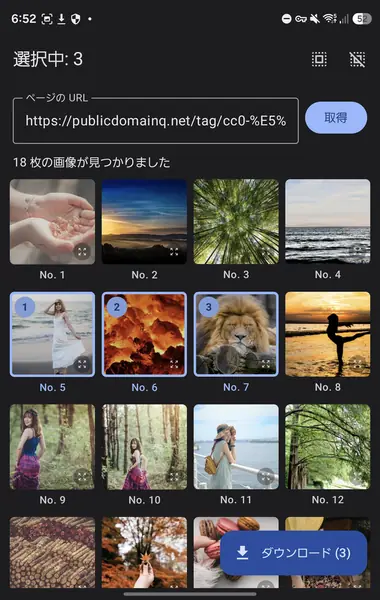
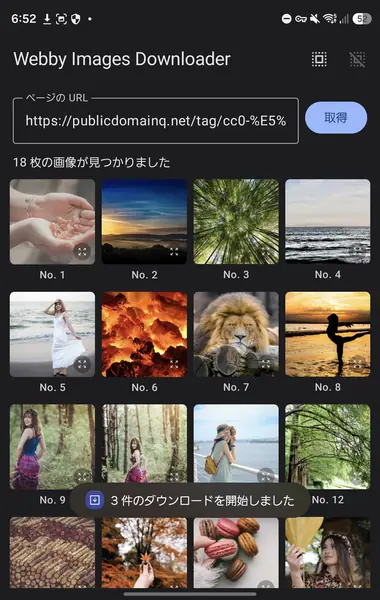
Share a page URL to the app from your browser, or paste it into the URL field. The app collects every image on the page and shows them in a grid, numbered in the order they appear on the page. Tap the images you want, tap Download, and they are saved to Download/WebbyImagesDownloader/ with their original file names.
Features:
- Receives a URL via the Android share sheet, or takes one pasted into the URL field
- Collects images from img tags (including lazy-load attributes), srcset, picture sources, and og:image / twitter:image meta tags
- Numbered grid with select-all and clear-selection buttons
- Downloads selected images in one batch through Android's download manager, so they keep going after you leave the app
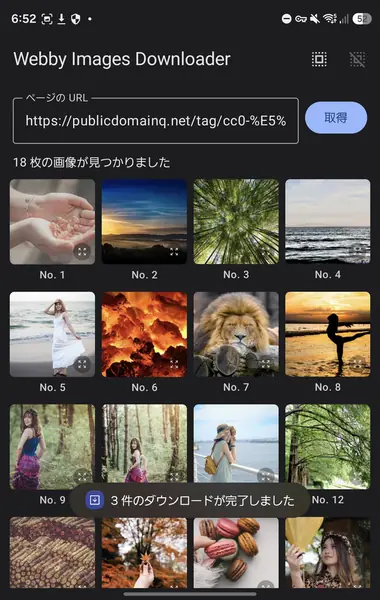
- Notifies you when the batch finishes, including how many failed
- Built-in full-screen viewer with swipe, pinch to zoom, double-tap, and quick-scale gestures
- Light and dark theme
The app has no trackers and no analytics. The only network access is to the page URL you enter and to the images on it. Like a browser, it tells image hosts on other sites only which site the page is on, not the full page URL.
Plain http:// pages are allowed too, so pages on a server in your local network can be opened.
The UI is available in English and Japanese.
What's new in version 0.1.1
- The UI is now in English, with Japanese for Japanese systems
- Image hosts on other sites receive only the origin of the page as Referer, not the full page URL
- Plain http:// pages can be opened, e.g. a server in your local network
- The viewer shows the pixel resolution of the current image
APK file information
| Package name | io.github.aiya000.webbyimagesdownloader |
|---|---|
| Version | 0.1.1 (code 2) |
| Minimum Android | Android 8.0 · targets Android 16 |
| Architectures | arm64-v8a, armeabi-v7a, x86, x86_64 |
| SHA-256 | e92dbc906cb6d93e84fee1525d14c88264b2b0d37a4a7b11e13f525160bc9b4a |
| Signature | 046dc800d81cb3d7769e860af3281c055d24869958a851bd18873ec3c239ab32 |
| Licence | MIT — permissive free licence: the source code is public and reusable |
| Source code | github.com/aiya000/Webby-Images-Downloader |
Permissions
- Internet access
- Write to storage
- Show notifications
- Read storage
How to install Webby Images Downloader APK
- Tap Download APK above, then open the file once the download has finished.
- If Android asks, allow your browser to install unknown apps.
- Tap Install. Webby Images Downloader then appears with your other apps.
Having trouble? Read our guides how to install an APK on Android and "App not installed": how to fix it.
Frequently asked questions
Is Webby Images Downloader free?
Yes. Webby Images Downloader is distributed under the MIT licence: free, no subscription, and its source code is public.
Is this APK file safe?
The file is the one built and published by the F-Droid repository from the public source code. Its SHA-256 fingerprint is shown above, so you can compare it after downloading. How to check an APK.
Will Webby Images Downloader work on my phone?
You need at least Android 8.0. The app also works without Google services, so it runs on recent Huawei phones too.