
Webby Images Downloader APK
Pick images from a web page and download them all at once
Baixar APK v0.1.1 · 1,6 MB- Versão0.1.1
- Tamanho1,6 MB
- RequerAndroid 8.0
- Atualizado07/10/2026
- LicençaMIT
- PreçoGrátis


Sobre o Webby Images Downloader
Descrição fornecida pelo desenvolvedor (em inglês).
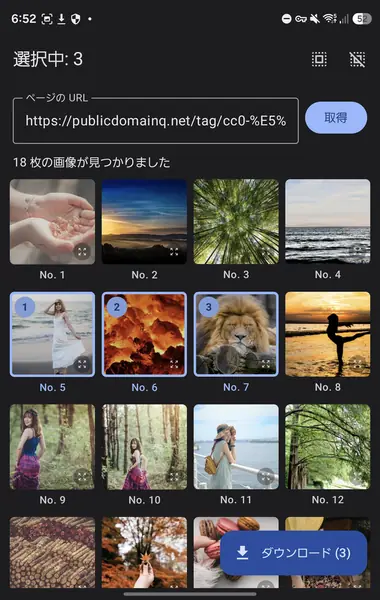
Webby Images Downloader lists the images on a web page, lets you pick the ones you want by tapping, and downloads them all at once.
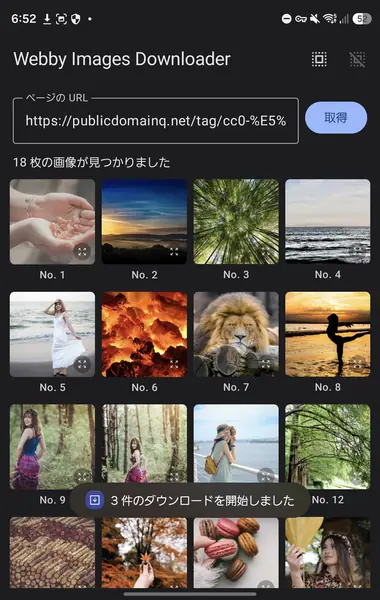
Share a page URL to the app from your browser, or paste it into the URL field. The app collects every image on the page and shows them in a grid, numbered in the order they appear on the page. Tap the images you want, tap Download, and they are saved to Download/WebbyImagesDownloader/ with their original file names.
Features:
- Receives a URL via the Android share sheet, or takes one pasted into the URL field
- Collects images from img tags (including lazy-load attributes), srcset, picture sources, and og:image / twitter:image meta tags
- Numbered grid with select-all and clear-selection buttons
- Downloads selected images in one batch through Android's download manager, so they keep going after you leave the app
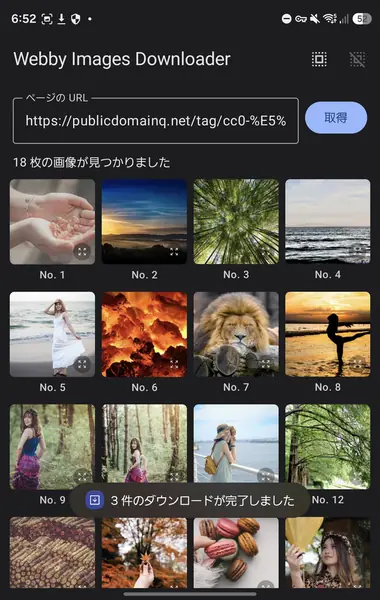
- Notifies you when the batch finishes, including how many failed
- Built-in full-screen viewer with swipe, pinch to zoom, double-tap, and quick-scale gestures
- Light and dark theme
The app has no trackers and no analytics. The only network access is to the page URL you enter and to the images on it. Like a browser, it tells image hosts on other sites only which site the page is on, not the full page URL.
Plain http:// pages are allowed too, so pages on a server in your local network can be opened.
The UI is available in English and Japanese.
Novidades da versão 0.1.1
- The UI is now in English, with Japanese for Japanese systems
- Image hosts on other sites receive only the origin of the page as Referer, not the full page URL
- Plain http:// pages can be opened, e.g. a server in your local network
- The viewer shows the pixel resolution of the current image
Informações do arquivo APK
| Nome do pacote | io.github.aiya000.webbyimagesdownloader |
|---|---|
| Versão | 0.1.1 (código 2) |
| Android mínimo | Android 8.0 · feito para Android 16 |
| Arquiteturas | arm64-v8a, armeabi-v7a, x86, x86_64 |
| SHA-256 | e92dbc906cb6d93e84fee1525d14c88264b2b0d37a4a7b11e13f525160bc9b4a |
| Assinatura | 046dc800d81cb3d7769e860af3281c055d24869958a851bd18873ec3c239ab32 |
| Licença | MIT — licença livre permissiva: o código-fonte é público e reutilizável |
| Código-fonte | github.com/aiya000/Webby-Images-Downloader |
Permissões solicitadas
- Acesso à internet
- Gravar no armazenamento
- Mostrar notificações
- Ler o armazenamento
Como instalar o Webby Images Downloader APK
- Toque em Baixar APK acima e abra o arquivo quando o download terminar.
- Se o Android pedir, permita que o navegador instale apps desconhecidos.
- Toque em Instalar. O Webby Images Downloader aparecerá junto aos seus outros apps.
→ Como instalar um arquivo APK no Android (passo a passo)
→ "App não instalado": causas e soluções
Perguntas frequentes
O Webby Images Downloader é grátis?
Sim. O Webby Images Downloader é distribuído sob a licença MIT: grátis, sem assinatura e com código-fonte público.
Este arquivo APK é seguro?
O arquivo é o compilado e publicado pelo repositório F-Droid a partir do código-fonte público. A impressão digital SHA-256 aparece acima para você comparar depois do download. APK é perigoso? Como verificar um arquivo antes de instalar
O Webby Images Downloader funciona no meu celular?
É preciso ter pelo menos Android 8.0. O app também funciona sem os serviços do Google, inclusive em celulares Huawei recentes.