WorkTimer APK
WorkTimer is a simple timer that helps you to structure your work time and to st
Download APK v1.5 · 16.5 MB- Version1.5
- Size16.5 MB
- RequiresAndroid 8.0
- Updated12/12/2025
- LicenceGPL-3.0-only
- PriceFree
About WorkTimer
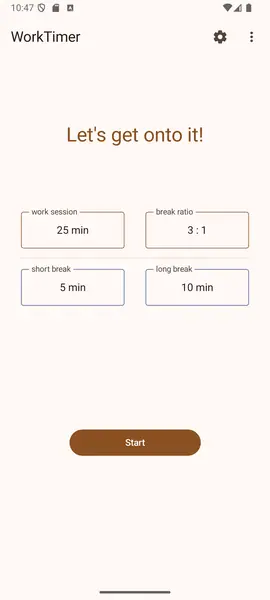
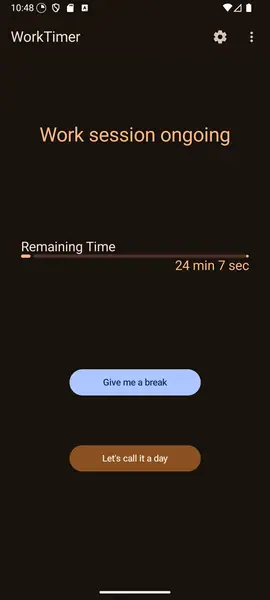
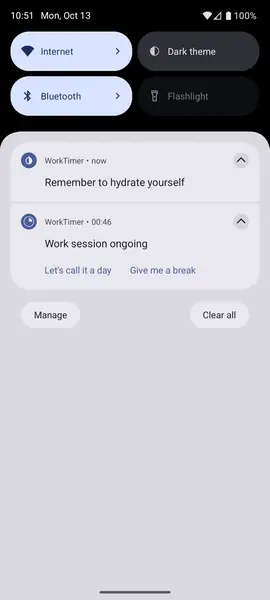
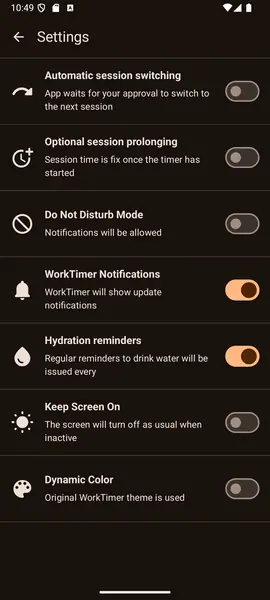
WorkTimer is an app that helps you to structure your work time and to stay productive by applying the Pomodoro Technique®. You can set the duration of your work sessions, short breaks, long breaks and the ratio of breaks to work sessions. The app notifies you when a session is over and can even enable Do Not Disturb mode to prevent distractions. It also reminds you to drink water and can keep the screen on while in use.
What's new in version 1.5
Nueva característica
Mantener la pantalla encendida: WorkTimer se puede configurar para mantener la pantalla encendida durante las sesiones activas.
Mejoras en la experiencia del usuario
WorkTimer se ha actualizado para usar Material Design 3 y puede usar colores dinámicos. Las alarmas ahora usan la API del administrador de alarmas, lo que mejora la confiabilidad. Se ha reescrito la programación de recordatorios de hidratación.
APK file information
| Package name | com.mcsnowflake.worktimer |
|---|---|
| Version | 1.5 (code 13) |
| Minimum Android | Android 8.0 · targets Android 14 |
| Architectures | arm64-v8a, armeabi-v7a, x86, x86_64 |
| SHA-256 | ea2da08ed4913c1923d09c3ac05159a24aa3b83c3735abc935f904d4899785cf |
| Signature | bd67424777219d85dfaa09f35848a3e888b4624b785b9b5df044a33caadd8708 |
| Licence | GPL-3.0-only — copyleft free licence: the code is public and modified versions must stay free |
| Source code | gitlab.com/McSnowflake/worktimer |
Permissions
- Show notifications
3 other technical permission(s)
USE_EXACT_ALARM SCHEDULE_EXACT_ALARM ACCESS_NOTIFICATION_POLICY
Older versions
- WorkTimer 1.5December 12, 2025 · 16.5 MB
- WorkTimer 1.5-alpha2December 2, 2025 · 16.5 MB
- WorkTimer 1.5-alpha1November 15, 2025 · 16.5 MB
How to install WorkTimer APK
- Tap Download APK above, then open the file once the download has finished.
- If Android asks, allow your browser to install unknown apps.
- Tap Install. WorkTimer then appears with your other apps.
Having trouble? Read our guides how to install an APK on Android and "App not installed": how to fix it.
Frequently asked questions
Is WorkTimer free?
Yes. WorkTimer is distributed under the GPL-3.0-only licence: free, no subscription, and its source code is public.
Is this APK file safe?
The file is the one built and published by the F-Droid repository from the public source code. Its SHA-256 fingerprint is shown above, so you can compare it after downloading. How to check an APK.
Will WorkTimer work on my phone?
You need at least Android 8.0. The app also works without Google services, so it runs on recent Huawei phones too.