duckAssist APK
Lightweight, privacy-focused WebView wrapper for Duck.ai
Descargar APK v0.4.7 · 793 KB- Versión0.4.7
- Tamaño793 KB
- RequiereAndroid 7.0
- Actualizada22/10/2026
- LicenciaGPL-3.0-only
- PrecioGratis
Acerca de duckAssist
Descripción del desarrollador (en inglés).
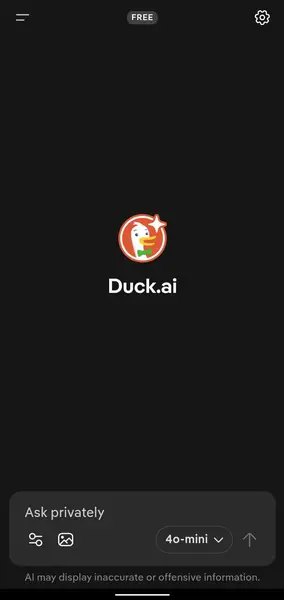
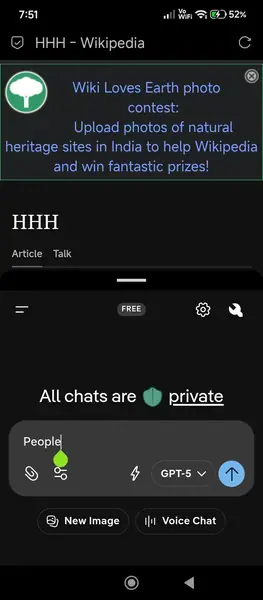
duckAssist is a lightweight, privacy-focused Android WebView wrapper designed specifically for Duck.ai (DuckDuckGo's private AI chat service). It bridges the gap between web and native by providing advanced integration features while maintaining the core privacy principles of DuckDuckGo.
Key Features:
- Focused Interface: A clean, distraction-free environment tailored for AI chat, complete with a native progress bar.
- Digital Assistant Integration: Set duckAssist as your device's default digital assistant app for instant access.
- Auto-Voice Activation: Launching via the assistant shortcut automatically triggers a new voice chat.
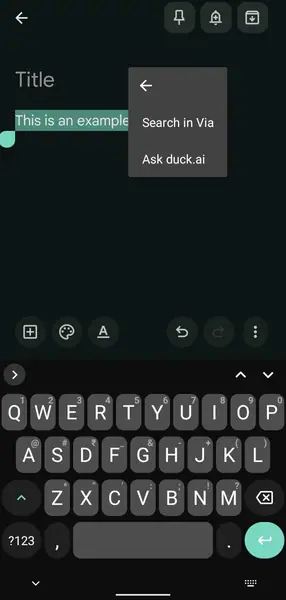
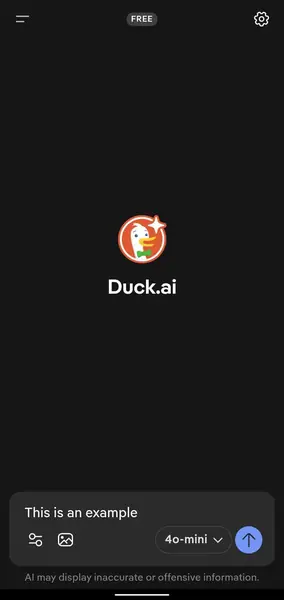
- "Ask duck.ai" Integration: Select text in any application and choose "Ask duck.ai" from the context menu to paste your query directly.
- Smart Link Handling: External links open automatically in your system's default browser.
- Enhanced Privacy: Session persistence is preserved, and the application cache is automatically purged when leaving/closing the app.
- Native File Support: Seamlessly upload documents and download attachments.
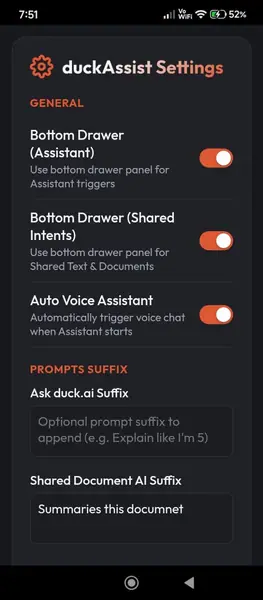
- Bottom Drawer Interface: Slide up a convenient bottom sheet drawer when using assistant shortcuts or sharing content to interact with the AI without losing your background app context.
- Customizable Prompts & UI Settings: Configure bottom drawer panel behavior, assistant voice options, and default prompt suffixes for text and document sharing via a custom-styled HTML settings page.
Información del archivo APK
| Nombre del paquete | org.duckassist.app |
|---|---|
| Versión | 0.4.7 (código 252) |
| Android mínimo | Android 7.0 · diseñada para Android 15 |
| Arquitecturas | Todas (universal) |
| SHA-256 | 18e2a807be79ddc4eca853d1dda4b1ac47433399c69eee5dbc4be4735abce95f |
| Firma | 98a0e07573dc1fa5291328cce91906bc4eb4237efd43e6e3d4c0c300d3b7b3ea |
| Licencia | GPL-3.0-only — licencia libre copyleft: el código es público y las versiones modificadas deben seguir siendo libres |
| Código fuente | github.com/diekaiju/duckAssist |
Permisos solicitados
- Acceso a Internet
- Leer el almacenamiento
- Escribir en el almacenamiento
- Mostrar notificaciones
- Micrófono sensible
- Cámara sensible
1 permiso(s) técnico(s) más
MODIFY_AUDIO_SETTINGS
Versiones anteriores
- duckAssist 0.4.722 de octubre de 2026 · 793 KB
- duckAssist 0.4.616 de octubre de 2026 · 787 KB
Cómo instalar duckAssist APK
- Pulsa Descargar APK arriba y abre el archivo cuando termine la descarga.
- Si Android lo pide, permite que tu navegador instale apps desconocidas.
- Pulsa Instalar. duckAssist aparecerá junto a tus otras apps.
→ Cómo instalar un archivo APK en Android (paso a paso)
→ «La aplicación no está instalada»: causas y soluciones
Preguntas frecuentes
¿duckAssist es gratis?
Sí. duckAssist se distribuye con licencia GPL-3.0-only: gratis, sin suscripción y con el código fuente público.
¿Es seguro este archivo APK?
El archivo es el que compila y publica el repositorio F-Droid a partir del código fuente público. Su huella SHA-256 aparece arriba para que puedas compararla tras la descarga. ¿Un APK es peligroso? Cómo verificar un archivo antes de instalarlo
¿Funciona duckAssist en mi teléfono?
Necesitas como mínimo Android 7.0. La app también funciona sin los servicios de Google, así que funciona en los teléfonos Huawei recientes.