duckAssist APK
Lightweight, privacy-focused WebView wrapper for Duck.ai
Scarica l'APK v0.4.7 · 793 KB- Versione0.4.7
- Dimensione793 KB
- RichiedeAndroid 7.0
- Aggiornata22/10/2026
- LicenzaGPL-3.0-only
- PrezzoGratis
Informazioni su duckAssist
Descrizione fornita dallo sviluppatore (in inglese).
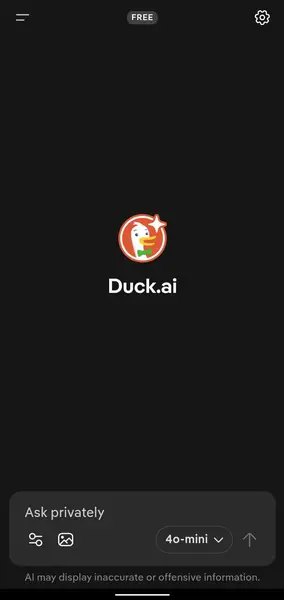
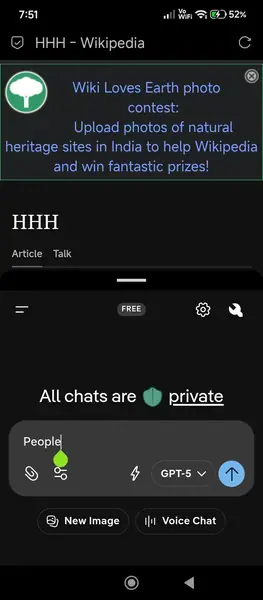
duckAssist is a lightweight, privacy-focused Android WebView wrapper designed specifically for Duck.ai (DuckDuckGo's private AI chat service). It bridges the gap between web and native by providing advanced integration features while maintaining the core privacy principles of DuckDuckGo.
Key Features:
- Focused Interface: A clean, distraction-free environment tailored for AI chat, complete with a native progress bar.
- Digital Assistant Integration: Set duckAssist as your device's default digital assistant app for instant access.
- Auto-Voice Activation: Launching via the assistant shortcut automatically triggers a new voice chat.
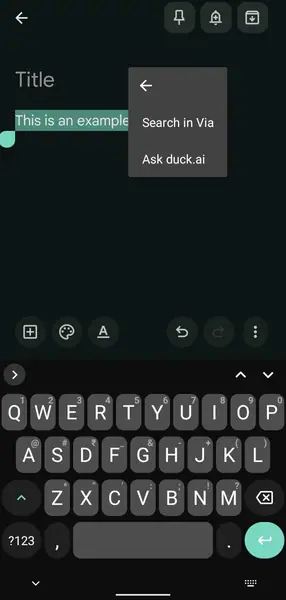
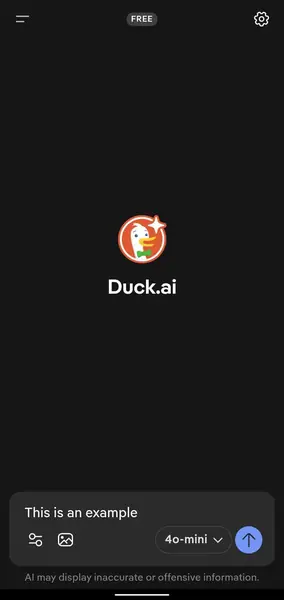
- "Ask duck.ai" Integration: Select text in any application and choose "Ask duck.ai" from the context menu to paste your query directly.
- Smart Link Handling: External links open automatically in your system's default browser.
- Enhanced Privacy: Session persistence is preserved, and the application cache is automatically purged when leaving/closing the app.
- Native File Support: Seamlessly upload documents and download attachments.
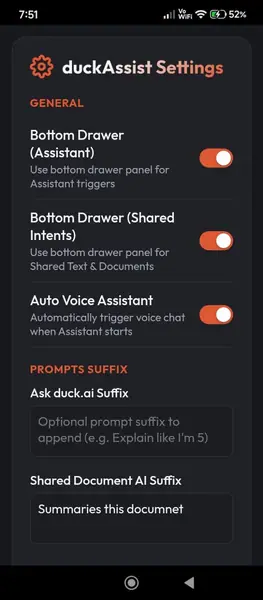
- Bottom Drawer Interface: Slide up a convenient bottom sheet drawer when using assistant shortcuts or sharing content to interact with the AI without losing your background app context.
- Customizable Prompts & UI Settings: Configure bottom drawer panel behavior, assistant voice options, and default prompt suffixes for text and document sharing via a custom-styled HTML settings page.
Informazioni sul file APK
| Nome del pacchetto | org.duckassist.app |
|---|---|
| Versione | 0.4.7 (codice 252) |
| Android minimo | Android 7.0 · pensata per Android 15 |
| Architetture | Tutte (universale) |
| SHA-256 | 18e2a807be79ddc4eca853d1dda4b1ac47433399c69eee5dbc4be4735abce95f |
| Firma | 98a0e07573dc1fa5291328cce91906bc4eb4237efd43e6e3d4c0c300d3b7b3ea |
| Licenza | GPL-3.0-only — licenza libera copyleft: il codice è pubblico e le versioni modificate devono restare libere |
| Codice sorgente | github.com/diekaiju/duckAssist |
Autorizzazioni richieste
- Accesso a Internet
- Leggere l'archivio
- Scrivere nell'archivio
- Mostrare notifiche
- Microfono sensibile
- Fotocamera sensibile
Altre 1 autorizzazioni tecniche
MODIFY_AUDIO_SETTINGS
Versioni precedenti
- duckAssist 0.4.722 ottobre 2026 · 793 KB
- duckAssist 0.4.616 ottobre 2026 · 787 KB
Come installare duckAssist APK
- Tocca Scarica l'APK qui sopra, poi apri il file al termine del download.
- Se Android lo chiede, consenti al browser di installare app sconosciute.
- Tocca Installa. duckAssist comparirà insieme alle altre app.
→ Come installare un file APK su Android (passo passo)
→ «App non installata»: cause e soluzioni
Domande frequenti
duckAssist è gratis?
Sì. duckAssist è distribuita con licenza GPL-3.0-only: gratuita, senza abbonamento e con codice sorgente pubblico.
Questo file APK è sicuro?
Il file è quello compilato e pubblicato dal repository F-Droid a partire dal codice sorgente pubblico. L'impronta SHA-256 è indicata qui sopra: puoi confrontarla dopo il download. Un APK è pericoloso? Come verificare un file prima di installarlo
duckAssist funziona sul mio telefono?
Serve almeno Android 7.0. L'app funziona anche senza i servizi Google, quindi anche sui telefoni Huawei recenti.