
duckAssist APK
Lightweight, privacy-focused WebView wrapper for Duck.ai
Download APK v0.4.7 · 793 KB- Version0.4.7
- Size793 KB
- RequiresAndroid 7.0
- Updated10/22/2026
- LicenceGPL-3.0-only
- PriceFree
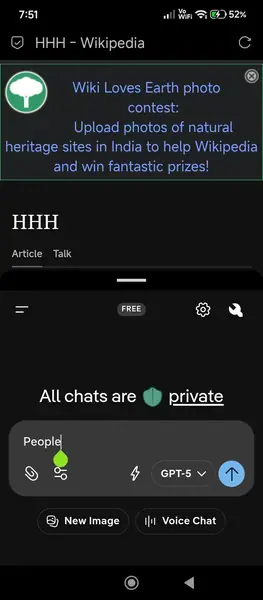
About duckAssist
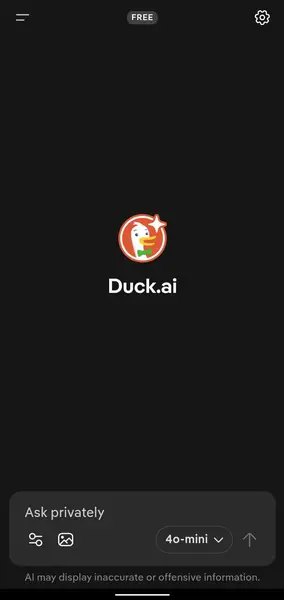
duckAssist is a lightweight, privacy-focused Android WebView wrapper designed specifically for Duck.ai (DuckDuckGo's private AI chat service). It bridges the gap between web and native by providing advanced integration features while maintaining the core privacy principles of DuckDuckGo.
Key Features:
- Focused Interface: A clean, distraction-free environment tailored for AI chat, complete with a native progress bar.
- Digital Assistant Integration: Set duckAssist as your device's default digital assistant app for instant access.
- Auto-Voice Activation: Launching via the assistant shortcut automatically triggers a new voice chat.
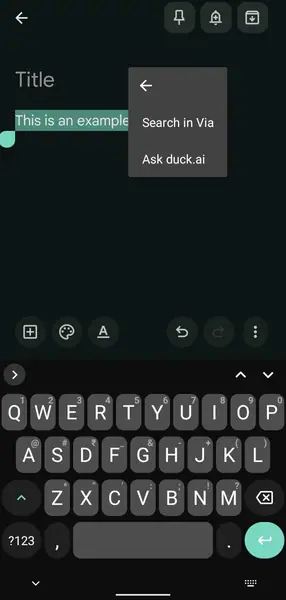
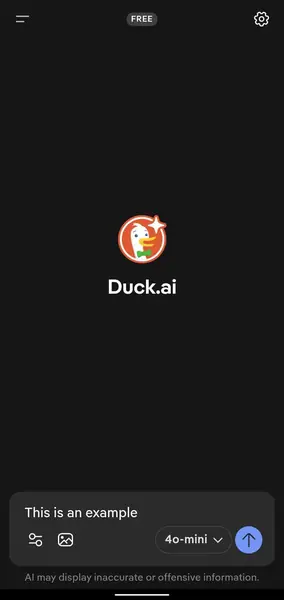
- "Ask duck.ai" Integration: Select text in any application and choose "Ask duck.ai" from the context menu to paste your query directly.
- Smart Link Handling: External links open automatically in your system's default browser.
- Enhanced Privacy: Session persistence is preserved, and the application cache is automatically purged when leaving/closing the app.
- Native File Support: Seamlessly upload documents and download attachments.
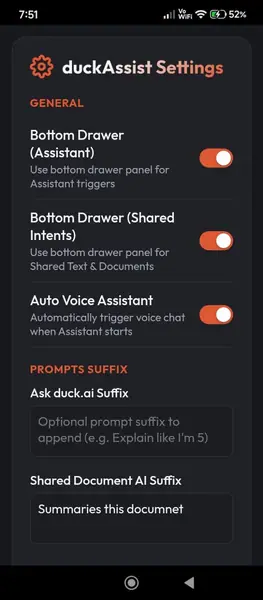
- Bottom Drawer Interface: Slide up a convenient bottom sheet drawer when using assistant shortcuts or sharing content to interact with the AI without losing your background app context.
- Customizable Prompts & UI Settings: Configure bottom drawer panel behavior, assistant voice options, and default prompt suffixes for text and document sharing via a custom-styled HTML settings page.
APK file information
| Package name | org.duckassist.app |
|---|---|
| Version | 0.4.7 (code 252) |
| Minimum Android | Android 7.0 · targets Android 15 |
| Architectures | All (universal) |
| SHA-256 | 18e2a807be79ddc4eca853d1dda4b1ac47433399c69eee5dbc4be4735abce95f |
| Signature | 98a0e07573dc1fa5291328cce91906bc4eb4237efd43e6e3d4c0c300d3b7b3ea |
| Licence | GPL-3.0-only — copyleft free licence: the code is public and modified versions must stay free |
| Source code | github.com/diekaiju/duckAssist |
Permissions
- Internet access
- Read storage
- Write to storage
- Show notifications
- Microphone sensitive
- Camera sensitive
1 other technical permission(s)
MODIFY_AUDIO_SETTINGS
Older versions
- duckAssist 0.4.7October 22, 2026 · 793 KB
- duckAssist 0.4.6October 16, 2026 · 787 KB
How to install duckAssist APK
- Tap Download APK above, then open the file once the download has finished.
- If Android asks, allow your browser to install unknown apps.
- Tap Install. duckAssist then appears with your other apps.
Having trouble? Read our guides how to install an APK on Android and "App not installed": how to fix it.
Frequently asked questions
Is duckAssist free?
Yes. duckAssist is distributed under the GPL-3.0-only licence: free, no subscription, and its source code is public.
Is this APK file safe?
The file is the one built and published by the F-Droid repository from the public source code. Its SHA-256 fingerprint is shown above, so you can compare it after downloading. How to check an APK.
Will duckAssist work on my phone?
You need at least Android 7.0. The app also works without Google services, so it runs on recent Huawei phones too.





