µLauncher APK
A distraction-free, minimal homescreen for Android.
Descargar APK v0.2.13 · 3,9 MB- Versión0.2.13
- Tamaño3,9 MB
- RequiereAndroid 5.0
- Actualizada11/11/2026
- LicenciaMIT
- PrecioGratis
Acerca de µLauncher
Descripción del desarrollador (en inglés).
µLauncher is a home screen that lets you start other apps using swipe gestures and button presses. It is minimal, efficient and free of distraction.
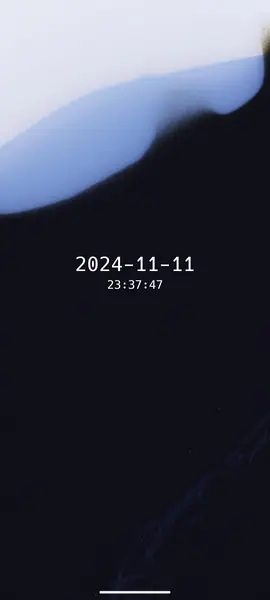
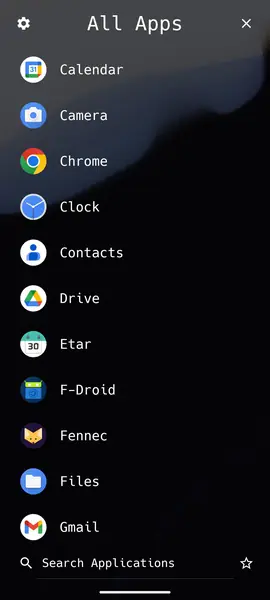
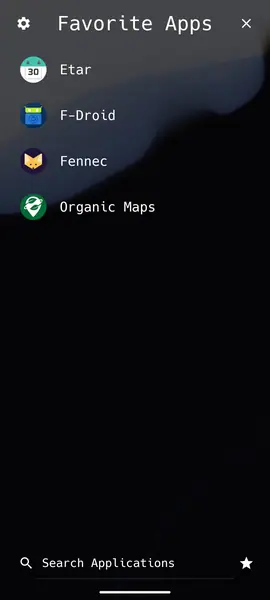
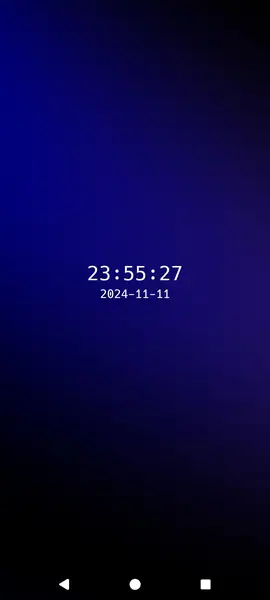
Your home screen only displays the date, time and a wallpaper. Pressing back or swiping up (this can be configured) opens a list of all installed apps, which can be searched efficiently.
This is a fork of the app Launcher by Finn M Glas.
Features:
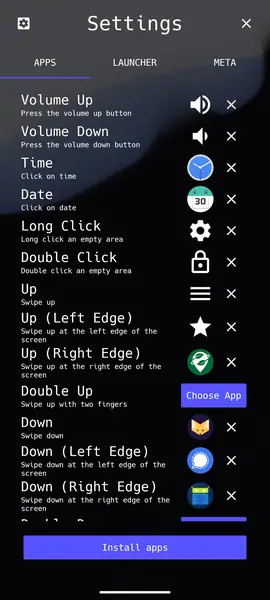
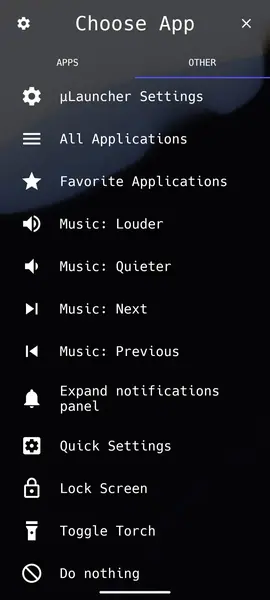
- You can bind actions to 35 different gestures.
- An action can be one of the following:
- Launch an app
- List all apps
- List favorite apps
- Volume up / down
- Music: previous / next track
- Lock screen
- Toggle torch
- Show notifications / quick settings
- Compatible with work profile and private space.
Novedades de la versión 0.2.13
- Icon packs!
- Basic support for static and dynamic shortcuts
- Add search for widget list (thank you, wassupluke!)
- Dialog for setting widget position and size
- Digital assistant action (thank you, wassupluke!)
- Improved translations (thank you, josé m., hamburger2048, Tarun Kumar Jaiswal, GrenewerearE, Gregory Allam and r!)
- Fixed some bugs
Información del archivo APK
| Nombre del paquete | de.jrpie.android.launcher |
|---|---|
| Versión | 0.2.13 (código 58) |
| Android mínimo | Android 5.0 · diseñada para Android 16 |
| Arquitecturas | Todas (universal) |
| SHA-256 | 89079186536ac93b6f80bdade245a539dd50eff8d2137b3785f9d7a6fddf4473 |
| Firma | 0b5ee04000b2abf0b2c3f82cda9d9a3f615f3643bb917ff4e516270ab5dcaf12 |
| Licencia | MIT — licencia libre permisiva: el código fuente es público y reutilizable |
| Código fuente | github.com/jrpie/Launcher |
| Sitio oficial | launcher.jrpie.de |
Permisos solicitados
- Ver las apps instaladas sensible
- Mostrar notificaciones
3 permiso(s) técnico(s) más
REQUEST_DELETE_PACKAGES ACCESS_HIDDEN_PROFILES EXPAND_STATUS_BAR
Versiones anteriores
- µLauncher 0.2.1311 de noviembre de 2026 · 3,9 MB
- µLauncher 0.2.1226 de junio de 2026 · 3,9 MB
- µLauncher 0.2.1111 de marzo de 2026 · 3,9 MB
Cómo instalar µLauncher APK
- Pulsa Descargar APK arriba y abre el archivo cuando termine la descarga.
- Si Android lo pide, permite que tu navegador instale apps desconocidas.
- Pulsa Instalar. µLauncher aparecerá junto a tus otras apps.
→ Cómo instalar un archivo APK en Android (paso a paso)
→ «La aplicación no está instalada»: causas y soluciones
Preguntas frecuentes
¿µLauncher es gratis?
Sí. µLauncher se distribuye con licencia MIT: gratis, sin suscripción y con el código fuente público.
¿Es seguro este archivo APK?
El archivo es el que compila y publica el repositorio F-Droid a partir del código fuente público. Su huella SHA-256 aparece arriba para que puedas compararla tras la descarga. ¿Un APK es peligroso? Cómo verificar un archivo antes de instalarlo
¿Funciona µLauncher en mi teléfono?
Necesitas como mínimo Android 5.0. La app también funciona sin los servicios de Google, así que funciona en los teléfonos Huawei recientes.