µLauncher APK
A distraction-free, minimal homescreen for Android.
Download APK v0.2.13 · 3.9 MB- Version0.2.13
- Size3.9 MB
- RequiresAndroid 5.0
- Updated11/11/2026
- LicenceMIT
- PriceFree
About µLauncher
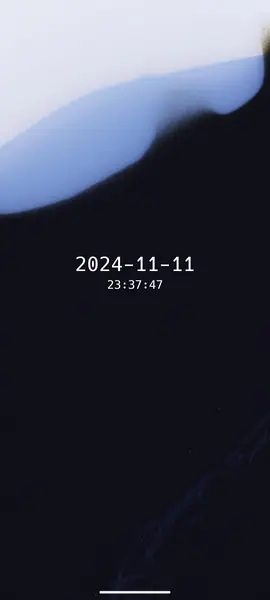
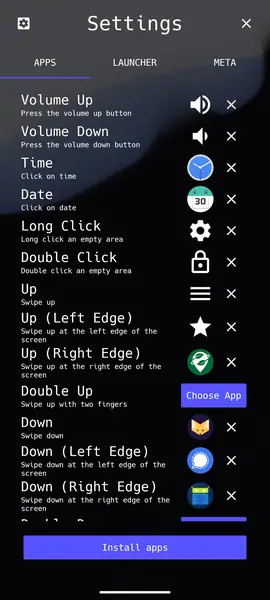
µLauncher is a home screen that lets you start other apps using swipe gestures and button presses. It is minimal, efficient and free of distraction.
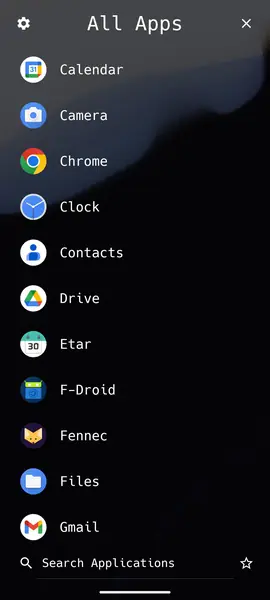
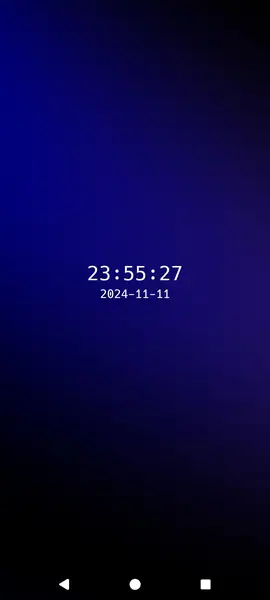
Your home screen only displays the date, time and a wallpaper. Pressing back or swiping up (this can be configured) opens a list of all installed apps, which can be searched efficiently.
This is a fork of the app Launcher by Finn M Glas.
Features:
- You can bind actions to 35 different gestures.
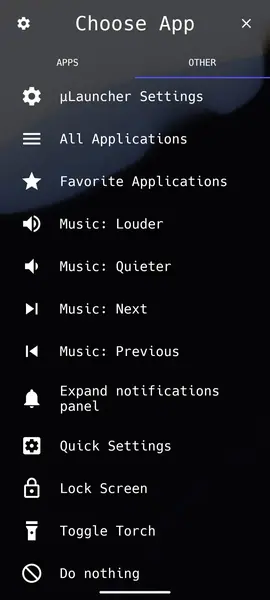
- An action can be one of the following:
- Launch an app
- List all apps
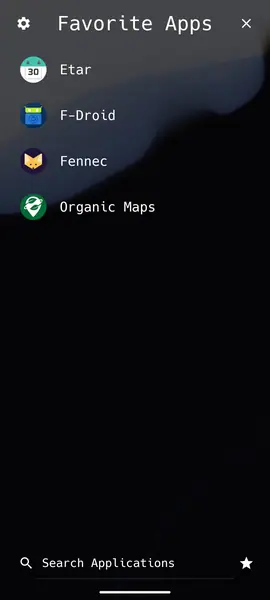
- List favorite apps
- Volume up / down
- Music: previous / next track
- Lock screen
- Toggle torch
- Show notifications / quick settings
- Compatible with work profile and private space.
What's new in version 0.2.13
- Icon packs!
- Basic support for static and dynamic shortcuts
- Add search for widget list (thank you, wassupluke!)
- Dialog for setting widget position and size
- Digital assistant action (thank you, wassupluke!)
- Improved translations (thank you, josé m., hamburger2048, Tarun Kumar Jaiswal, GrenewerearE, Gregory Allam and r!)
- Fixed some bugs
APK file information
| Package name | de.jrpie.android.launcher |
|---|---|
| Version | 0.2.13 (code 58) |
| Minimum Android | Android 5.0 · targets Android 16 |
| Architectures | All (universal) |
| SHA-256 | 89079186536ac93b6f80bdade245a539dd50eff8d2137b3785f9d7a6fddf4473 |
| Signature | 0b5ee04000b2abf0b2c3f82cda9d9a3f615f3643bb917ff4e516270ab5dcaf12 |
| Licence | MIT — permissive free licence: the source code is public and reusable |
| Source code | github.com/jrpie/Launcher |
| Official website | launcher.jrpie.de |
Permissions
- See installed apps sensitive
- Show notifications
3 other technical permission(s)
REQUEST_DELETE_PACKAGES ACCESS_HIDDEN_PROFILES EXPAND_STATUS_BAR
Older versions
- µLauncher 0.2.13November 11, 2026 · 3.9 MB
- µLauncher 0.2.12June 26, 2026 · 3.9 MB
- µLauncher 0.2.11March 11, 2026 · 3.9 MB
How to install µLauncher APK
- Tap Download APK above, then open the file once the download has finished.
- If Android asks, allow your browser to install unknown apps.
- Tap Install. µLauncher then appears with your other apps.
Having trouble? Read our guides how to install an APK on Android and "App not installed": how to fix it.
Frequently asked questions
Is µLauncher free?
Yes. µLauncher is distributed under the MIT licence: free, no subscription, and its source code is public.
Is this APK file safe?
The file is the one built and published by the F-Droid repository from the public source code. Its SHA-256 fingerprint is shown above, so you can compare it after downloading. How to check an APK.
Will µLauncher work on my phone?
You need at least Android 5.0. The app also works without Google services, so it runs on recent Huawei phones too.





