µLauncher APK
A distraction-free, minimal homescreen for Android.
Scarica l'APK v0.2.13 · 3,9 MB- Versione0.2.13
- Dimensione3,9 MB
- RichiedeAndroid 5.0
- Aggiornata11/11/2026
- LicenzaMIT
- PrezzoGratis
Informazioni su µLauncher
Descrizione fornita dallo sviluppatore (in inglese).
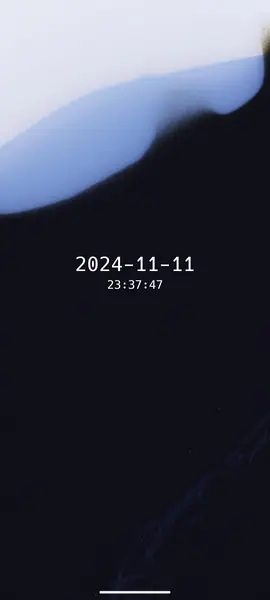
µLauncher is a home screen that lets you start other apps using swipe gestures and button presses. It is minimal, efficient and free of distraction.
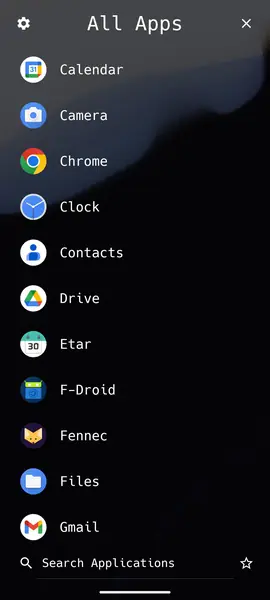
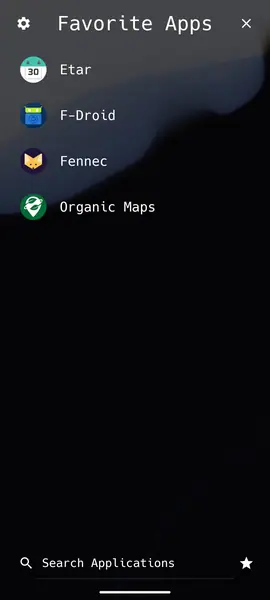
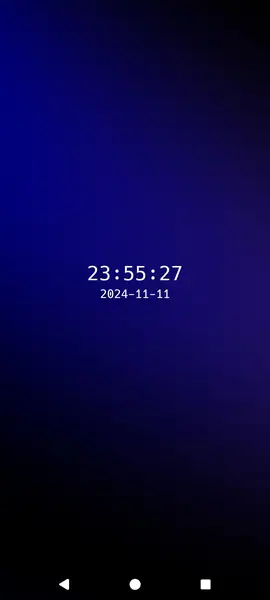
Your home screen only displays the date, time and a wallpaper. Pressing back or swiping up (this can be configured) opens a list of all installed apps, which can be searched efficiently.
This is a fork of the app Launcher by Finn M Glas.
Features:
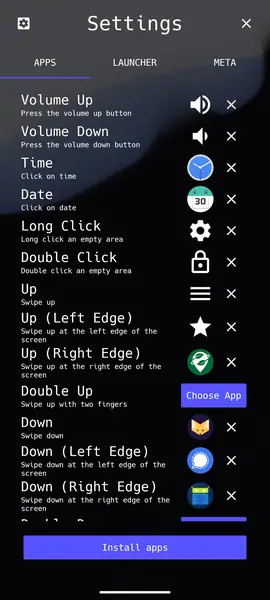
- You can bind actions to 35 different gestures.
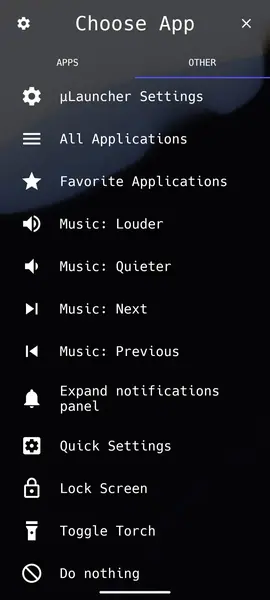
- An action can be one of the following:
- Launch an app
- List all apps
- List favorite apps
- Volume up / down
- Music: previous / next track
- Lock screen
- Toggle torch
- Show notifications / quick settings
- Compatible with work profile and private space.
Novità della versione 0.2.13
- Icon packs!
- Basic support for static and dynamic shortcuts
- Add search for widget list (thank you, wassupluke!)
- Dialog for setting widget position and size
- Digital assistant action (thank you, wassupluke!)
- Improved translations (thank you, josé m., hamburger2048, Tarun Kumar Jaiswal, GrenewerearE, Gregory Allam and r!)
- Fixed some bugs
Informazioni sul file APK
| Nome del pacchetto | de.jrpie.android.launcher |
|---|---|
| Versione | 0.2.13 (codice 58) |
| Android minimo | Android 5.0 · pensata per Android 16 |
| Architetture | Tutte (universale) |
| SHA-256 | 89079186536ac93b6f80bdade245a539dd50eff8d2137b3785f9d7a6fddf4473 |
| Firma | 0b5ee04000b2abf0b2c3f82cda9d9a3f615f3643bb917ff4e516270ab5dcaf12 |
| Licenza | MIT — licenza libera permissiva: il codice sorgente è pubblico e riutilizzabile |
| Codice sorgente | github.com/jrpie/Launcher |
| Sito ufficiale | launcher.jrpie.de |
Autorizzazioni richieste
- Vedere le app installate sensibile
- Mostrare notifiche
Altre 3 autorizzazioni tecniche
REQUEST_DELETE_PACKAGES ACCESS_HIDDEN_PROFILES EXPAND_STATUS_BAR
Versioni precedenti
- µLauncher 0.2.1311 novembre 2026 · 3,9 MB
- µLauncher 0.2.1226 giugno 2026 · 3,9 MB
- µLauncher 0.2.1111 marzo 2026 · 3,9 MB
Come installare µLauncher APK
- Tocca Scarica l'APK qui sopra, poi apri il file al termine del download.
- Se Android lo chiede, consenti al browser di installare app sconosciute.
- Tocca Installa. µLauncher comparirà insieme alle altre app.
→ Come installare un file APK su Android (passo passo)
→ «App non installata»: cause e soluzioni
Domande frequenti
µLauncher è gratis?
Sì. µLauncher è distribuita con licenza MIT: gratuita, senza abbonamento e con codice sorgente pubblico.
Questo file APK è sicuro?
Il file è quello compilato e pubblicato dal repository F-Droid a partire dal codice sorgente pubblico. L'impronta SHA-256 è indicata qui sopra: puoi confrontarla dopo il download. Un APK è pericoloso? Come verificare un file prima di installarlo
µLauncher funziona sul mio telefono?
Serve almeno Android 5.0. L'app funziona anche senza i servizi Google, quindi anche sui telefoni Huawei recenti.





