
NeatLauncher APK
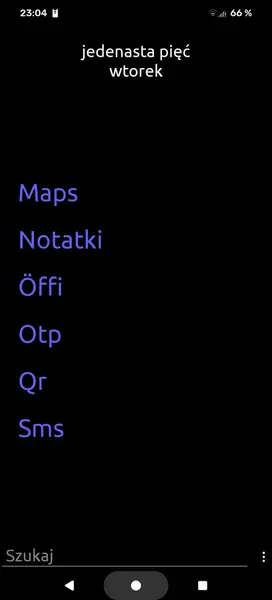
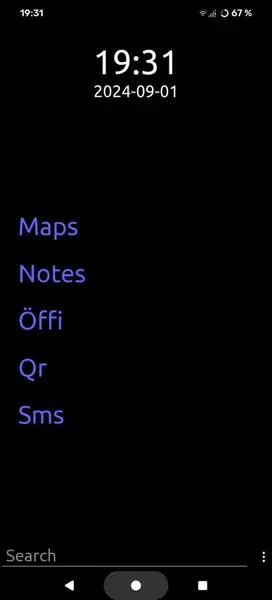
A neat and convenient launcher without icons.
Descargar APK v2.1 · 2,3 MB- Versión2.1
- Tamaño2,3 MB
- RequiereAndroid 7.0
- Actualizada11/7/2025
- LicenciaBSD-2-Clause
- PrecioGratis
Acerca de NeatLauncher
Descripción del desarrollador (en inglés).
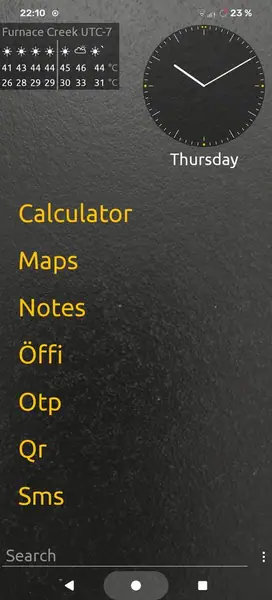
The home app (the launcher) to replace ugly home apps that are too colourful, distracting, inefficient, and full of non-sensical icons.
Clarity by efficient and elegant design based on text. With configurable quick access to apps, shortcuts, or contacts via a list or by gestures.
Supports app shortcuts, both static and dynamic.
Search function optionally integrates the contact list, and includes a configurable web search.
Tries to have enough configurability without making testing corner cases tedious, to ensure functionality and robustness.
Weather info (uses network and location services, if necessary).
New app developed from scratch. Takes inspiration from Unlauncher (a fork of Slimlauncher), and Nolauncher, and also feedback of users.
Features:
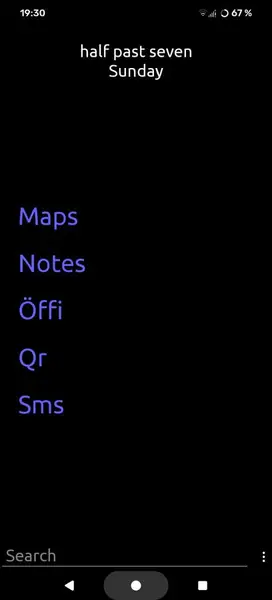
- uniform and elegant text-based design
- configurable quick access and gestures on home screen
- shortcut support (long click on app by default)
- hide/show apps (but keep searchable)
- apps can be renamed and reordered
- good search function for apps
- integrated contact list search
- integrated, configurable web search
- clock options
- date format options
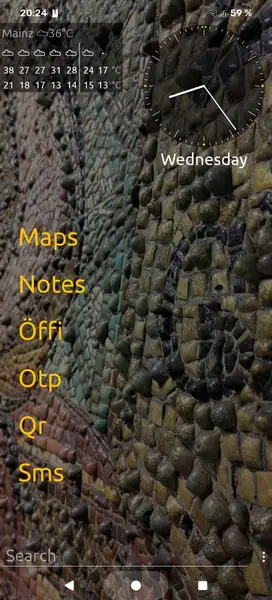
- weather forecast options (via open-meteo.com)
- configurable colour scheme
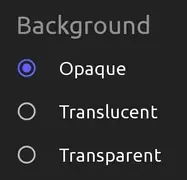
- can use system wallpaper as background
- free open source software
- no icon set support (no need: no icons at all)
- no widget support
Novedades de la versión 2.1
Feature release.
- allow copying of weather location ('New' radio button)
- add swipe sensibility control
- display current weather
- fix rendering problem of weather table
- translation: Polish (thanks to Julian Nowaczyk)
Información del archivo APK
| Nombre del paquete | de.theiling.neatlauncher |
|---|---|
| Versión | 2.1 (código 8) |
| Android mínimo | Android 7.0 · diseñada para Android 14 |
| Arquitecturas | Todas (universal) |
| SHA-256 | ce557d6c9e260f04386972d1be12591e3c2a412eab622be95be553bda291888f |
| Firma | 33b4182a20c0cc896db8c25c949b72ae966cbed57b08ecc1a463d2c4f5d22238 |
| Licencia | BSD-2-Clause — licencia libre permisiva: el código fuente es público y reutilizable |
| Código fuente | github.com/moehriegitt/NeatLauncher |
Permisos solicitados
- Ver las apps instaladas sensible
- Leer contactos sensible
- Acceso a Internet
- Ubicación aproximada sensible
Versiones anteriores
- NeatLauncher 2.111 de julio de 2025 · 2,3 MB
- NeatLauncher 1.51 de julio de 2025 · 2,3 MB
- NeatLauncher 1.427 de octubre de 2024 · 2,3 MB
Cómo instalar NeatLauncher APK
- Pulsa Descargar APK arriba y abre el archivo cuando termine la descarga.
- Si Android lo pide, permite que tu navegador instale apps desconocidas.
- Pulsa Instalar. NeatLauncher aparecerá junto a tus otras apps.
→ Cómo instalar un archivo APK en Android (paso a paso)
→ «La aplicación no está instalada»: causas y soluciones
Preguntas frecuentes
¿NeatLauncher es gratis?
Sí. NeatLauncher se distribuye con licencia BSD-2-Clause: gratis, sin suscripción y con el código fuente público.
¿Es seguro este archivo APK?
El archivo es el que compila y publica el repositorio F-Droid a partir del código fuente público. Su huella SHA-256 aparece arriba para que puedas compararla tras la descarga. ¿Un APK es peligroso? Cómo verificar un archivo antes de instalarlo
¿Funciona NeatLauncher en mi teléfono?
Necesitas como mínimo Android 7.0. La app también funciona sin los servicios de Google, así que funciona en los teléfonos Huawei recientes.