
NeatLauncher APK
A neat and convenient launcher without icons.
Scarica l'APK v2.1 · 2,3 MB- Versione2.1
- Dimensione2,3 MB
- RichiedeAndroid 7.0
- Aggiornata11/07/2025
- LicenzaBSD-2-Clause
- PrezzoGratis
Informazioni su NeatLauncher
Descrizione fornita dallo sviluppatore (in inglese).
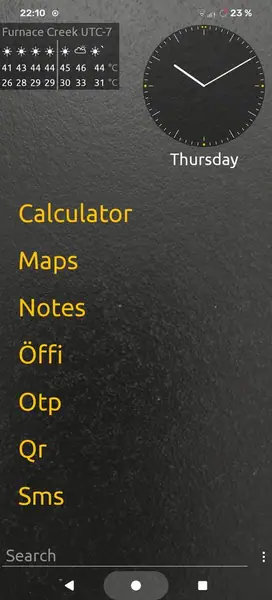
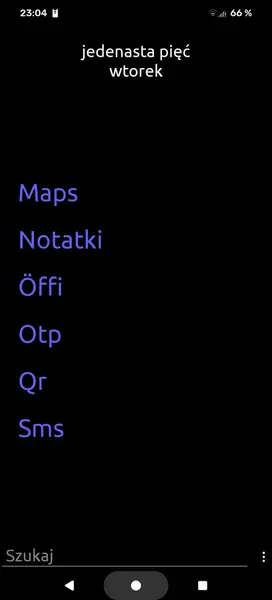
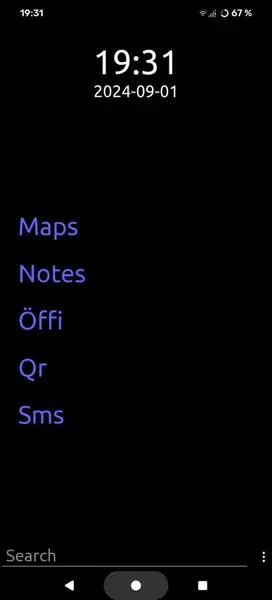
The home app (the launcher) to replace ugly home apps that are too colourful, distracting, inefficient, and full of non-sensical icons.
Clarity by efficient and elegant design based on text. With configurable quick access to apps, shortcuts, or contacts via a list or by gestures.
Supports app shortcuts, both static and dynamic.
Search function optionally integrates the contact list, and includes a configurable web search.
Tries to have enough configurability without making testing corner cases tedious, to ensure functionality and robustness.
Weather info (uses network and location services, if necessary).
New app developed from scratch. Takes inspiration from Unlauncher (a fork of Slimlauncher), and Nolauncher, and also feedback of users.
Features:
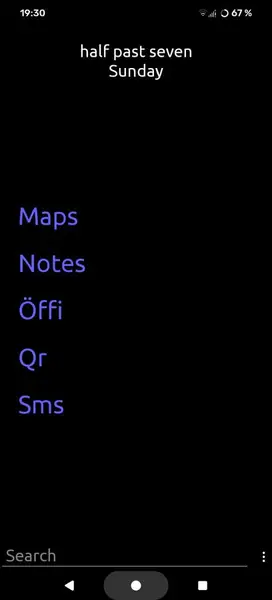
- uniform and elegant text-based design
- configurable quick access and gestures on home screen
- shortcut support (long click on app by default)
- hide/show apps (but keep searchable)
- apps can be renamed and reordered
- good search function for apps
- integrated contact list search
- integrated, configurable web search
- clock options
- date format options
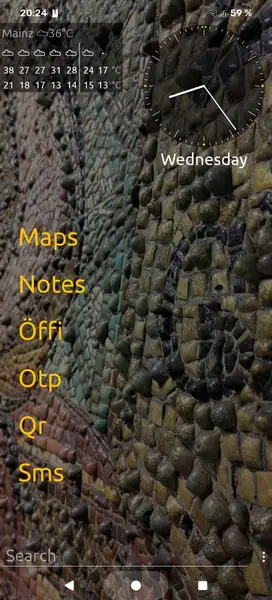
- weather forecast options (via open-meteo.com)
- configurable colour scheme
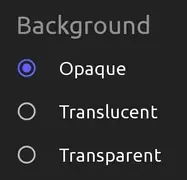
- can use system wallpaper as background
- free open source software
- no icon set support (no need: no icons at all)
- no widget support
Novità della versione 2.1
Feature release.
- allow copying of weather location ('New' radio button)
- add swipe sensibility control
- display current weather
- fix rendering problem of weather table
- translation: Polish (thanks to Julian Nowaczyk)
Informazioni sul file APK
| Nome del pacchetto | de.theiling.neatlauncher |
|---|---|
| Versione | 2.1 (codice 8) |
| Android minimo | Android 7.0 · pensata per Android 14 |
| Architetture | Tutte (universale) |
| SHA-256 | ce557d6c9e260f04386972d1be12591e3c2a412eab622be95be553bda291888f |
| Firma | 33b4182a20c0cc896db8c25c949b72ae966cbed57b08ecc1a463d2c4f5d22238 |
| Licenza | BSD-2-Clause — licenza libera permissiva: il codice sorgente è pubblico e riutilizzabile |
| Codice sorgente | github.com/moehriegitt/NeatLauncher |
Autorizzazioni richieste
- Vedere le app installate sensibile
- Leggere i contatti sensibile
- Accesso a Internet
- Posizione approssimativa sensibile
Versioni precedenti
- NeatLauncher 2.111 luglio 2025 · 2,3 MB
- NeatLauncher 1.51 luglio 2025 · 2,3 MB
- NeatLauncher 1.427 ottobre 2024 · 2,3 MB
Come installare NeatLauncher APK
- Tocca Scarica l'APK qui sopra, poi apri il file al termine del download.
- Se Android lo chiede, consenti al browser di installare app sconosciute.
- Tocca Installa. NeatLauncher comparirà insieme alle altre app.
→ Come installare un file APK su Android (passo passo)
→ «App non installata»: cause e soluzioni
Domande frequenti
NeatLauncher è gratis?
Sì. NeatLauncher è distribuita con licenza BSD-2-Clause: gratuita, senza abbonamento e con codice sorgente pubblico.
Questo file APK è sicuro?
Il file è quello compilato e pubblicato dal repository F-Droid a partire dal codice sorgente pubblico. L'impronta SHA-256 è indicata qui sopra: puoi confrontarla dopo il download. Un APK è pericoloso? Come verificare un file prima di installarlo
NeatLauncher funziona sul mio telefono?
Serve almeno Android 7.0. L'app funziona anche senza i servizi Google, quindi anche sui telefoni Huawei recenti.





