
NeatLauncher APK
A neat and convenient launcher without icons.
Download APK v2.1 · 2.3 MB- Version2.1
- Size2.3 MB
- RequiresAndroid 7.0
- Updated7/11/2025
- LicenceBSD-2-Clause
- PriceFree
About NeatLauncher
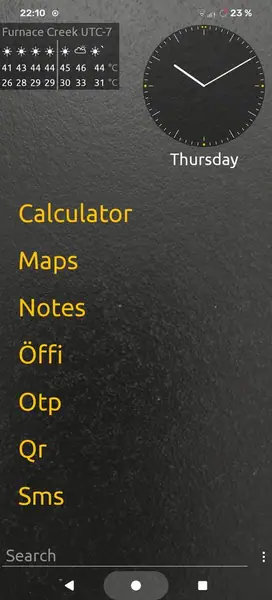
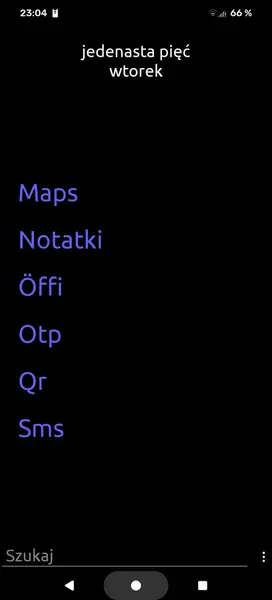
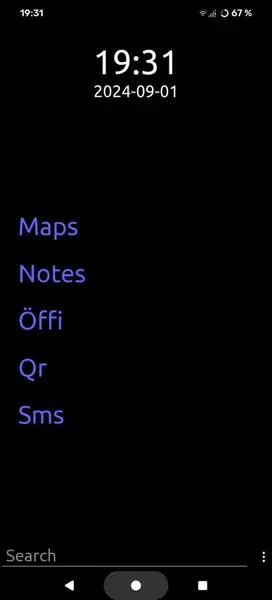
The home app (the launcher) to replace ugly home apps that are too colourful, distracting, inefficient, and full of non-sensical icons.
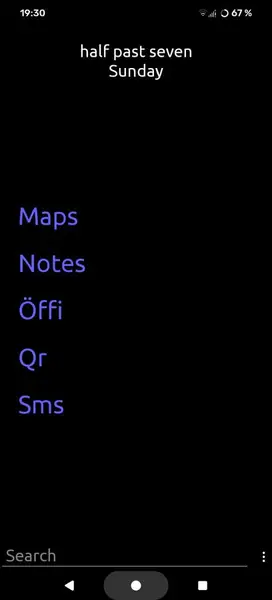
Clarity by efficient and elegant design based on text. With configurable quick access to apps, shortcuts, or contacts via a list or by gestures.
Supports app shortcuts, both static and dynamic.
Search function optionally integrates the contact list, and includes a configurable web search.
Tries to have enough configurability without making testing corner cases tedious, to ensure functionality and robustness.
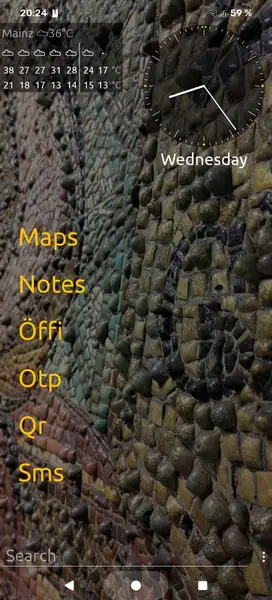
Weather info (uses network and location services, if necessary).
New app developed from scratch. Takes inspiration from Unlauncher (a fork of Slimlauncher), and Nolauncher, and also feedback of users.
Features:
- uniform and elegant text-based design
- configurable quick access and gestures on home screen
- shortcut support (long click on app by default)
- hide/show apps (but keep searchable)
- apps can be renamed and reordered
- good search function for apps
- integrated contact list search
- integrated, configurable web search
- clock options
- date format options
- weather forecast options (via open-meteo.com)
- configurable colour scheme
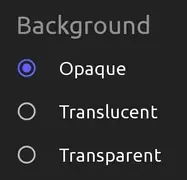
- can use system wallpaper as background
- free open source software
- no icon set support (no need: no icons at all)
- no widget support
What's new in version 2.1
Feature release.
- allow copying of weather location ('New' radio button)
- add swipe sensibility control
- display current weather
- fix rendering problem of weather table
- translation: Polish (thanks to Julian Nowaczyk)
APK file information
| Package name | de.theiling.neatlauncher |
|---|---|
| Version | 2.1 (code 8) |
| Minimum Android | Android 7.0 · targets Android 14 |
| Architectures | All (universal) |
| SHA-256 | ce557d6c9e260f04386972d1be12591e3c2a412eab622be95be553bda291888f |
| Signature | 33b4182a20c0cc896db8c25c949b72ae966cbed57b08ecc1a463d2c4f5d22238 |
| Licence | BSD-2-Clause — permissive free licence: the source code is public and reusable |
| Source code | github.com/moehriegitt/NeatLauncher |
Permissions
- See installed apps sensitive
- Read contacts sensitive
- Internet access
- Approximate location sensitive
Older versions
- NeatLauncher 2.1July 11, 2025 · 2.3 MB
- NeatLauncher 1.5July 1, 2025 · 2.3 MB
- NeatLauncher 1.4October 27, 2024 · 2.3 MB
How to install NeatLauncher APK
- Tap Download APK above, then open the file once the download has finished.
- If Android asks, allow your browser to install unknown apps.
- Tap Install. NeatLauncher then appears with your other apps.
Having trouble? Read our guides how to install an APK on Android and "App not installed": how to fix it.
Frequently asked questions
Is NeatLauncher free?
Yes. NeatLauncher is distributed under the BSD-2-Clause licence: free, no subscription, and its source code is public.
Is this APK file safe?
The file is the one built and published by the F-Droid repository from the public source code. Its SHA-256 fingerprint is shown above, so you can compare it after downloading. How to check an APK.
Will NeatLauncher work on my phone?
You need at least Android 7.0. The app also works without Google services, so it runs on recent Huawei phones too.





