
Network Scanner APK
Network Scanner - WiFi & IP
Who's on my WiFi? Find every device, its IP address & open ports. No ads.
Descargar APK v1.1.12 · 3,5 MB- Versión1.1.12
- Tamaño3,5 MB
- RequiereAndroid 8.0
- Actualizada17/11/2026
- LicenciaGPL-3.0-only
- PrecioGratis
Acerca de Network Scanner
Descripción del desarrollador (en inglés).
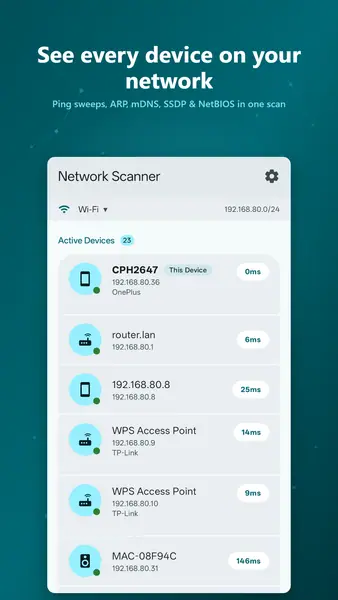
Network Scanner is a fast WiFi and IP scanner that finds every device on your local network and shows its IP address, hostname, open ports, and device type. No ads, no tracking, no root required.
See who's on your WiFi, spot unknown devices, find the IP address of a printer, camera, or smart home device, and check your router and LAN for open ports. Everything runs offline on your phone, and the app is fully open source (GPL-3.0).
Features
- Network scanner: ping sweep with TCP fallback, ARP, mDNS / Bonjour, SSDP / UPnP, and NetBIOS discovery
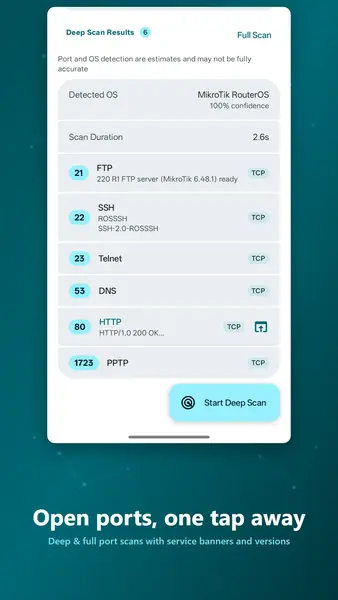
- Port scanner: scan common ports with service and version detection, or all 65,535 ports
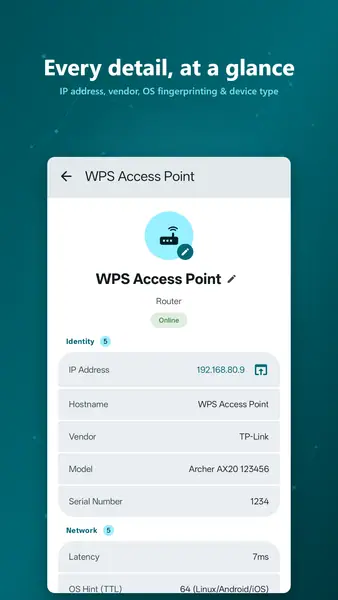
- Device identification: hostname, vendor, model, OS fingerprint, and device type (phone, laptop, TV, router, printer, NAS)
- MAC address and vendor lookup from a bundled offline database, with optional Shizuku or root access to show MAC addresses on Android 10 and later
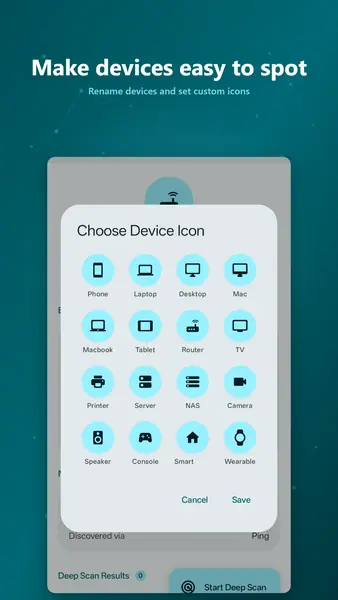
- Rename devices and assign custom icons
- Long press to copy any detail, or tap a web port to open it in your browser
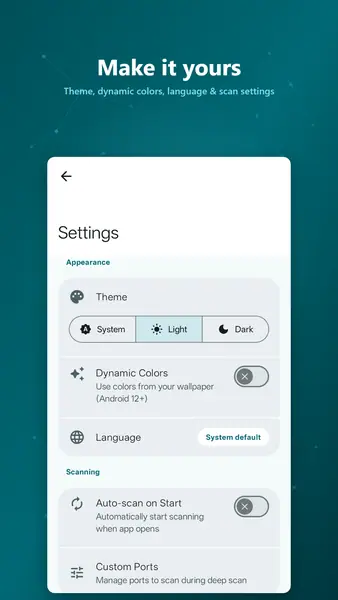
- Scan over WiFi, Ethernet, or VPN, with customizable ports
Permissions
- Nearby WiFi devices: required on Android 16 and later to reach devices on your LAN
- Location (optional): only to show your WiFi network name (SSID), never for tracking
- Shizuku or root (optional): off by default; used only if you turn on MAC address access in Settings, to read the network's ARP table
Novedades de la versión 1.1.12
- Added Persian, Turkish and Romanian translations
- Improved Russian and Ukrainian translations
- Simpler About section in Settings
- About dialog now shows the correct app version
- Languages listed alphabetically in the language picker
Información del archivo APK
| Nombre del paquete | com.networkscanner.app |
|---|---|
| Versión | 1.1.12 (código 17) |
| Android mínimo | Android 8.0 · diseñada para Android 16 |
| Arquitecturas | arm64-v8a, armeabi-v7a, x86, x86_64 |
| SHA-256 | 489b537de7133d265ab8658a5c609bd214faea2bea0adf1842d84a750a0a07d9 |
| Firma | cf89913c18dc8ef30c88f0957cc492eaea04202044fdd4260d9ccbca979e0ffa |
| Licencia | GPL-3.0-only — licencia libre copyleft: el código es público y las versiones modificadas deben seguir siendo libres |
| Código fuente | github.com/usamaiqb/network-scanner |
Permisos solicitados
- Acceso a Internet
- Ver el estado de la red
- Ver el estado del Wi-Fi
- Ubicación precisa (GPS) sensible
- Ubicación aproximada sensible
2 permiso(s) técnico(s) más
CHANGE_WIFI_MULTICAST_STATE NEARBY_WIFI_DEVICES
Versiones anteriores
- Network Scanner 1.1.1217 de noviembre de 2026 · 3,5 MB
- Network Scanner 1.1.1122 de octubre de 2026 · 3,3 MB
- Network Scanner 1.1.105 de octubre de 2026 · 3,2 MB
Cómo instalar Network Scanner APK
- Pulsa Descargar APK arriba y abre el archivo cuando termine la descarga.
- Si Android lo pide, permite que tu navegador instale apps desconocidas.
- Pulsa Instalar. Network Scanner aparecerá junto a tus otras apps.
→ Cómo instalar un archivo APK en Android (paso a paso)
→ «La aplicación no está instalada»: causas y soluciones
Preguntas frecuentes
¿Network Scanner es gratis?
Sí. Network Scanner se distribuye con licencia GPL-3.0-only: gratis, sin suscripción y con el código fuente público.
¿Es seguro este archivo APK?
El archivo es el que compila y publica el repositorio F-Droid a partir del código fuente público. Su huella SHA-256 aparece arriba para que puedas compararla tras la descarga. ¿Un APK es peligroso? Cómo verificar un archivo antes de instalarlo
¿Funciona Network Scanner en mi teléfono?
Necesitas como mínimo Android 8.0. La app también funciona sin los servicios de Google, así que funciona en los teléfonos Huawei recientes.