
Network Scanner APK
Network Scanner - WiFi & IP
Who's on my WiFi? Find every device, its IP address & open ports. No ads.
Download APK v1.1.12 · 3.5 MB- Version1.1.12
- Size3.5 MB
- RequiresAndroid 8.0
- Updated11/17/2026
- LicenceGPL-3.0-only
- PriceFree
About Network Scanner
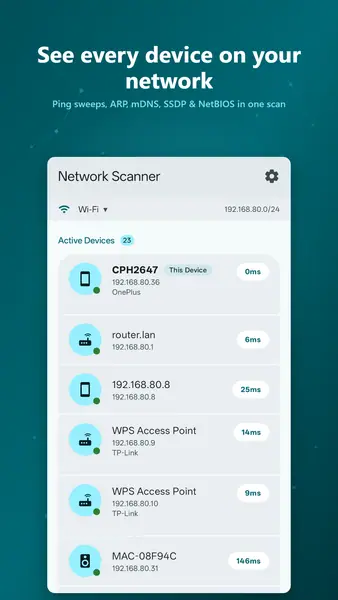
Network Scanner is a fast WiFi and IP scanner that finds every device on your local network and shows its IP address, hostname, open ports, and device type. No ads, no tracking, no root required.
See who's on your WiFi, spot unknown devices, find the IP address of a printer, camera, or smart home device, and check your router and LAN for open ports. Everything runs offline on your phone, and the app is fully open source (GPL-3.0).
Features
- Network scanner: ping sweep with TCP fallback, ARP, mDNS / Bonjour, SSDP / UPnP, and NetBIOS discovery
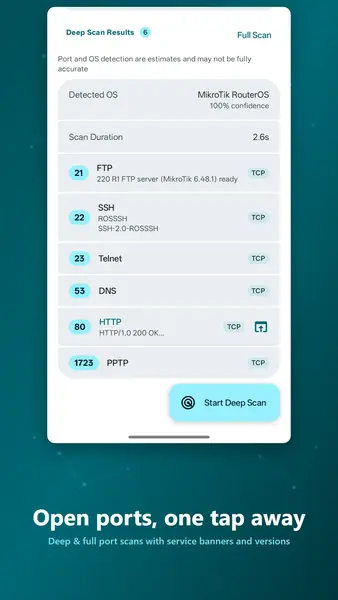
- Port scanner: scan common ports with service and version detection, or all 65,535 ports
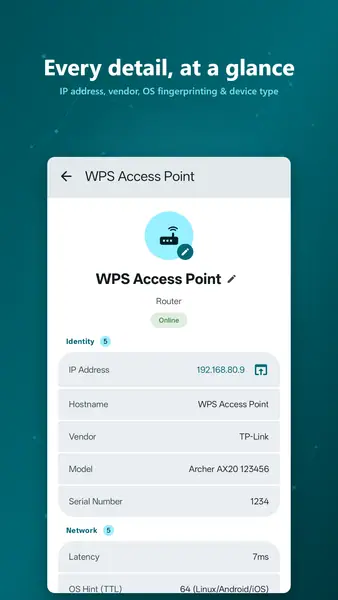
- Device identification: hostname, vendor, model, OS fingerprint, and device type (phone, laptop, TV, router, printer, NAS)
- MAC address and vendor lookup from a bundled offline database, with optional Shizuku or root access to show MAC addresses on Android 10 and later
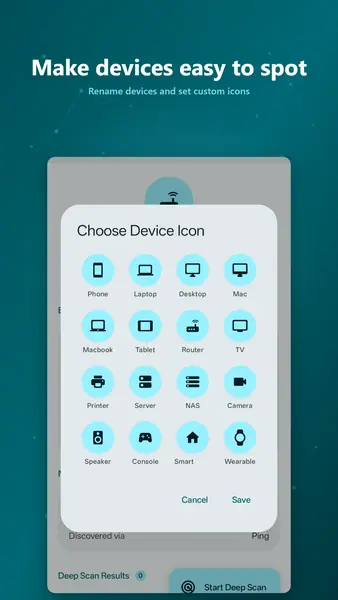
- Rename devices and assign custom icons
- Long press to copy any detail, or tap a web port to open it in your browser
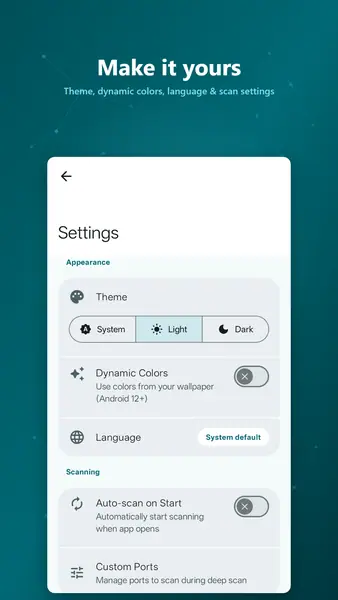
- Scan over WiFi, Ethernet, or VPN, with customizable ports
Permissions
- Nearby WiFi devices: required on Android 16 and later to reach devices on your LAN
- Location (optional): only to show your WiFi network name (SSID), never for tracking
- Shizuku or root (optional): off by default; used only if you turn on MAC address access in Settings, to read the network's ARP table
What's new in version 1.1.12
- Added Persian, Turkish and Romanian translations
- Improved Russian and Ukrainian translations
- Simpler About section in Settings
- About dialog now shows the correct app version
- Languages listed alphabetically in the language picker
APK file information
| Package name | com.networkscanner.app |
|---|---|
| Version | 1.1.12 (code 17) |
| Minimum Android | Android 8.0 · targets Android 16 |
| Architectures | arm64-v8a, armeabi-v7a, x86, x86_64 |
| SHA-256 | 489b537de7133d265ab8658a5c609bd214faea2bea0adf1842d84a750a0a07d9 |
| Signature | cf89913c18dc8ef30c88f0957cc492eaea04202044fdd4260d9ccbca979e0ffa |
| Licence | GPL-3.0-only — copyleft free licence: the code is public and modified versions must stay free |
| Source code | github.com/usamaiqb/network-scanner |
Permissions
- Internet access
- View network status
- View Wi-Fi status
- Precise location (GPS) sensitive
- Approximate location sensitive
2 other technical permission(s)
CHANGE_WIFI_MULTICAST_STATE NEARBY_WIFI_DEVICES
Older versions
- Network Scanner 1.1.12November 17, 2026 · 3.5 MB
- Network Scanner 1.1.11October 22, 2026 · 3.3 MB
- Network Scanner 1.1.10October 5, 2026 · 3.2 MB
How to install Network Scanner APK
- Tap Download APK above, then open the file once the download has finished.
- If Android asks, allow your browser to install unknown apps.
- Tap Install. Network Scanner then appears with your other apps.
Having trouble? Read our guides how to install an APK on Android and "App not installed": how to fix it.
Frequently asked questions
Is Network Scanner free?
Yes. Network Scanner is distributed under the GPL-3.0-only licence: free, no subscription, and its source code is public.
Is this APK file safe?
The file is the one built and published by the F-Droid repository from the public source code. Its SHA-256 fingerprint is shown above, so you can compare it after downloading. How to check an APK.
Will Network Scanner work on my phone?
You need at least Android 8.0. The app also works without Google services, so it runs on recent Huawei phones too.