
Network Scanner APK
Network Scanner - WiFi & IP
Who's on my WiFi? Find every device, its IP address & open ports. No ads.
Scarica l'APK v1.1.12 · 3,5 MB- Versione1.1.12
- Dimensione3,5 MB
- RichiedeAndroid 8.0
- Aggiornata17/11/2026
- LicenzaGPL-3.0-only
- PrezzoGratis
Informazioni su Network Scanner
Descrizione fornita dallo sviluppatore (in inglese).
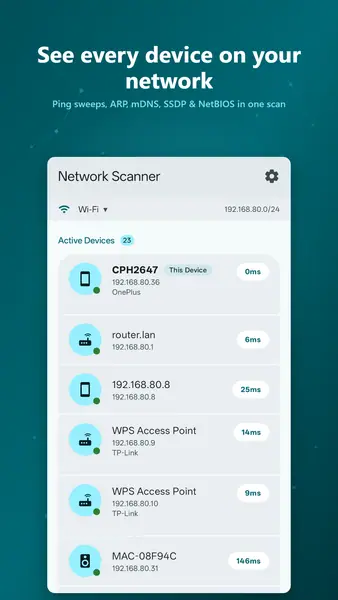
Network Scanner is a fast WiFi and IP scanner that finds every device on your local network and shows its IP address, hostname, open ports, and device type. No ads, no tracking, no root required.
See who's on your WiFi, spot unknown devices, find the IP address of a printer, camera, or smart home device, and check your router and LAN for open ports. Everything runs offline on your phone, and the app is fully open source (GPL-3.0).
Features
- Network scanner: ping sweep with TCP fallback, ARP, mDNS / Bonjour, SSDP / UPnP, and NetBIOS discovery
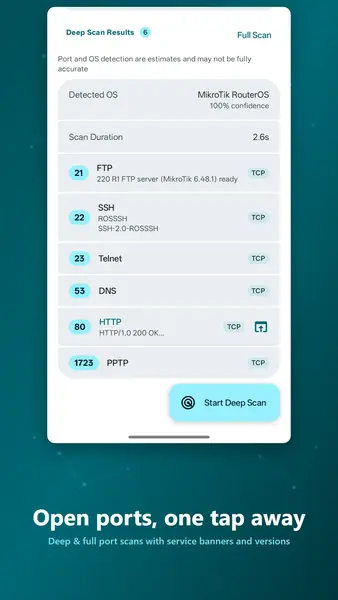
- Port scanner: scan common ports with service and version detection, or all 65,535 ports
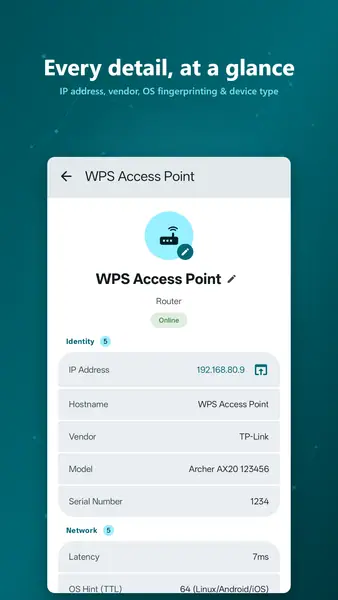
- Device identification: hostname, vendor, model, OS fingerprint, and device type (phone, laptop, TV, router, printer, NAS)
- MAC address and vendor lookup from a bundled offline database, with optional Shizuku or root access to show MAC addresses on Android 10 and later
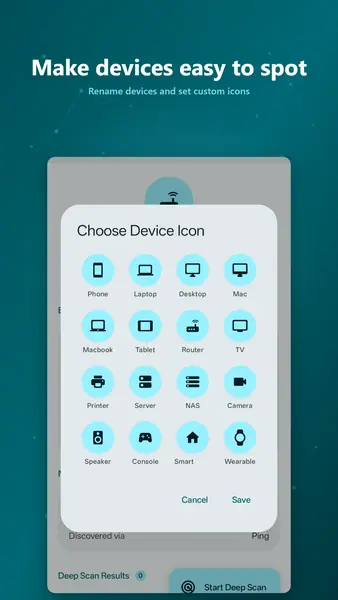
- Rename devices and assign custom icons
- Long press to copy any detail, or tap a web port to open it in your browser
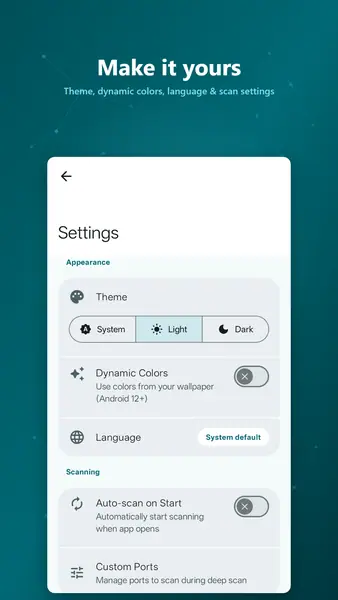
- Scan over WiFi, Ethernet, or VPN, with customizable ports
Permissions
- Nearby WiFi devices: required on Android 16 and later to reach devices on your LAN
- Location (optional): only to show your WiFi network name (SSID), never for tracking
- Shizuku or root (optional): off by default; used only if you turn on MAC address access in Settings, to read the network's ARP table
Novità della versione 1.1.12
- Added Persian, Turkish and Romanian translations
- Improved Russian and Ukrainian translations
- Simpler About section in Settings
- About dialog now shows the correct app version
- Languages listed alphabetically in the language picker
Informazioni sul file APK
| Nome del pacchetto | com.networkscanner.app |
|---|---|
| Versione | 1.1.12 (codice 17) |
| Android minimo | Android 8.0 · pensata per Android 16 |
| Architetture | arm64-v8a, armeabi-v7a, x86, x86_64 |
| SHA-256 | 489b537de7133d265ab8658a5c609bd214faea2bea0adf1842d84a750a0a07d9 |
| Firma | cf89913c18dc8ef30c88f0957cc492eaea04202044fdd4260d9ccbca979e0ffa |
| Licenza | GPL-3.0-only — licenza libera copyleft: il codice è pubblico e le versioni modificate devono restare libere |
| Codice sorgente | github.com/usamaiqb/network-scanner |
Autorizzazioni richieste
- Accesso a Internet
- Vedere lo stato della rete
- Vedere lo stato del Wi-Fi
- Posizione precisa (GPS) sensibile
- Posizione approssimativa sensibile
Altre 2 autorizzazioni tecniche
CHANGE_WIFI_MULTICAST_STATE NEARBY_WIFI_DEVICES
Versioni precedenti
- Network Scanner 1.1.1217 novembre 2026 · 3,5 MB
- Network Scanner 1.1.1122 ottobre 2026 · 3,3 MB
- Network Scanner 1.1.105 ottobre 2026 · 3,2 MB
Come installare Network Scanner APK
- Tocca Scarica l'APK qui sopra, poi apri il file al termine del download.
- Se Android lo chiede, consenti al browser di installare app sconosciute.
- Tocca Installa. Network Scanner comparirà insieme alle altre app.
→ Come installare un file APK su Android (passo passo)
→ «App non installata»: cause e soluzioni
Domande frequenti
Network Scanner è gratis?
Sì. Network Scanner è distribuita con licenza GPL-3.0-only: gratuita, senza abbonamento e con codice sorgente pubblico.
Questo file APK è sicuro?
Il file è quello compilato e pubblicato dal repository F-Droid a partire dal codice sorgente pubblico. L'impronta SHA-256 è indicata qui sopra: puoi confrontarla dopo il download. Un APK è pericoloso? Come verificare un file prima di installarlo
Network Scanner funziona sul mio telefono?
Serve almeno Android 8.0. L'app funziona anche senza i servizi Google, quindi anche sui telefoni Huawei recenti.