
NFC Archiver APK
Store and restore files across multiple NFC tags
Descargar APK v1.3.0 · 56,4 MB- Versión1.3.0
- Tamaño56,4 MB
- RequiereAndroid 7.0
- Actualizada20/11/2026
- LicenciaMIT
- PrecioGratis
Acerca de NFC Archiver
Descripción del desarrollador (en inglés).
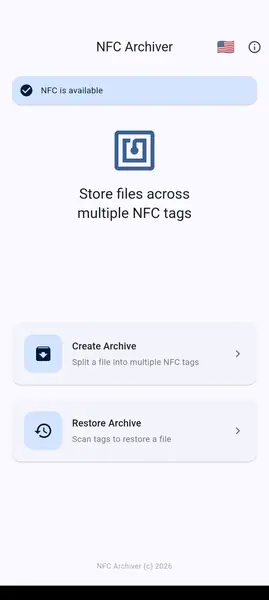
A distributed data archive system using NFC tags. Store files across multiple NFC tags and restore them later.
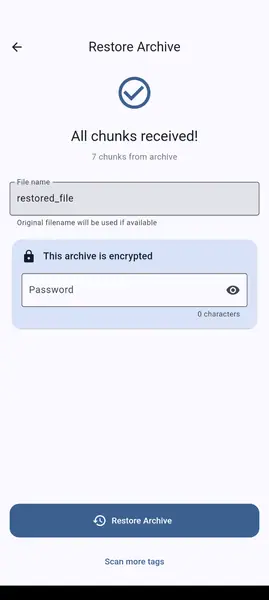
Split any file into parts and write them to NFC tags. Scan the tags in any order to reassemble and restore the original file.
Features:
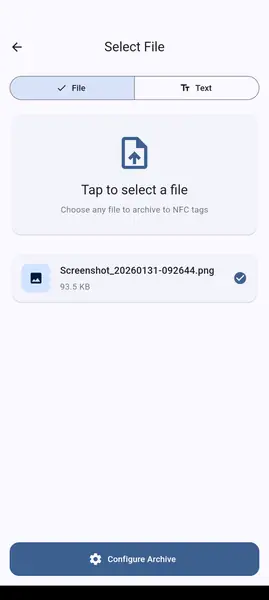
- File archiving — split any file into parts for writing to NFC tags
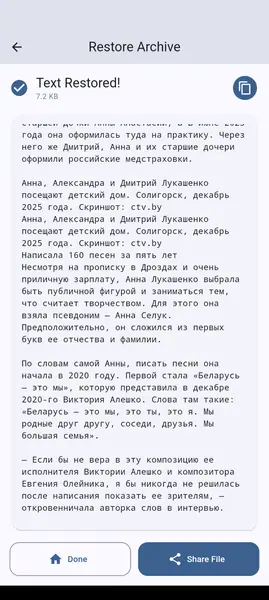
- Text archiving — store text messages across NFC tags
- Photo archiving — shrink a photo to fit the number of tags you choose; location and camera data are removed
- Share into the app — send a photo or file from Gallery, Photos or Files straight to NFC Archiver
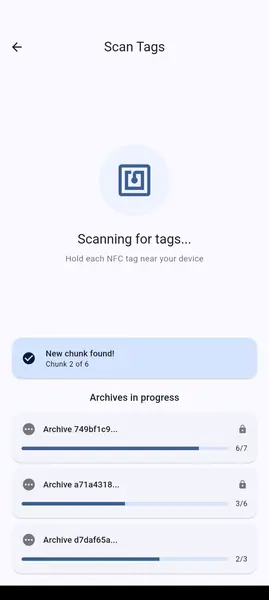
- Restoration — scan tags in any order and assemble the original file
- Restored files — open them in another app, save them to Downloads or any folder, or share them
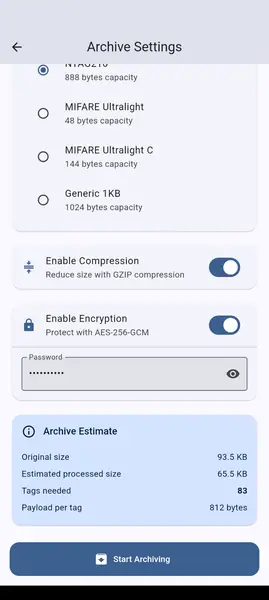
- Compression — optional GZIP compression to reduce the number of tags needed
- Encryption — AES-256-GCM encryption with password protection (PBKDF2 key derivation)
- Offline operation — no network connection required
- Chameleon Ultra — connect a Chameleon over Bluetooth and use it instead of the phone's NFC radio
- MIFARE Classic 1K — 752 usable bytes per card, with a Chameleon or a phone whose NFC chipset supports it
- Card inspector — dump a card block by block with a decoded NFAR header and CRC check (needs a Chameleon)
Supported NFC Tags:
- NTAG213 (144 bytes)
- NTAG215 (504 bytes)
- NTAG216 (888 bytes)
- MIFARE Ultralight C (144 bytes)
Uses the NFAR v1 binary format with a 28-byte header, CRC32 integrity checking, and UUID-based archive identification. Chunks can be scanned in any order and are validated automatically.
NFC Archiver is free and open source software. No tracking, no ads, no network access required.
Novedades de la versión 1.3.0
Photo archiving, share into the app
- New: Choose photo and an Optimise photo screen that shrinks a photo to fit the number of tags you pick (location and camera data removed)
- New: share a photo or file from other apps into NFC Archiver
- New: diagnostics log in About
- New: a warning when a file needs more than 65,535 tags
- Fixed: plain MIFARE Ultralight (too small for an archive) is no longer offered
- Fixed: very large photos could run out of memory
Información del archivo APK
| Nombre del paquete | com.nfcarchiver.nfc_archiver |
|---|---|
| Versión | 1.3.0 (código 21) |
| Android mínimo | Android 7.0 · diseñada para Android 16 |
| Arquitecturas | arm64-v8a, armeabi-v7a, x86_64 |
| SHA-256 | 6ee905c0c9883e9e9f160221fb281022ab2f2bda9a237770427fa9a9e3a00559 |
| Firma | 85e7d34df9d581c8a32c1e1c96309fce85cb8d5e641ece39b005802ce301ae96 |
| Licencia | MIT — licencia libre permisiva: el código fuente es público y reutilizable |
| Código fuente | github.com/mezinster/nfcarchiver |
Permisos solicitados
- NFC
- Buscar dispositivos Bluetooth
- Conectar por Bluetooth
- Bluetooth
- Leer el almacenamiento
- Escribir en el almacenamiento
1 permiso(s) técnico(s) más
BLUETOOTH_ADMIN
Versiones anteriores
- NFC Archiver 1.3.020 de noviembre de 2026 · 56,4 MB
- NFC Archiver 1.2.111 de noviembre de 2026 · 54,4 MB
- NFC Archiver 1.2.021 de septiembre de 2026 · 54,2 MB
Cómo instalar NFC Archiver APK
- Pulsa Descargar APK arriba y abre el archivo cuando termine la descarga.
- Si Android lo pide, permite que tu navegador instale apps desconocidas.
- Pulsa Instalar. NFC Archiver aparecerá junto a tus otras apps.
→ Cómo instalar un archivo APK en Android (paso a paso)
→ «La aplicación no está instalada»: causas y soluciones
Preguntas frecuentes
¿NFC Archiver es gratis?
Sí. NFC Archiver se distribuye con licencia MIT: gratis, sin suscripción y con el código fuente público.
¿Es seguro este archivo APK?
El archivo es el que compila y publica el repositorio F-Droid a partir del código fuente público. Su huella SHA-256 aparece arriba para que puedas compararla tras la descarga. ¿Un APK es peligroso? Cómo verificar un archivo antes de instalarlo
¿Funciona NFC Archiver en mi teléfono?
Necesitas como mínimo Android 7.0. La app también funciona sin los servicios de Google, así que funciona en los teléfonos Huawei recientes.





