
NFC Archiver APK
Store and restore files across multiple NFC tags
Baixar APK v1.3.0 · 56,4 MB- Versão1.3.0
- Tamanho56,4 MB
- RequerAndroid 7.0
- Atualizado20/11/2026
- LicençaMIT
- PreçoGrátis
Sobre o NFC Archiver
Descrição fornecida pelo desenvolvedor (em inglês).
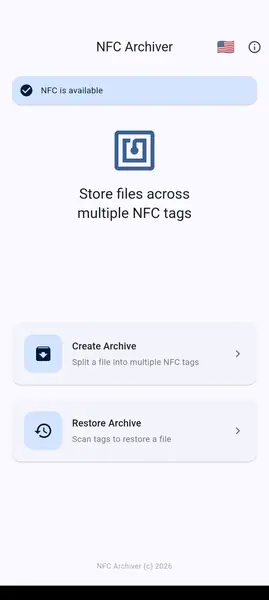
A distributed data archive system using NFC tags. Store files across multiple NFC tags and restore them later.
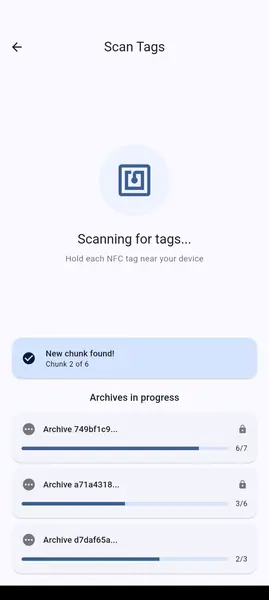
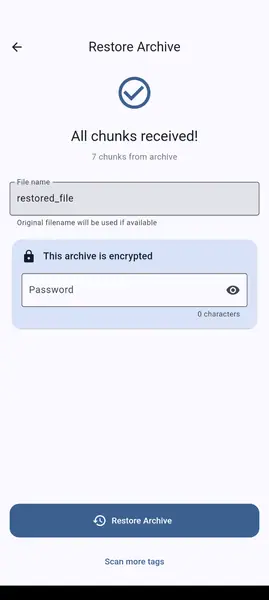
Split any file into parts and write them to NFC tags. Scan the tags in any order to reassemble and restore the original file.
Features:
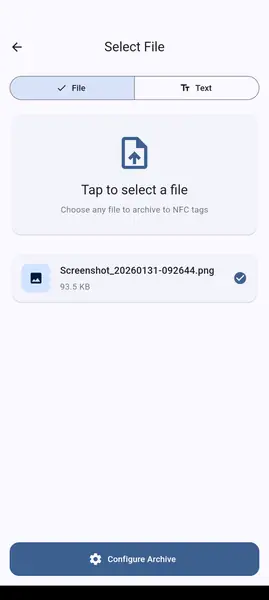
- File archiving — split any file into parts for writing to NFC tags
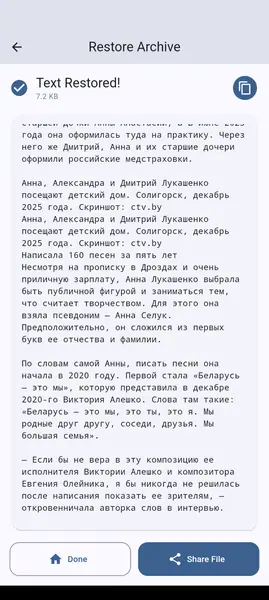
- Text archiving — store text messages across NFC tags
- Photo archiving — shrink a photo to fit the number of tags you choose; location and camera data are removed
- Share into the app — send a photo or file from Gallery, Photos or Files straight to NFC Archiver
- Restoration — scan tags in any order and assemble the original file
- Restored files — open them in another app, save them to Downloads or any folder, or share them
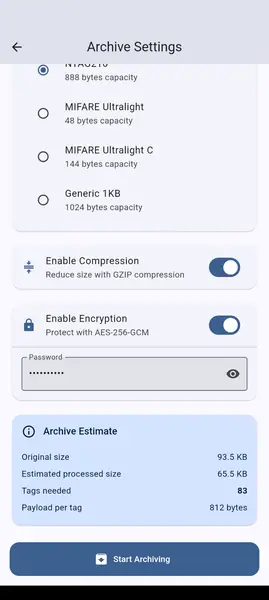
- Compression — optional GZIP compression to reduce the number of tags needed
- Encryption — AES-256-GCM encryption with password protection (PBKDF2 key derivation)
- Offline operation — no network connection required
- Chameleon Ultra — connect a Chameleon over Bluetooth and use it instead of the phone's NFC radio
- MIFARE Classic 1K — 752 usable bytes per card, with a Chameleon or a phone whose NFC chipset supports it
- Card inspector — dump a card block by block with a decoded NFAR header and CRC check (needs a Chameleon)
Supported NFC Tags:
- NTAG213 (144 bytes)
- NTAG215 (504 bytes)
- NTAG216 (888 bytes)
- MIFARE Ultralight C (144 bytes)
Uses the NFAR v1 binary format with a 28-byte header, CRC32 integrity checking, and UUID-based archive identification. Chunks can be scanned in any order and are validated automatically.
NFC Archiver is free and open source software. No tracking, no ads, no network access required.
Novidades da versão 1.3.0
Photo archiving, share into the app
- New: Choose photo and an Optimise photo screen that shrinks a photo to fit the number of tags you pick (location and camera data removed)
- New: share a photo or file from other apps into NFC Archiver
- New: diagnostics log in About
- New: a warning when a file needs more than 65,535 tags
- Fixed: plain MIFARE Ultralight (too small for an archive) is no longer offered
- Fixed: very large photos could run out of memory
Informações do arquivo APK
| Nome do pacote | com.nfcarchiver.nfc_archiver |
|---|---|
| Versão | 1.3.0 (código 21) |
| Android mínimo | Android 7.0 · feito para Android 16 |
| Arquiteturas | arm64-v8a, armeabi-v7a, x86_64 |
| SHA-256 | 6ee905c0c9883e9e9f160221fb281022ab2f2bda9a237770427fa9a9e3a00559 |
| Assinatura | 85e7d34df9d581c8a32c1e1c96309fce85cb8d5e641ece39b005802ce301ae96 |
| Licença | MIT — licença livre permissiva: o código-fonte é público e reutilizável |
| Código-fonte | github.com/mezinster/nfcarchiver |
Permissões solicitadas
- NFC
- Procurar dispositivos Bluetooth
- Conectar por Bluetooth
- Bluetooth
- Ler o armazenamento
- Gravar no armazenamento
Mais 1 permissão(ões) técnica(s)
BLUETOOTH_ADMIN
Versões anteriores
- NFC Archiver 1.3.020 de novembro de 2026 · 56,4 MB
- NFC Archiver 1.2.111 de novembro de 2026 · 54,4 MB
- NFC Archiver 1.2.021 de setembro de 2026 · 54,2 MB
Como instalar o NFC Archiver APK
- Toque em Baixar APK acima e abra o arquivo quando o download terminar.
- Se o Android pedir, permita que o navegador instale apps desconhecidos.
- Toque em Instalar. O NFC Archiver aparecerá junto aos seus outros apps.
→ Como instalar um arquivo APK no Android (passo a passo)
→ "App não instalado": causas e soluções
Perguntas frequentes
O NFC Archiver é grátis?
Sim. O NFC Archiver é distribuído sob a licença MIT: grátis, sem assinatura e com código-fonte público.
Este arquivo APK é seguro?
O arquivo é o compilado e publicado pelo repositório F-Droid a partir do código-fonte público. A impressão digital SHA-256 aparece acima para você comparar depois do download. APK é perigoso? Como verificar um arquivo antes de instalar
O NFC Archiver funciona no meu celular?
É preciso ter pelo menos Android 7.0. O app também funciona sem os serviços do Google, inclusive em celulares Huawei recentes.





