
NFC Archiver APK
Store and restore files across multiple NFC tags
Download APK v1.3.0 · 56.4 MB- Version1.3.0
- Size56.4 MB
- RequiresAndroid 7.0
- Updated11/20/2026
- LicenceMIT
- PriceFree
About NFC Archiver
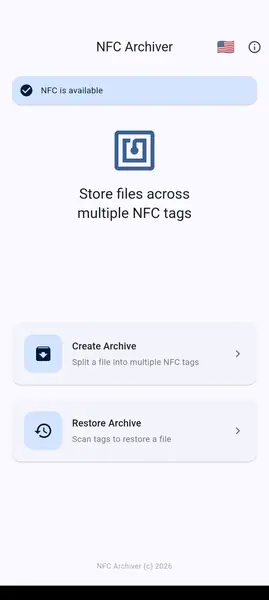
A distributed data archive system using NFC tags. Store files across multiple NFC tags and restore them later.
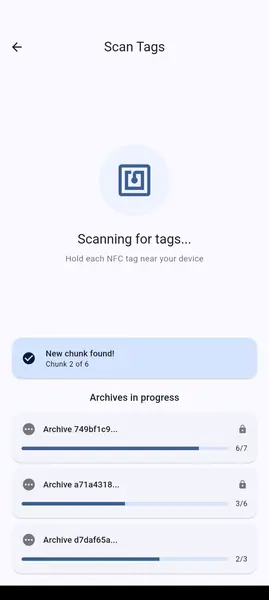
Split any file into parts and write them to NFC tags. Scan the tags in any order to reassemble and restore the original file.
Features:
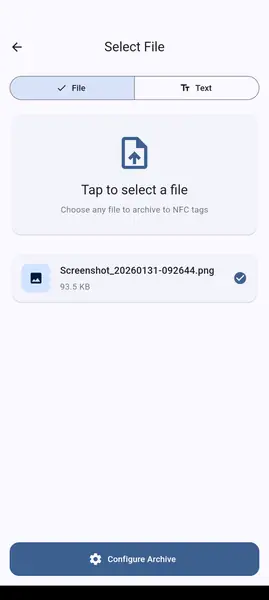
- File archiving — split any file into parts for writing to NFC tags
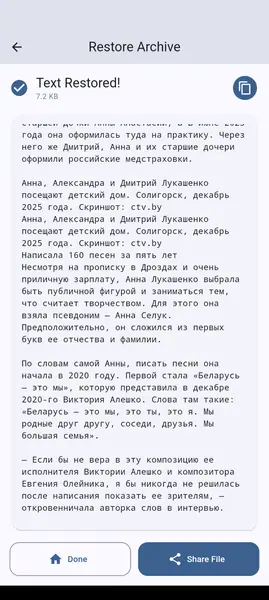
- Text archiving — store text messages across NFC tags
- Photo archiving — shrink a photo to fit the number of tags you choose; location and camera data are removed
- Share into the app — send a photo or file from Gallery, Photos or Files straight to NFC Archiver
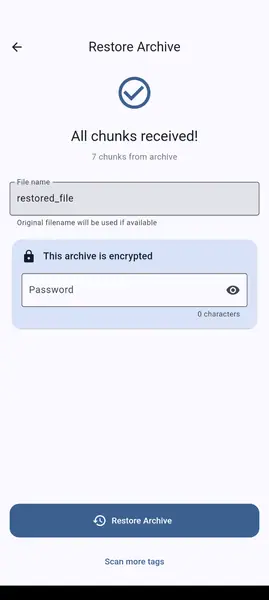
- Restoration — scan tags in any order and assemble the original file
- Restored files — open them in another app, save them to Downloads or any folder, or share them
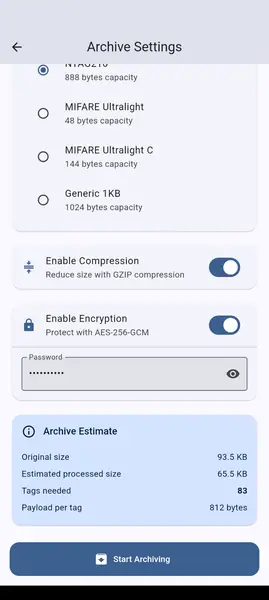
- Compression — optional GZIP compression to reduce the number of tags needed
- Encryption — AES-256-GCM encryption with password protection (PBKDF2 key derivation)
- Offline operation — no network connection required
- Chameleon Ultra — connect a Chameleon over Bluetooth and use it instead of the phone's NFC radio
- MIFARE Classic 1K — 752 usable bytes per card, with a Chameleon or a phone whose NFC chipset supports it
- Card inspector — dump a card block by block with a decoded NFAR header and CRC check (needs a Chameleon)
Supported NFC Tags:
- NTAG213 (144 bytes)
- NTAG215 (504 bytes)
- NTAG216 (888 bytes)
- MIFARE Ultralight C (144 bytes)
Uses the NFAR v1 binary format with a 28-byte header, CRC32 integrity checking, and UUID-based archive identification. Chunks can be scanned in any order and are validated automatically.
NFC Archiver is free and open source software. No tracking, no ads, no network access required.
What's new in version 1.3.0
Photo archiving, share into the app
- New: Choose photo and an Optimise photo screen that shrinks a photo to fit the number of tags you pick (location and camera data removed)
- New: share a photo or file from other apps into NFC Archiver
- New: diagnostics log in About
- New: a warning when a file needs more than 65,535 tags
- Fixed: plain MIFARE Ultralight (too small for an archive) is no longer offered
- Fixed: very large photos could run out of memory
APK file information
| Package name | com.nfcarchiver.nfc_archiver |
|---|---|
| Version | 1.3.0 (code 21) |
| Minimum Android | Android 7.0 · targets Android 16 |
| Architectures | arm64-v8a, armeabi-v7a, x86_64 |
| SHA-256 | 6ee905c0c9883e9e9f160221fb281022ab2f2bda9a237770427fa9a9e3a00559 |
| Signature | 85e7d34df9d581c8a32c1e1c96309fce85cb8d5e641ece39b005802ce301ae96 |
| Licence | MIT — permissive free licence: the source code is public and reusable |
| Source code | github.com/mezinster/nfcarchiver |
Permissions
- NFC
- Scan for Bluetooth devices
- Connect via Bluetooth
- Bluetooth
- Read storage
- Write to storage
1 other technical permission(s)
BLUETOOTH_ADMIN
Older versions
- NFC Archiver 1.3.0November 20, 2026 · 56.4 MB
- NFC Archiver 1.2.1November 11, 2026 · 54.4 MB
- NFC Archiver 1.2.0September 21, 2026 · 54.2 MB
How to install NFC Archiver APK
- Tap Download APK above, then open the file once the download has finished.
- If Android asks, allow your browser to install unknown apps.
- Tap Install. NFC Archiver then appears with your other apps.
Having trouble? Read our guides how to install an APK on Android and "App not installed": how to fix it.
Frequently asked questions
Is NFC Archiver free?
Yes. NFC Archiver is distributed under the MIT licence: free, no subscription, and its source code is public.
Is this APK file safe?
The file is the one built and published by the F-Droid repository from the public source code. Its SHA-256 fingerprint is shown above, so you can compare it after downloading. How to check an APK.
Will NFC Archiver work on my phone?
You need at least Android 7.0. The app also works without Google services, so it runs on recent Huawei phones too.





