
OuterTune APK
Material 3 local Music Player and YouTube Music client
Descargar APK v0.10.1 · 9,6 MB- Versión0.10.1
- Tamaño9,6 MB
- RequiereAndroid 7.0
- Actualizada19/12/2025
- LicenciaGPL-3.0-or-later
- PrecioGratis
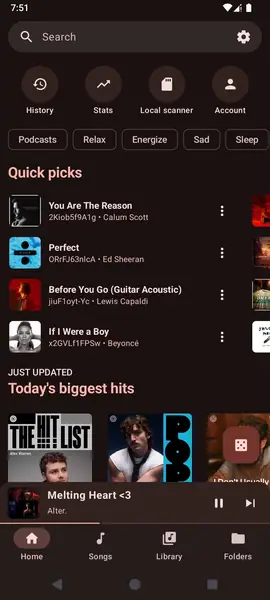
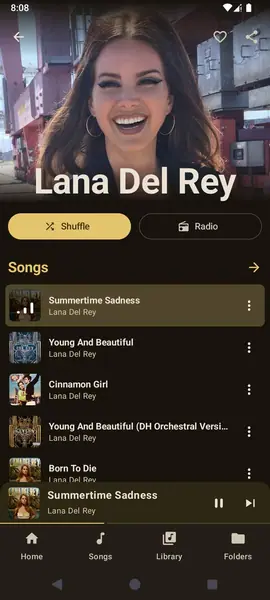
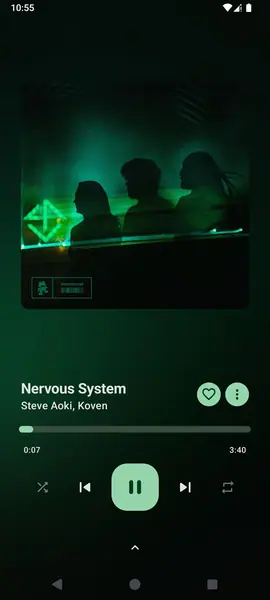
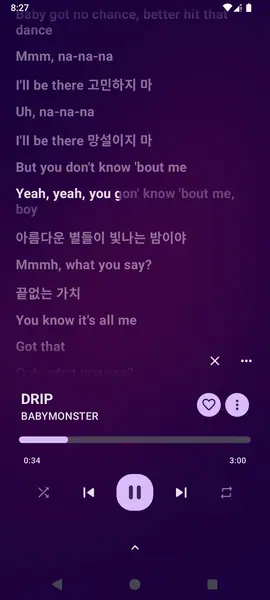
Acerca de OuterTune
Descripción del desarrollador (en inglés).
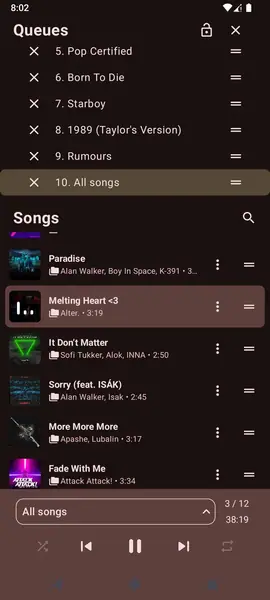
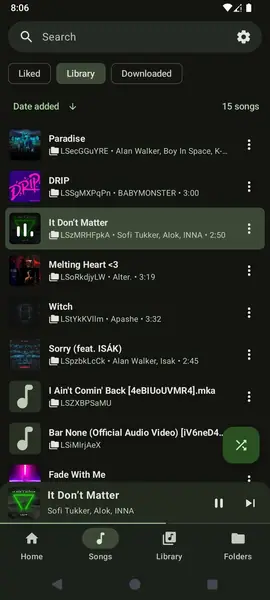
OuterTune is a supercharged fork of InnerTune. This app is both a local media player, and a YouTube Music client.
Features:
- YouTube Music client with song downloading (offline playback), background playback, no ADs, and account synchronization
- Local audio file playback (MP3, OGG, FLAC, etc.)
- Uses a custom tag extractor instead of MediaStore's broken metadata extractor! (e.g tags delimited with backslash now show up properly)
- Play local and Youtube Music songs at the same time
- New integrated library screen design
- Multiple queues
- Synchronized lyrics, and support for word by word/Karaoke lyrics (e.g LRC, TTML)
- Audio normalization, tempo/pitch adjustment, and various other audio effects
- Android Auto support
Notice:
- Android 8 (Oreo) and higher is supported. While the app may work on Android 7.x, we do not officially support this version
- OuterTune is in a "stable beta" phase. While this app can certainly be used as your main music player, be aware there is a possibility of bugs, incomplete features, or any other unexpected behaviour. Please report issues on our GitHub page!
- Please visit our wiki for more information including FAQs, guides, and manuals: https://github.com/OuterTune/OuterTune/wiki/Frequently-Asked-Questions-(FAQ)
Novedades de la versión 0.10.1
Version 0.10.1
=== Changes and improvements ===
- Added compatibility for theme in Android high contrast mode
- Miscellaneous changes
Full changelog: https://github.com/OuterTune/OuterTune/releases/tag/v0.10.1
Información del archivo APK
| Nombre del paquete | com.dd3boh.outertune |
|---|---|
| Versión | 0.10.1 (código 71) |
| Android mínimo | Android 7.0 · diseñada para Android 16 |
| Arquitecturas | arm64-v8a, armeabi-v7a, x86, x86_64 |
| SHA-256 | 115a5df8e5f9aecbb4c7e65b8b8ea5053fb64e5111b3116e01bae803426d138c |
| Firma | acdd871a3de2947d3253ec90cdc53d1a0740d6038e25a6485d71899eefa96db8 |
| Licencia | GPL-3.0-or-later — licencia libre copyleft: el código es público y las versiones modificadas deben seguir siendo libres |
| Código fuente | github.com/OuterTune/OuterTune |
Permisos solicitados
- Acceso a Internet
- Mostrar notificaciones
- Ver el estado de la red
- Iniciarse al arrancar
- Impedir la suspensión
- Funcionar en segundo plano
- Leer música
- Leer el almacenamiento
Versiones anteriores
- OuterTune 0.10.119 de diciembre de 2025 · 9,6 MB
- OuterTune 0.10.011 de noviembre de 2025 · 9,6 MB
- OuterTune 0.9.4.325 de octubre de 2025 · 9,4 MB
Cómo instalar OuterTune APK
- Pulsa Descargar APK arriba y abre el archivo cuando termine la descarga.
- Si Android lo pide, permite que tu navegador instale apps desconocidas.
- Pulsa Instalar. OuterTune aparecerá junto a tus otras apps.
→ Cómo instalar un archivo APK en Android (paso a paso)
→ «La aplicación no está instalada»: causas y soluciones
Preguntas frecuentes
¿OuterTune es gratis?
Sí. OuterTune se distribuye con licencia GPL-3.0-or-later: gratis, sin suscripción y con el código fuente público.
¿Es seguro este archivo APK?
El archivo es el que compila y publica el repositorio F-Droid a partir del código fuente público. Su huella SHA-256 aparece arriba para que puedas compararla tras la descarga. ¿Un APK es peligroso? Cómo verificar un archivo antes de instalarlo
¿Funciona OuterTune en mi teléfono?
Necesitas como mínimo Android 7.0. La app también funciona sin los servicios de Google, así que funciona en los teléfonos Huawei recientes.





