
OuterTune APK
Material 3 local Music Player and YouTube Music client
Scarica l'APK v0.10.1 · 9,6 MB- Versione0.10.1
- Dimensione9,6 MB
- RichiedeAndroid 7.0
- Aggiornata19/12/2025
- LicenzaGPL-3.0-or-later
- PrezzoGratis
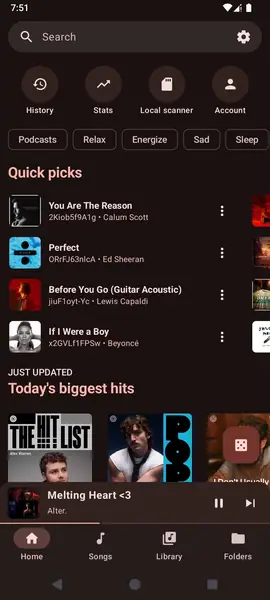
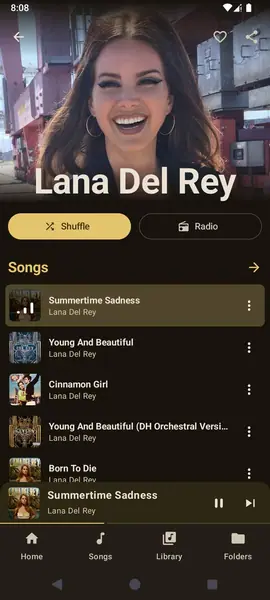
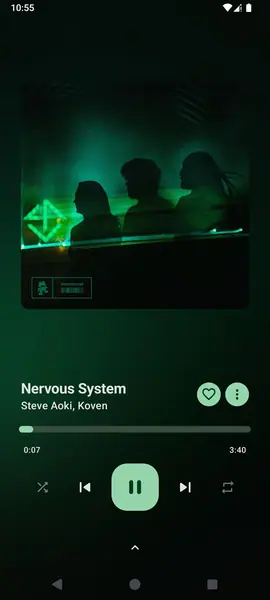
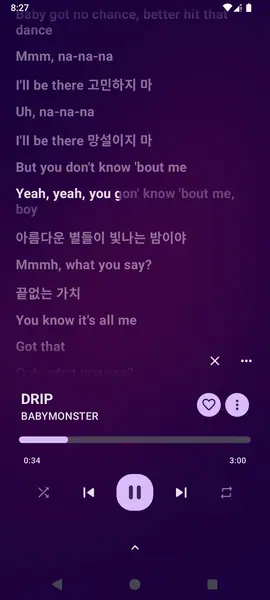
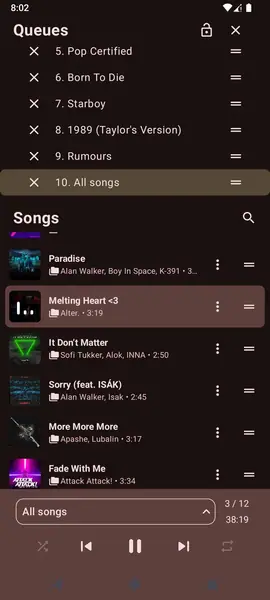
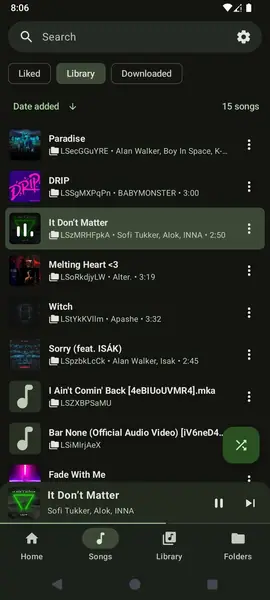
Informazioni su OuterTune
Descrizione fornita dallo sviluppatore (in inglese).
OuterTune is a supercharged fork of InnerTune. This app is both a local media player, and a YouTube Music client.
Features:
- YouTube Music client with song downloading (offline playback), background playback, no ADs, and account synchronization
- Local audio file playback (MP3, OGG, FLAC, etc.)
- Uses a custom tag extractor instead of MediaStore's broken metadata extractor! (e.g tags delimited with backslash now show up properly)
- Play local and Youtube Music songs at the same time
- New integrated library screen design
- Multiple queues
- Synchronized lyrics, and support for word by word/Karaoke lyrics (e.g LRC, TTML)
- Audio normalization, tempo/pitch adjustment, and various other audio effects
- Android Auto support
Notice:
- Android 8 (Oreo) and higher is supported. While the app may work on Android 7.x, we do not officially support this version
- OuterTune is in a "stable beta" phase. While this app can certainly be used as your main music player, be aware there is a possibility of bugs, incomplete features, or any other unexpected behaviour. Please report issues on our GitHub page!
- Please visit our wiki for more information including FAQs, guides, and manuals: https://github.com/OuterTune/OuterTune/wiki/Frequently-Asked-Questions-(FAQ)
Novità della versione 0.10.1
Version 0.10.1
=== Changes and improvements ===
- Added compatibility for theme in Android high contrast mode
- Miscellaneous changes
Full changelog: https://github.com/OuterTune/OuterTune/releases/tag/v0.10.1
Informazioni sul file APK
| Nome del pacchetto | com.dd3boh.outertune |
|---|---|
| Versione | 0.10.1 (codice 71) |
| Android minimo | Android 7.0 · pensata per Android 16 |
| Architetture | arm64-v8a, armeabi-v7a, x86, x86_64 |
| SHA-256 | 115a5df8e5f9aecbb4c7e65b8b8ea5053fb64e5111b3116e01bae803426d138c |
| Firma | acdd871a3de2947d3253ec90cdc53d1a0740d6038e25a6485d71899eefa96db8 |
| Licenza | GPL-3.0-or-later — licenza libera copyleft: il codice è pubblico e le versioni modificate devono restare libere |
| Codice sorgente | github.com/OuterTune/OuterTune |
Autorizzazioni richieste
- Accesso a Internet
- Mostrare notifiche
- Vedere lo stato della rete
- Avviarsi all'accensione
- Impedire lo standby
- Funzionare in background
- Leggere la musica
- Leggere l'archivio
Versioni precedenti
- OuterTune 0.10.119 dicembre 2025 · 9,6 MB
- OuterTune 0.10.011 novembre 2025 · 9,6 MB
- OuterTune 0.9.4.325 ottobre 2025 · 9,4 MB
Come installare OuterTune APK
- Tocca Scarica l'APK qui sopra, poi apri il file al termine del download.
- Se Android lo chiede, consenti al browser di installare app sconosciute.
- Tocca Installa. OuterTune comparirà insieme alle altre app.
→ Come installare un file APK su Android (passo passo)
→ «App non installata»: cause e soluzioni
Domande frequenti
OuterTune è gratis?
Sì. OuterTune è distribuita con licenza GPL-3.0-or-later: gratuita, senza abbonamento e con codice sorgente pubblico.
Questo file APK è sicuro?
Il file è quello compilato e pubblicato dal repository F-Droid a partire dal codice sorgente pubblico. L'impronta SHA-256 è indicata qui sopra: puoi confrontarla dopo il download. Un APK è pericoloso? Come verificare un file prima di installarlo
OuterTune funziona sul mio telefono?
Serve almeno Android 7.0. L'app funziona anche senza i servizi Google, quindi anche sui telefoni Huawei recenti.





