
OuterTune APK
Material 3 local Music Player and YouTube Music client
Download APK v0.10.1 · 9.6 MB- Version0.10.1
- Size9.6 MB
- RequiresAndroid 7.0
- Updated12/19/2025
- LicenceGPL-3.0-or-later
- PriceFree
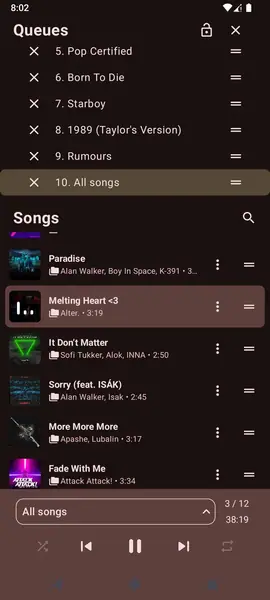
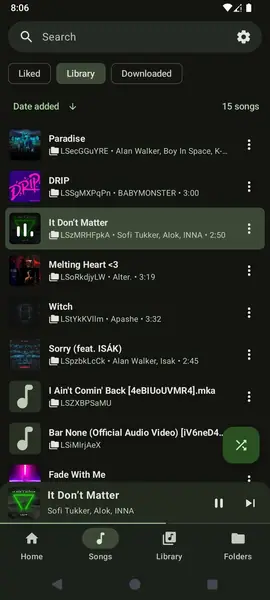
About OuterTune
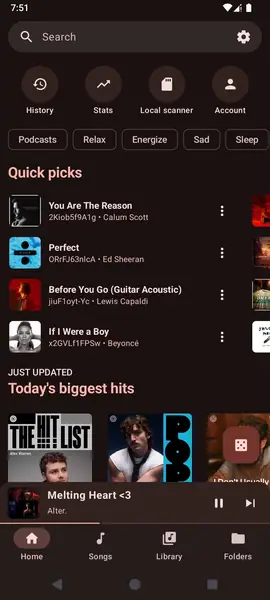
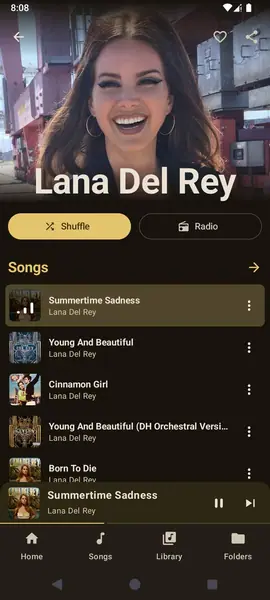
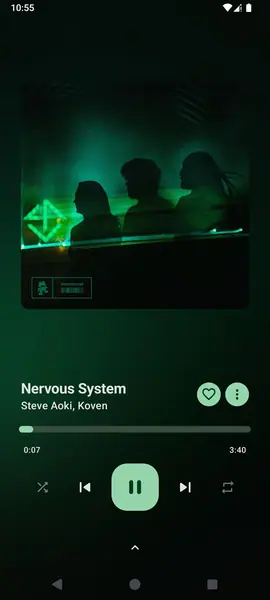
OuterTune is a supercharged fork of InnerTune. This app is both a local media player, and a YouTube Music client.
Features:
- YouTube Music client with song downloading (offline playback), background playback, no ADs, and account synchronization
- Local audio file playback (MP3, OGG, FLAC, etc.)
- Uses a custom tag extractor instead of MediaStore's broken metadata extractor! (e.g tags delimited with backslash now show up properly)
- Play local and Youtube Music songs at the same time
- New integrated library screen design
- Multiple queues
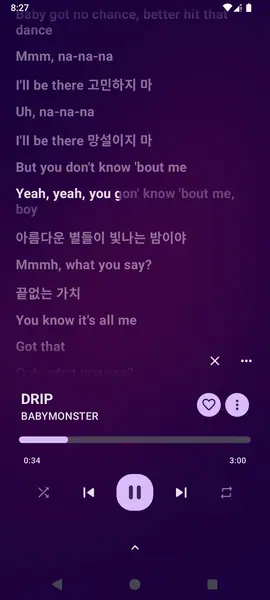
- Synchronized lyrics, and support for word by word/Karaoke lyrics (e.g LRC, TTML)
- Audio normalization, tempo/pitch adjustment, and various other audio effects
- Android Auto support
Notice:
- Android 8 (Oreo) and higher is supported. While the app may work on Android 7.x, we do not officially support this version
- OuterTune is in a "stable beta" phase. While this app can certainly be used as your main music player, be aware there is a possibility of bugs, incomplete features, or any other unexpected behaviour. Please report issues on our GitHub page!
- Please visit our wiki for more information including FAQs, guides, and manuals: https://github.com/OuterTune/OuterTune/wiki/Frequently-Asked-Questions-(FAQ)
What's new in version 0.10.1
Version 0.10.1
=== Changes and improvements ===
- Added compatibility for theme in Android high contrast mode
- Miscellaneous changes
Full changelog: https://github.com/OuterTune/OuterTune/releases/tag/v0.10.1
APK file information
| Package name | com.dd3boh.outertune |
|---|---|
| Version | 0.10.1 (code 71) |
| Minimum Android | Android 7.0 · targets Android 16 |
| Architectures | arm64-v8a, armeabi-v7a, x86, x86_64 |
| SHA-256 | 115a5df8e5f9aecbb4c7e65b8b8ea5053fb64e5111b3116e01bae803426d138c |
| Signature | acdd871a3de2947d3253ec90cdc53d1a0740d6038e25a6485d71899eefa96db8 |
| Licence | GPL-3.0-or-later — copyleft free licence: the code is public and modified versions must stay free |
| Source code | github.com/OuterTune/OuterTune |
Permissions
- Internet access
- Show notifications
- View network status
- Start at boot
- Keep the device awake
- Run in the background
- Read music
- Read storage
Older versions
- OuterTune 0.10.1December 19, 2025 · 9.6 MB
- OuterTune 0.10.0November 11, 2025 · 9.6 MB
- OuterTune 0.9.4.3October 25, 2025 · 9.4 MB
How to install OuterTune APK
- Tap Download APK above, then open the file once the download has finished.
- If Android asks, allow your browser to install unknown apps.
- Tap Install. OuterTune then appears with your other apps.
Having trouble? Read our guides how to install an APK on Android and "App not installed": how to fix it.
Frequently asked questions
Is OuterTune free?
Yes. OuterTune is distributed under the GPL-3.0-or-later licence: free, no subscription, and its source code is public.
Is this APK file safe?
The file is the one built and published by the F-Droid repository from the public source code. Its SHA-256 fingerprint is shown above, so you can compare it after downloading. How to check an APK.
Will OuterTune work on my phone?
You need at least Android 7.0. The app also works without Google services, so it runs on recent Huawei phones too.





