
SparkleDNS APK
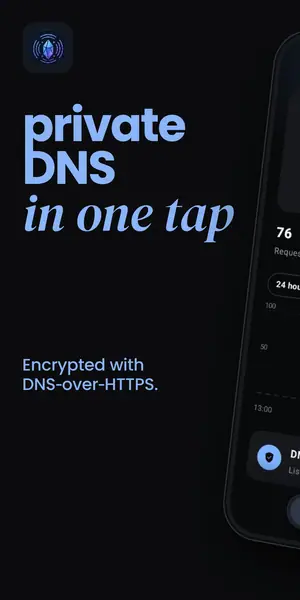
Encrypt DNS requests without routing all your traffic through a VPN.
Descargar APK v1.1.6 · 1,8 MB- Versión1.1.6
- Tamaño1,8 MB
- RequiereAndroid 8.0
- Actualizada23/11/2026
- LicenciaGPL-3.0-only
- PrecioGratis
Acerca de SparkleDNS
Descripción del desarrollador (en inglés).
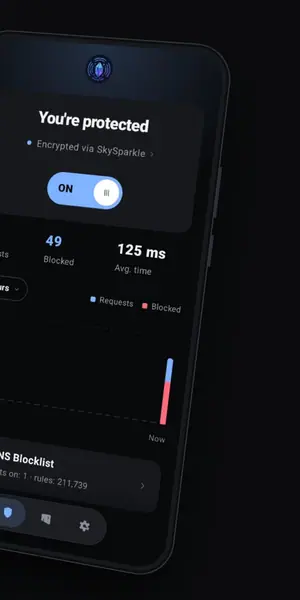
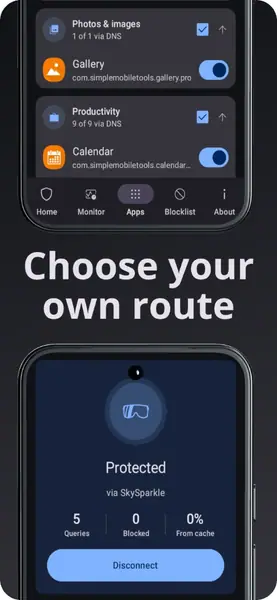
Protect your DNS requests with encrypted DNS-over-HTTPS, while your other internet traffic stays on its normal connection. SparkleDNS gives you control over DNS without routing your whole device through a VPN server.
- Send DNS queries to your chosen DoH server using RFC 8484.
- Check server protocol and latency before you connect.
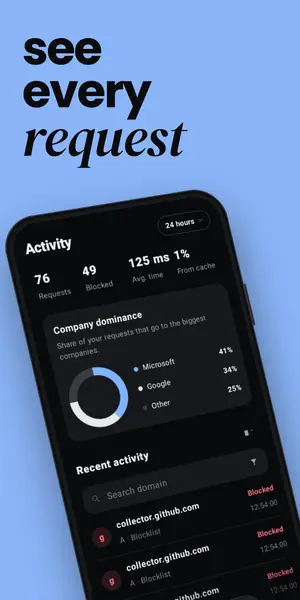
- See live queries and stats, filter activity, and block domains with a tap.
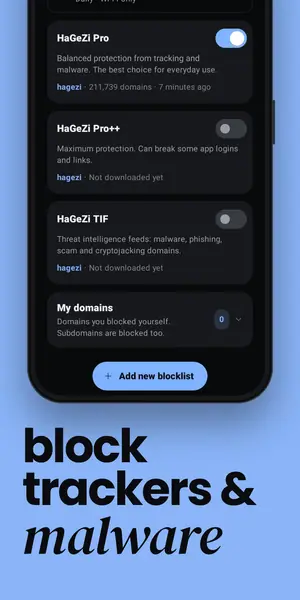
- Add custom domain rules or blocklists by URL, including HaGeZi Pro, Pro++ and TIF presets, updated automatically every day or week.
- Let selected apps bypass the DNS tunnel.
- Connect or disconnect in one tap, or use the Quick Settings tile.
SparkleDNS creates a local VPN tunnel to capture DNS traffic only. DNS requests go to your selected DoH server; everything else uses your regular connection. Switch servers while connected and the tunnel restarts automatically. No analytics or Google Play Services are included.
Choose SparkleDNS for a lightweight Android DNS client with clear controls over encrypted DNS and domain blocking. Install SparkleDNS and take control of your DNS requests.
Novedades de la versión 1.1.6
- The SkySparkle server now works with a personal key: create a free key at skysparkle.cc and enter it in Settings
- New first-launch guide that explains how to get a key
Información del archivo APK
| Nombre del paquete | cc.skysparkle.sparkledns |
|---|---|
| Versión | 1.1.6 (código 10106) |
| Android mínimo | Android 8.0 · diseñada para Android 16 |
| Arquitecturas | arm64-v8a, armeabi-v7a, x86, x86_64 |
| SHA-256 | ea3ee6b3715a64b5b04a11b516b92ba4359764cf89401d83df47fc10450779a3 |
| Firma | 42f630634bd0f87f491785a8848770e445967b36f1028efd16f8f95201273a29 |
| Licencia | GPL-3.0-only — licencia libre copyleft: el código es público y las versiones modificadas deben seguir siendo libres |
| Código fuente | github.com/kalarina-bit/Sparkledns |
| Sitio oficial | skysparkle.cc |
Permisos solicitados
- Acceso a Internet
- Ver el estado de la red
- Mostrar notificaciones
- Funcionar en segundo plano
- Iniciarse al arrancar
Versiones anteriores
- SparkleDNS 1.1.623 de noviembre de 2026 · 1,8 MB
- SparkleDNS 1.1.517 de noviembre de 2026 · 1,7 MB
- SparkleDNS 1.1.311 de noviembre de 2026 · 1,6 MB
Cómo instalar SparkleDNS APK
- Pulsa Descargar APK arriba y abre el archivo cuando termine la descarga.
- Si Android lo pide, permite que tu navegador instale apps desconocidas.
- Pulsa Instalar. SparkleDNS aparecerá junto a tus otras apps.
→ Cómo instalar un archivo APK en Android (paso a paso)
→ «La aplicación no está instalada»: causas y soluciones
Preguntas frecuentes
¿SparkleDNS es gratis?
Sí. SparkleDNS se distribuye con licencia GPL-3.0-only: gratis, sin suscripción y con el código fuente público.
¿Es seguro este archivo APK?
El archivo es el que compila y publica el repositorio F-Droid a partir del código fuente público. Su huella SHA-256 aparece arriba para que puedas compararla tras la descarga. ¿Un APK es peligroso? Cómo verificar un archivo antes de instalarlo
¿Funciona SparkleDNS en mi teléfono?
Necesitas como mínimo Android 8.0. La app también funciona sin los servicios de Google, así que funciona en los teléfonos Huawei recientes.