
SparkleDNS APK
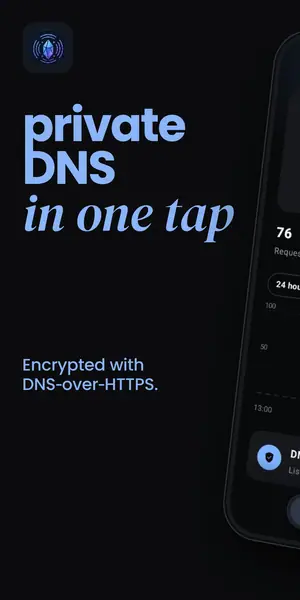
Encrypt DNS requests without routing all your traffic through a VPN.
Scarica l'APK v1.1.6 · 1,8 MB- Versione1.1.6
- Dimensione1,8 MB
- RichiedeAndroid 8.0
- Aggiornata23/11/2026
- LicenzaGPL-3.0-only
- PrezzoGratis
Informazioni su SparkleDNS
Descrizione fornita dallo sviluppatore (in inglese).
Protect your DNS requests with encrypted DNS-over-HTTPS, while your other internet traffic stays on its normal connection. SparkleDNS gives you control over DNS without routing your whole device through a VPN server.
- Send DNS queries to your chosen DoH server using RFC 8484.
- Check server protocol and latency before you connect.
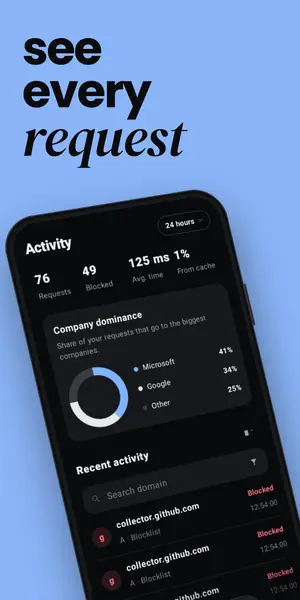
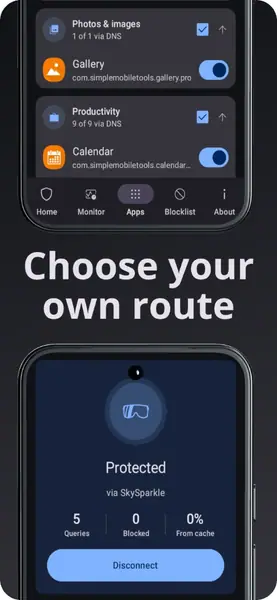
- See live queries and stats, filter activity, and block domains with a tap.
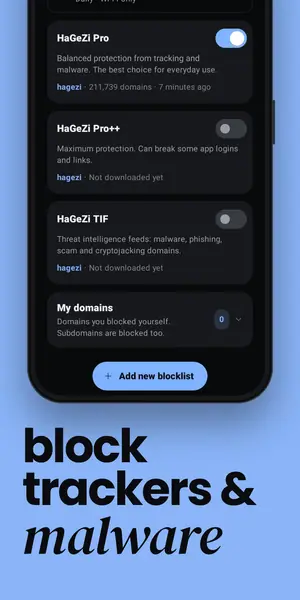
- Add custom domain rules or blocklists by URL, including HaGeZi Pro, Pro++ and TIF presets, updated automatically every day or week.
- Let selected apps bypass the DNS tunnel.
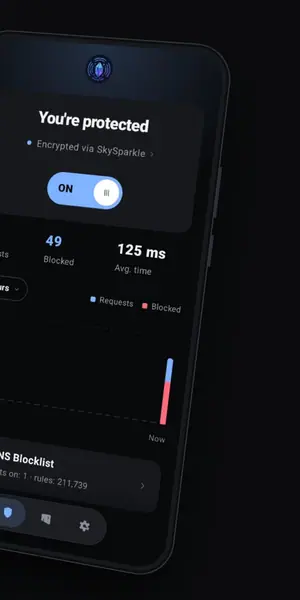
- Connect or disconnect in one tap, or use the Quick Settings tile.
SparkleDNS creates a local VPN tunnel to capture DNS traffic only. DNS requests go to your selected DoH server; everything else uses your regular connection. Switch servers while connected and the tunnel restarts automatically. No analytics or Google Play Services are included.
Choose SparkleDNS for a lightweight Android DNS client with clear controls over encrypted DNS and domain blocking. Install SparkleDNS and take control of your DNS requests.
Novità della versione 1.1.6
- The SkySparkle server now works with a personal key: create a free key at skysparkle.cc and enter it in Settings
- New first-launch guide that explains how to get a key
Informazioni sul file APK
| Nome del pacchetto | cc.skysparkle.sparkledns |
|---|---|
| Versione | 1.1.6 (codice 10106) |
| Android minimo | Android 8.0 · pensata per Android 16 |
| Architetture | arm64-v8a, armeabi-v7a, x86, x86_64 |
| SHA-256 | ea3ee6b3715a64b5b04a11b516b92ba4359764cf89401d83df47fc10450779a3 |
| Firma | 42f630634bd0f87f491785a8848770e445967b36f1028efd16f8f95201273a29 |
| Licenza | GPL-3.0-only — licenza libera copyleft: il codice è pubblico e le versioni modificate devono restare libere |
| Codice sorgente | github.com/kalarina-bit/Sparkledns |
| Sito ufficiale | skysparkle.cc |
Autorizzazioni richieste
- Accesso a Internet
- Vedere lo stato della rete
- Mostrare notifiche
- Funzionare in background
- Avviarsi all'accensione
Versioni precedenti
- SparkleDNS 1.1.623 novembre 2026 · 1,8 MB
- SparkleDNS 1.1.517 novembre 2026 · 1,7 MB
- SparkleDNS 1.1.311 novembre 2026 · 1,6 MB
Come installare SparkleDNS APK
- Tocca Scarica l'APK qui sopra, poi apri il file al termine del download.
- Se Android lo chiede, consenti al browser di installare app sconosciute.
- Tocca Installa. SparkleDNS comparirà insieme alle altre app.
→ Come installare un file APK su Android (passo passo)
→ «App non installata»: cause e soluzioni
Domande frequenti
SparkleDNS è gratis?
Sì. SparkleDNS è distribuita con licenza GPL-3.0-only: gratuita, senza abbonamento e con codice sorgente pubblico.
Questo file APK è sicuro?
Il file è quello compilato e pubblicato dal repository F-Droid a partire dal codice sorgente pubblico. L'impronta SHA-256 è indicata qui sopra: puoi confrontarla dopo il download. Un APK è pericoloso? Come verificare un file prima di installarlo
SparkleDNS funziona sul mio telefono?
Serve almeno Android 8.0. L'app funziona anche senza i servizi Google, quindi anche sui telefoni Huawei recenti.