LRC Editor APK
Create and edit lyric files with ease
Scarica l'APK v3.2.7 · 1,2 MB- Versione3.2.7
- Dimensione1,2 MB
- RichiedeAndroid 5.0
- Aggiornata10/02/2026
- LicenzaGPL-3.0-only
- PrezzoGratis
Informazioni su LRC Editor
Descrizione fornita dallo sviluppatore (in inglese).
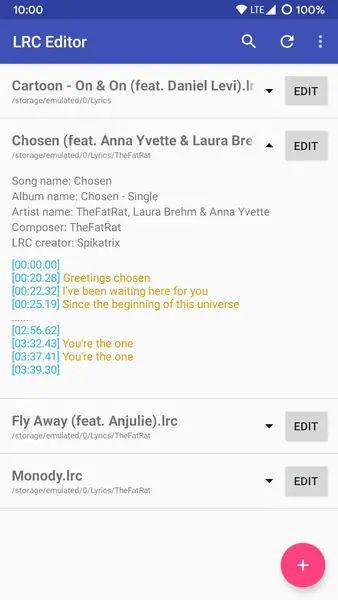
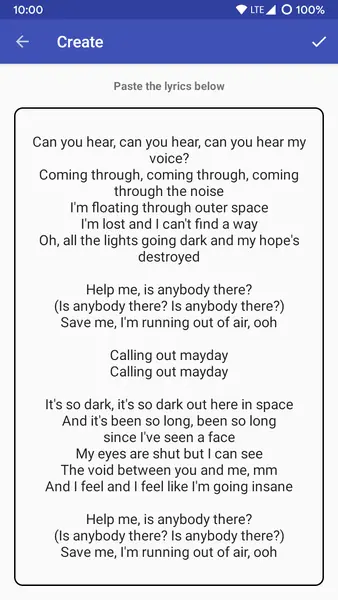
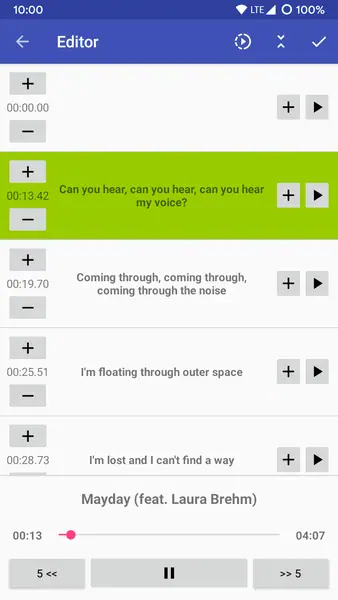
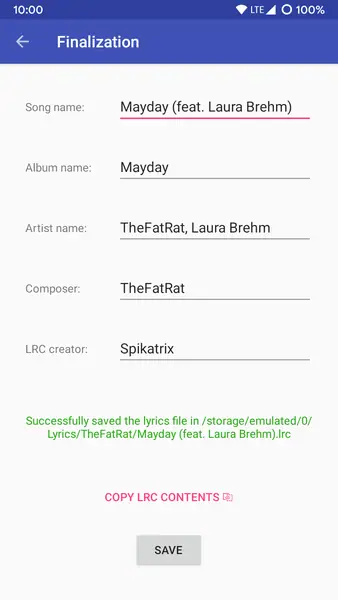
LRC Editor helps you to create and edit lyric files ( .lrc files ) easily.
Features:
- Comes with a small built-in media player to help you synchronise your lyrics with your song
- Supports both fine and coarse tuning of timestamps for synchronising your lyrics perfectly
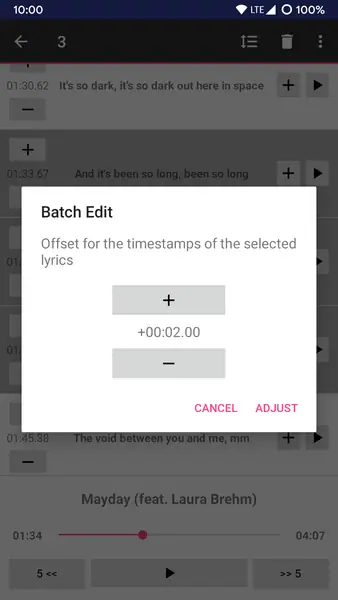
- Supports powerful batch editing features to adjust timestamps quickly
- .lrc lyric files can be directly opened from your file manager with this app
- Lightweight and Ad free
You can use .lrc lyric files to add lyrics into music players that support them for example the stock music players of Xiaomi, Huawei, OPPO, Samsung etc
Try it out now!
If you face desync issues, make sure you're using a high quality constant bitrate MP3 file or a music container suited for precise seeking.
A big thank you to all the translators:
- Chinese Traditional (zh-rTW) by Martin C
- Chinese Simplified (zh-rCW) by Krasnaya Ploshchad
- French (fr) by tintinmar1995
- German (de) by Leon Thelen
- Indonesian (in) by Fajar Maulana
- Polish (pl) by Zbigniew Zienko
- Portuguese (pt-rBR) by Ayrtown Karlos
- Spanish (es) by Jonathan Martinez
Novità della versione 3.2.7
- Added a new setting to save lyrics with a leading space
- Fixed an issue with timestamp milliseconds being read incorrectly
- Translation improvements
Informazioni sul file APK
| Nome del pacchetto | com.cg.lrceditor |
|---|---|
| Versione | 3.2.7 (codice 57) |
| Android minimo | Android 5.0 · pensata per Android 10 |
| Architetture | Tutte (universale) |
| SHA-256 | ea720cf8ae77d9dcae2f5639654ae03f9309c9de49b6abb166d4a93c1d20f016 |
| Firma | 4f315e475f404467a76a93fb5a6f1b0717a95932d4570da40c8d2a84d145077e |
| Licenza | GPL-3.0-only — licenza libera copyleft: il codice è pubblico e le versioni modificate devono restare libere |
| Codice sorgente | github.com/Spikatrix/LRC-Editor |
Autorizzazioni richieste
- Scrivere nell'archivio
- Leggere l'archivio
Versioni precedenti
- LRC Editor 3.2.710 febbraio 2026 · 1,2 MB
- LRC Editor 3.2.66 marzo 2021 · 1,3 MB
- LRC Editor 3.2.63 marzo 2021 · 1,3 MB
Come installare LRC Editor APK
- Tocca Scarica l'APK qui sopra, poi apri il file al termine del download.
- Se Android lo chiede, consenti al browser di installare app sconosciute.
- Tocca Installa. LRC Editor comparirà insieme alle altre app.
→ Come installare un file APK su Android (passo passo)
→ «App non installata»: cause e soluzioni
Domande frequenti
LRC Editor è gratis?
Sì. LRC Editor è distribuita con licenza GPL-3.0-only: gratuita, senza abbonamento e con codice sorgente pubblico.
Questo file APK è sicuro?
Il file è quello compilato e pubblicato dal repository F-Droid a partire dal codice sorgente pubblico. L'impronta SHA-256 è indicata qui sopra: puoi confrontarla dopo il download. Un APK è pericoloso? Come verificare un file prima di installarlo
LRC Editor funziona sul mio telefono?
Serve almeno Android 5.0. L'app funziona anche senza i servizi Google, quindi anche sui telefoni Huawei recenti.