PdfCraft APK
Read, comment, fill, sign and edit PDFs on your phone, all on the device
Scarica l'APK v0.0.7-beta · 45,5 MB- Versione0.0.7-beta
- Dimensione45,5 MB
- RichiedeAndroid 10
- Aggiornata06/11/2026
- LicenzaMIT
- PrezzoGratis
Informazioni su PdfCraft
Descrizione fornita dallo sviluppatore (in inglese).
An Android native open-source PDF reader and editor written in Rust.
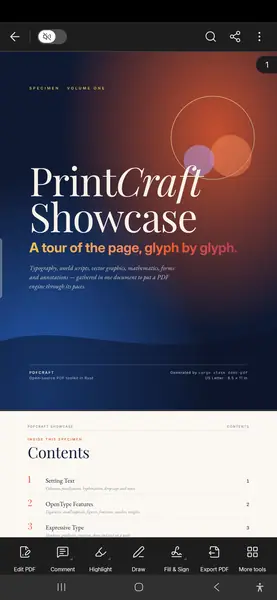
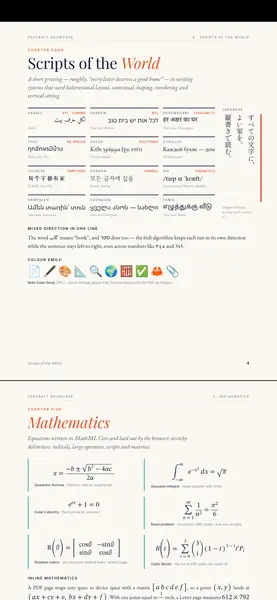
PdfCraft is a PDF reader and editor for Android, built on the PdfCraft engine. It follows the layout and the tools of Acrobat Reader for phones, and everything stays on your phone: no account, no cloud.
Read
- Continuous or single page, Reading Mode (text reflowed to the screen), Night Mode
- Find, text selection, links, bookmarks and the table of contents, attachments
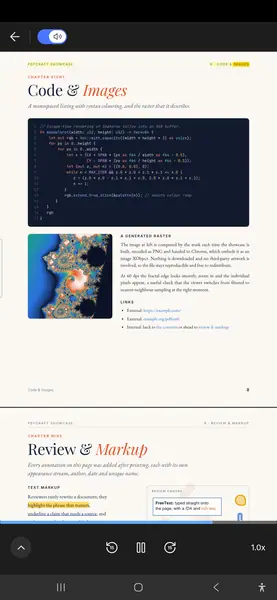
- Read aloud with the phone's voice, the words marked as they're read
Comment
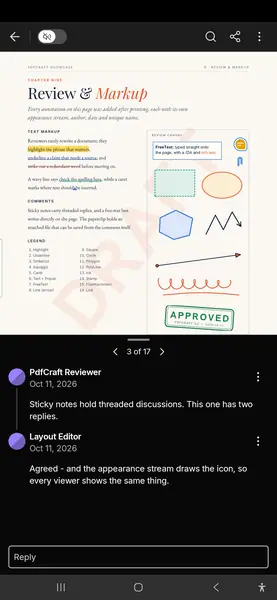
- Notes and voice comments, highlight, underline, strikethrough, drawing (snap to shape) and text
- The Comment List, threads and replies
Fill and sign
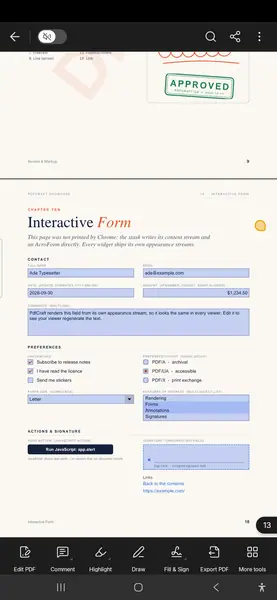
- Fill in form fields, or use Fill & Sign: text, marks and a drawn or imported signature
Edit
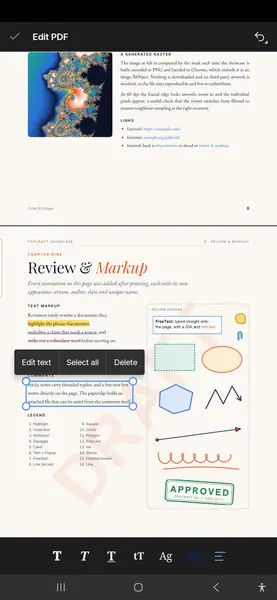
- Edit text, add text and images, move, resize and turn pictures
- Organize pages: move, turn, insert, extract and delete; crop pages
Make new files
- Compress, combine, set a password, create PDFs from images, text or office documents, scan
- Export to Word, RTF, Excel, PowerPoint, JPEG or PNG
- Recognize text on scanned pages
Changes are saved back into the file you opened. Works upright and sideways, in the light and dark themes. PdfCraft is in beta.
PdfCraft is not affiliated with or endorsed by Adobe. Acrobat is a trademark of Adobe Inc.
Novità della versione 0.0.7-beta
- German, French, Italian, Brazilian Portuguese and Arabic translations
- A newer PDF engine (0.14.0)
- Mouse support: the wheel scrolls and zooms, a drag selects text
- Read aloud starts from a tapped word or the selection
- A scan keeps its photos when Android closes the app behind the camera
- A placed signature takes the colour you pick
- Closing a PDF another app opened goes back to that app
- PdfCraft no longer keeps a copy of every PDF it opens
Informazioni sul file APK
| Nome del pacchetto | io.github.artcraftandroid.pdfcraft |
|---|---|
| Versione | 0.0.7-beta (codice 7012) |
| Android minimo | Android 10 · pensata per Android 16 |
| Architetture | arm64-v8a |
| SHA-256 | ba9c3486b5359829e1265f099806e78eb5b8597944a817caee2f0ec9e5570b6b |
| Firma | 7356d58ae3446b3e6cc457d0b9901700376c787310c9dba14e9c11866588eeb5 |
| Licenza | MIT — licenza libera permissiva: il codice sorgente è pubblico e riutilizzabile |
| Codice sorgente | github.com/artcraft-android/pdfcraft-android |
Autorizzazioni richieste
- Microfono sensibile
- Funzionare in background
Versioni precedenti
- PdfCraft 0.0.7-beta6 novembre 2026 · 45,5 MB
- PdfCraft 0.0.7-beta6 novembre 2026 · 37,3 MB
- PdfCraft 0.0.6-beta31 ottobre 2026 · 44,9 MB
- PdfCraft 0.0.6-beta31 ottobre 2026 · 36,8 MB
- PdfCraft 0.0.5-beta27 ottobre 2026 · 42,7 MB
- PdfCraft 0.0.5-beta27 ottobre 2026 · 35,1 MB
Come installare PdfCraft APK
- Tocca Scarica l'APK qui sopra, poi apri il file al termine del download.
- Se Android lo chiede, consenti al browser di installare app sconosciute.
- Tocca Installa. PdfCraft comparirà insieme alle altre app.
→ Come installare un file APK su Android (passo passo)
→ «App non installata»: cause e soluzioni
Domande frequenti
PdfCraft è gratis?
Sì. PdfCraft è distribuita con licenza MIT: gratuita, senza abbonamento e con codice sorgente pubblico.
Questo file APK è sicuro?
Il file è quello compilato e pubblicato dal repository F-Droid a partire dal codice sorgente pubblico. L'impronta SHA-256 è indicata qui sopra: puoi confrontarla dopo il download. Un APK è pericoloso? Come verificare un file prima di installarlo
PdfCraft funziona sul mio telefono?
Serve almeno Android 10. L'app funziona anche senza i servizi Google, quindi anche sui telefoni Huawei recenti.