PdfCraft APK
Read, comment, fill, sign and edit PDFs on your phone, all on the device
Download APK v0.0.7-beta · 45.5 MB- Version0.0.7-beta
- Size45.5 MB
- RequiresAndroid 10
- Updated11/6/2026
- LicenceMIT
- PriceFree
About PdfCraft
An Android native open-source PDF reader and editor written in Rust.
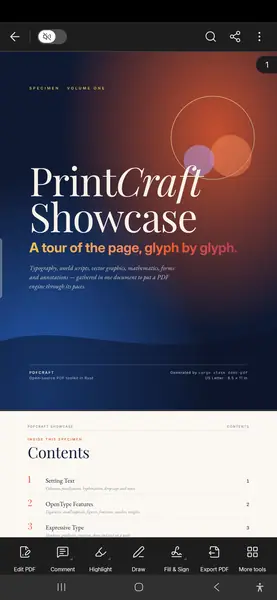
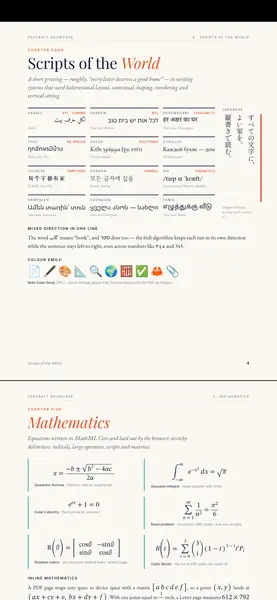
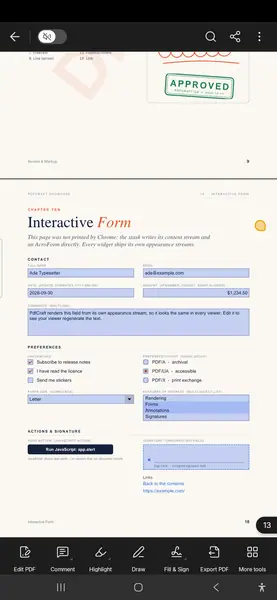
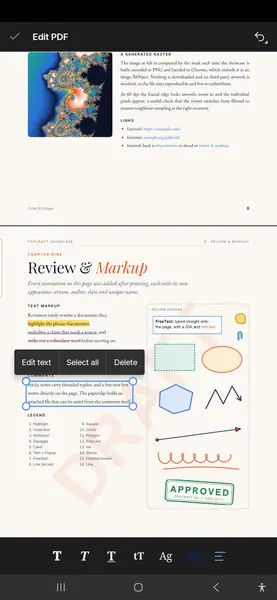
PdfCraft is a PDF reader and editor for Android, built on the PdfCraft engine. It follows the layout and the tools of Acrobat Reader for phones, and everything stays on your phone: no account, no cloud.
Read
- Continuous or single page, Reading Mode (text reflowed to the screen), Night Mode
- Find, text selection, links, bookmarks and the table of contents, attachments
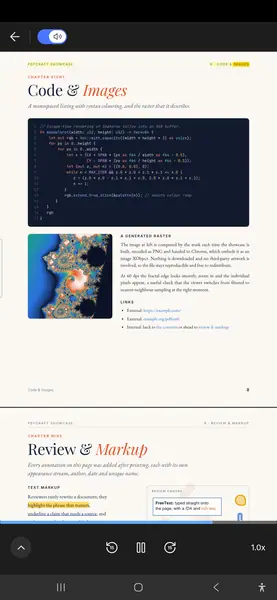
- Read aloud with the phone's voice, the words marked as they're read
Comment
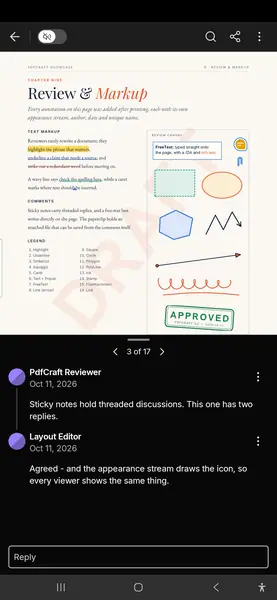
- Notes and voice comments, highlight, underline, strikethrough, drawing (snap to shape) and text
- The Comment List, threads and replies
Fill and sign
- Fill in form fields, or use Fill & Sign: text, marks and a drawn or imported signature
Edit
- Edit text, add text and images, move, resize and turn pictures
- Organize pages: move, turn, insert, extract and delete; crop pages
Make new files
- Compress, combine, set a password, create PDFs from images, text or office documents, scan
- Export to Word, RTF, Excel, PowerPoint, JPEG or PNG
- Recognize text on scanned pages
Changes are saved back into the file you opened. Works upright and sideways, in the light and dark themes. PdfCraft is in beta.
PdfCraft is not affiliated with or endorsed by Adobe. Acrobat is a trademark of Adobe Inc.
What's new in version 0.0.7-beta
- German, French, Italian, Brazilian Portuguese and Arabic translations
- A newer PDF engine (0.14.0)
- Mouse support: the wheel scrolls and zooms, a drag selects text
- Read aloud starts from a tapped word or the selection
- A scan keeps its photos when Android closes the app behind the camera
- A placed signature takes the colour you pick
- Closing a PDF another app opened goes back to that app
- PdfCraft no longer keeps a copy of every PDF it opens
APK file information
| Package name | io.github.artcraftandroid.pdfcraft |
|---|---|
| Version | 0.0.7-beta (code 7012) |
| Minimum Android | Android 10 · targets Android 16 |
| Architectures | arm64-v8a |
| SHA-256 | ba9c3486b5359829e1265f099806e78eb5b8597944a817caee2f0ec9e5570b6b |
| Signature | 7356d58ae3446b3e6cc457d0b9901700376c787310c9dba14e9c11866588eeb5 |
| Licence | MIT — permissive free licence: the source code is public and reusable |
| Source code | github.com/artcraft-android/pdfcraft-android |
Permissions
- Microphone sensitive
- Run in the background
Older versions
- PdfCraft 0.0.7-betaNovember 6, 2026 · 45.5 MB
- PdfCraft 0.0.7-betaNovember 6, 2026 · 37.3 MB
- PdfCraft 0.0.6-betaOctober 31, 2026 · 44.9 MB
- PdfCraft 0.0.6-betaOctober 31, 2026 · 36.8 MB
- PdfCraft 0.0.5-betaOctober 27, 2026 · 42.7 MB
- PdfCraft 0.0.5-betaOctober 27, 2026 · 35.1 MB
How to install PdfCraft APK
- Tap Download APK above, then open the file once the download has finished.
- If Android asks, allow your browser to install unknown apps.
- Tap Install. PdfCraft then appears with your other apps.
Having trouble? Read our guides how to install an APK on Android and "App not installed": how to fix it.
Frequently asked questions
Is PdfCraft free?
Yes. PdfCraft is distributed under the MIT licence: free, no subscription, and its source code is public.
Is this APK file safe?
The file is the one built and published by the F-Droid repository from the public source code. Its SHA-256 fingerprint is shown above, so you can compare it after downloading. How to check an APK.
Will PdfCraft work on my phone?
You need at least Android 10. The app also works without Google services, so it runs on recent Huawei phones too.




