
Cache Cleaner APK
Clean cache of installed user and system apps using Accessibility
Baixar APK v2.3.0 · 3,3 MB- Versão2.3.0
- Tamanho3,3 MB
- RequerAndroid 6.0
- Atualizado11/06/2026
- LicençaAGPL-3.0-only
- PreçoGrátis
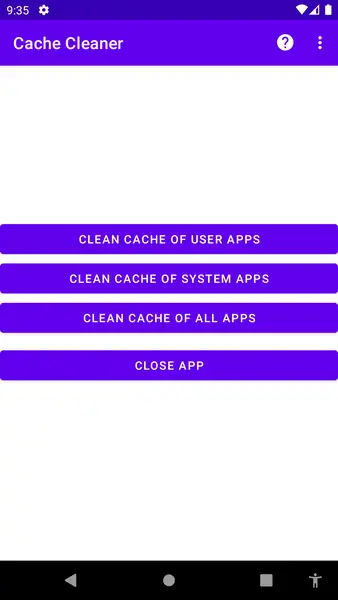
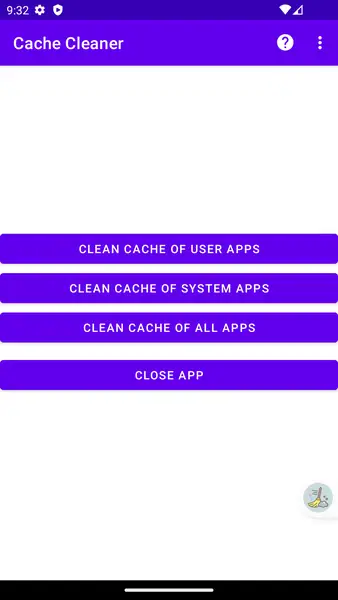
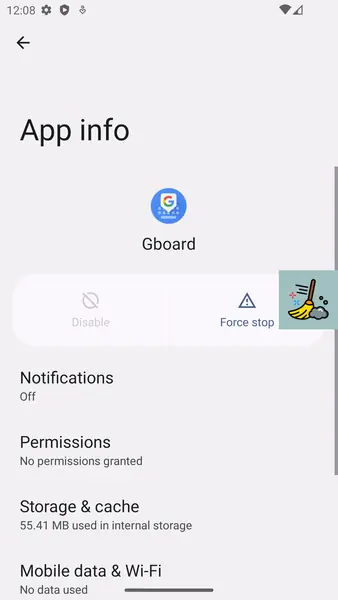
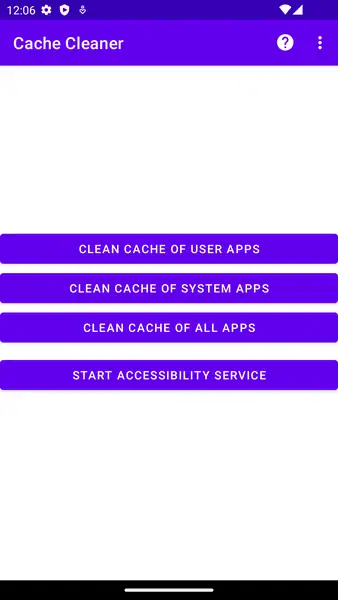
Sobre o Cache Cleaner
Descrição fornecida pelo desenvolvedor (em inglês).
Since the release of Android 6 (Marshmallow), the option to clear the cache of all apps at once has been restricted by Google to system apps only. This means that users no longer have the convenience of clearing the cache of all their apps simultaneously. To clear the cache of individual apps, one must manually navigate to each app's "App Info" screen, locate the "Storage" menu, and then select the "Clean cache" button.
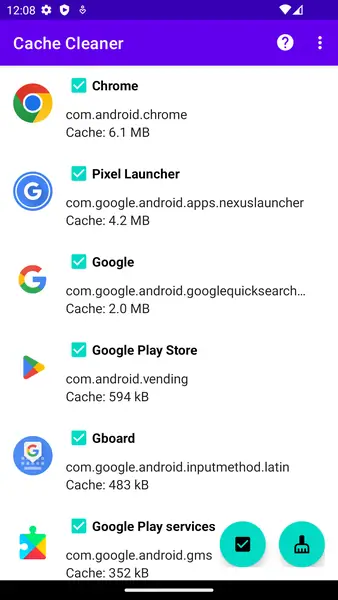
To simplify this process and save time, Cache Cleaner requests a list of installed apps on your device and utilizes the Accessibility service to replace the manual steps involved in clearing the cache. This allows for a more convenient and automated process of cache cleaning.
Cache Cleaner provides the added benefit of customizable app lists. This functionality allows you to create personalized lists of specific apps, giving you the flexibility to selectively clear the cache of only the apps you choose.
Novidades da versão 2.3.0
- support Android 17
- fix force-stop for Android 14 and later
- faster loading of app info
- improve clean cache stability and reliability
- fix navigation back between apps for some cases
Informações do arquivo APK
| Nome do pacote | com.github.bmx666.appcachecleaner |
|---|---|
| Versão | 2.3.0 (código 109) |
| Android mínimo | Android 6.0 · feito para API 37 |
| Arquiteturas | arm64-v8a, armeabi-v7a, x86, x86_64 |
| SHA-256 | d4913cd8243bf9ec8930c5227836db7eb48f5e79bb69d626426a3c52b06a839a |
| Assinatura | 28fa393354f1d13d70c2f1f5298cdd455ffdbc2c17939cbc8f053ddc5e152da8 |
| Licença | AGPL-3.0-only — licença livre copyleft: o código é público e versões modificadas devem continuar livres |
| Código-fonte | github.com/bmx666/android-appcachecleaner |
Permissões solicitadas
- Ver os apps instalados sensível
- Funcionar em segundo plano
Mais 1 permissão(ões) técnica(s)
PACKAGE_USAGE_STATS
Versões anteriores
- Cache Cleaner 2.3.011 de junho de 2026 · 3,3 MB
- Cache Cleaner 2.2.1011 de julho de 2025 · 3,6 MB
- Cache Cleaner 2.2.99 de outubro de 2024 · 3,6 MB
Como instalar o Cache Cleaner APK
- Toque em Baixar APK acima e abra o arquivo quando o download terminar.
- Se o Android pedir, permita que o navegador instale apps desconhecidos.
- Toque em Instalar. O Cache Cleaner aparecerá junto aos seus outros apps.
→ Como instalar um arquivo APK no Android (passo a passo)
→ "App não instalado": causas e soluções
Perguntas frequentes
O Cache Cleaner é grátis?
Sim. O Cache Cleaner é distribuído sob a licença AGPL-3.0-only: grátis, sem assinatura e com código-fonte público.
Este arquivo APK é seguro?
O arquivo é o compilado e publicado pelo repositório F-Droid a partir do código-fonte público. A impressão digital SHA-256 aparece acima para você comparar depois do download. APK é perigoso? Como verificar um arquivo antes de instalar
O Cache Cleaner funciona no meu celular?
É preciso ter pelo menos Android 6.0. O app também funciona sem os serviços do Google, inclusive em celulares Huawei recentes.





