
Saber APK
The notes app built for handwriting
Baixar APK v1.37.1 · 40,1 MB- Versão1.37.1
- Tamanho40,1 MB
- RequerAndroid 7.0
- Atualizado31/10/2026
- LicençaGPL-3.0-only
- PreçoGrátis
Sobre o Saber
Descrição fornecida pelo desenvolvedor (em inglês).
Saber is the notes app built for handwriting.
It's designed to be as simple and intuitive as possible, while still delivering unique features that you'll actually use. Additionally, Saber is available across all your devices, large and small, and syncs between them seamlessly.
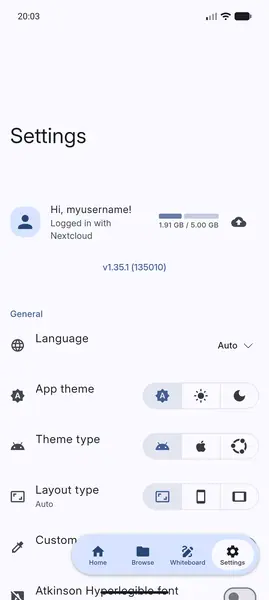
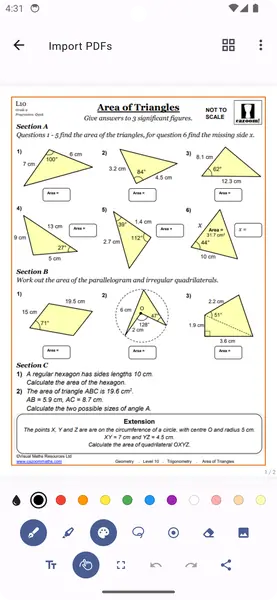
Notably, it can invert your notes when you're in dark mode. This allows you to write with white ink on a black background, which is much easier on the eyes in low-light environments like when the teacher turns off the lights in class. Images and PDFs are also inverted, so you can still use a digital printout or a textbook without the fuss.
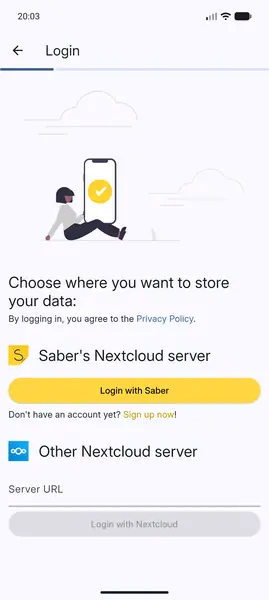
Saber uses a dual-password system to protect your notes from anyone but you, even if they have complete control over the server. You can safely store your notes on the official Saber server, another server, or even host your own!
The app is completely open-source so that anyone can view the source code and see exactly what it's doing and how it handles your data. Many other note-taking apps are closed-source and proprietary, meaning that their inner workings are a mystery to the public.
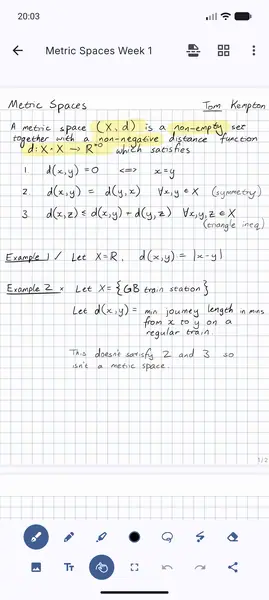
As someone who studies maths, highlighting multi-line equations was always a hassle with other apps, where the highlighter would change color when it overlapped with itself. Another problem I had was that in some apps, the highlighter would render on top of the text, fading it out and making it hard to read. Saber's highlighter has no such issues. It utilizes canvas compositing to render the highlighter in a way that is consistent with/better than traditional paper, where it handles overlaps and maintains color consistency.
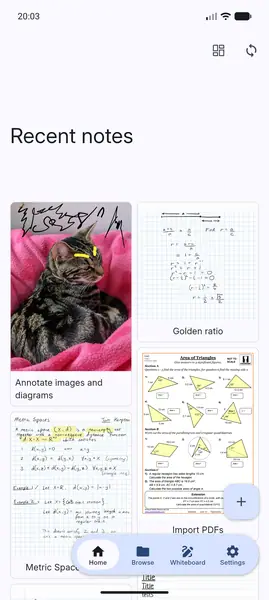
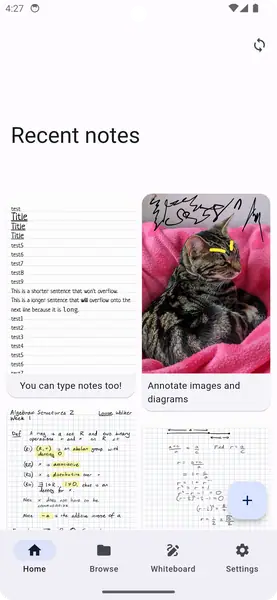
Saber has everything you need to keep your notes organized. Create folders inside folders inside folders to your heart's content with no limit on the number of nested folders. And even though a note may be buried deep within a nested folder, you can still access it easily with your most recent notes always available on the home screen.
Discover a whole new way to capture and organize your thoughts with Saber. Whether you're a student, professional, or creative mind, Saber is your trusted companion for digital handwriting. Download now and let your ideas flow freely!
Novidades da versão 1.37.1
- Corrigido alguns dispositivos que permitiam importar um PDF quando o Saber esperava uma imagem.
- Adicionado um workaround para corrigir PDFs existentes importados como imagens, impedindo que a nota ficasse ilegível.
- Corrigido o apagador não conseguir apagar uma forma retangular exceto perto de seus cantos.
- Aumentada a eficiência de memória ao colar uma imagem da área de transferência.
Informações do arquivo APK
| Nome do pacote | com.adilhanney.saber |
|---|---|
| Versão | 1.37.1 (código 1370103) |
| Android mínimo | Android 7.0 · feito para Android 16 |
| Arquiteturas | x86_64 |
| SHA-256 | bfda6d5a75d54418b2fce0c7124dcacaaa0241f9fae862c81f5e574a806f8745 |
| Assinatura | 07cbce38536206e629fecb4ef14fc66861ca0965556878ad6b636d77a6ab895a |
| Licença | GPL-3.0-only — licença livre copyleft: o código é público e versões modificadas devem continuar livres |
| Código-fonte | github.com/saber-notes/saber |
Permissões solicitadas
- Acesso à internet
- Gravar no armazenamento
- Ler o armazenamento
- Ver o estado da rede
- Mostrar notificações
- Funcionar em segundo plano
- Impedir o modo de espera
- Iniciar com o sistema
Versões anteriores
- Saber 1.37.131 de outubro de 2026 · 40,1 MB
- Saber 1.37.131 de outubro de 2026 · 38,4 MB
- Saber 1.37.131 de outubro de 2026 · 34,8 MB
- Saber 1.36.427 de outubro de 2026 · 40,1 MB
- Saber 1.36.427 de outubro de 2026 · 38,4 MB
- Saber 1.36.427 de outubro de 2026 · 34,7 MB
- Saber 1.36.325 de outubro de 2026 · 40,5 MB
- Saber 1.36.325 de outubro de 2026 · 38,9 MB
- Saber 1.36.325 de outubro de 2026 · 35,2 MB
Como instalar o Saber APK
- Toque em Baixar APK acima e abra o arquivo quando o download terminar.
- Se o Android pedir, permita que o navegador instale apps desconhecidos.
- Toque em Instalar. O Saber aparecerá junto aos seus outros apps.
→ Como instalar um arquivo APK no Android (passo a passo)
→ "App não instalado": causas e soluções
Perguntas frequentes
O Saber é grátis?
Sim. O Saber é distribuído sob a licença GPL-3.0-only: grátis, sem assinatura e com código-fonte público.
Este arquivo APK é seguro?
O arquivo é o compilado e publicado pelo repositório F-Droid a partir do código-fonte público. A impressão digital SHA-256 aparece acima para você comparar depois do download. APK é perigoso? Como verificar um arquivo antes de instalar
O Saber funciona no meu celular?
É preciso ter pelo menos Android 7.0. O app também funciona sem os serviços do Google, inclusive em celulares Huawei recentes.