Saber APK
The notes app built for handwriting
Download APK v1.37.1 · 40.1 MB- Version1.37.1
- Size40.1 MB
- RequiresAndroid 7.0
- Updated10/31/2026
- LicenceGPL-3.0-only
- PriceFree
About Saber
Saber is the notes app built for handwriting.
It's designed to be as simple and intuitive as possible, while still delivering unique features that you'll actually use. Additionally, Saber is available across all your devices, large and small, and syncs between them seamlessly.
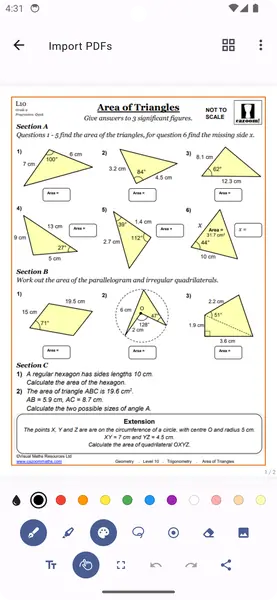
Notably, it can invert your notes when you're in dark mode. This allows you to write with white ink on a black background, which is much easier on the eyes in low-light environments like when the teacher turns off the lights in class. Images and PDFs are also inverted, so you can still use a digital printout or a textbook without the fuss.
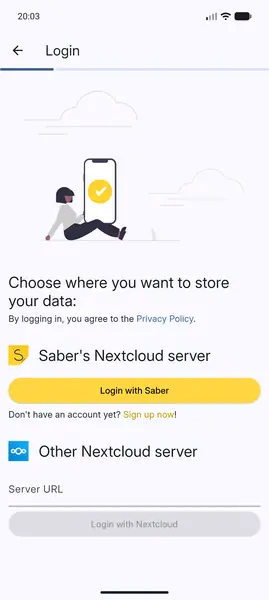
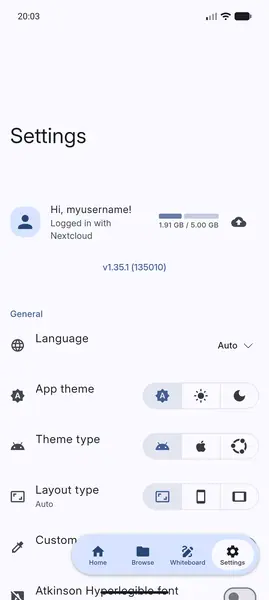
Saber uses a dual-password system to protect your notes from anyone but you, even if they have complete control over the server. You can safely store your notes on the official Saber server, another server, or even host your own!
The app is completely open-source so that anyone can view the source code and see exactly what it's doing and how it handles your data. Many other note-taking apps are closed-source and proprietary, meaning that their inner workings are a mystery to the public.
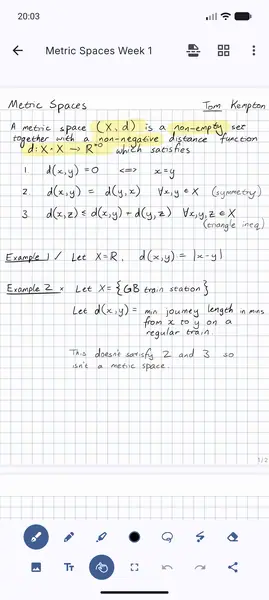
As someone who studies maths, highlighting multi-line equations was always a hassle with other apps, where the highlighter would change color when it overlapped with itself. Another problem I had was that in some apps, the highlighter would render on top of the text, fading it out and making it hard to read. Saber's highlighter has no such issues. It utilizes canvas compositing to render the highlighter in a way that is consistent with/better than traditional paper, where it handles overlaps and maintains color consistency.
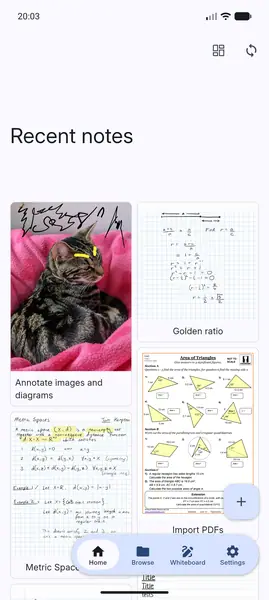
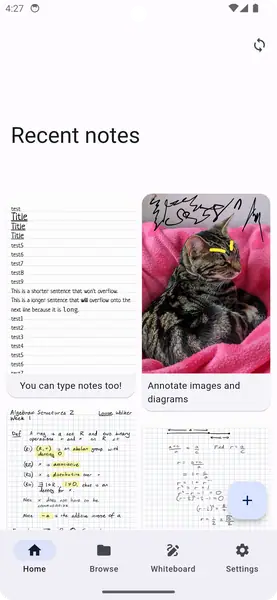
Saber has everything you need to keep your notes organized. Create folders inside folders inside folders to your heart's content with no limit on the number of nested folders. And even though a note may be buried deep within a nested folder, you can still access it easily with your most recent notes always available on the home screen.
Discover a whole new way to capture and organize your thoughts with Saber. Whether you're a student, professional, or creative mind, Saber is your trusted companion for digital handwriting. Download now and let your ideas flow freely!
What's new in version 1.37.1
- Fixed some devices letting you import a PDF when Saber expects an image.
- Added a workaround to fix existing PDFs imported as images from making the note unreadable.
- Fixed the eraser not being able to erase a rectangle shape except near its corners.
- Increased memory efficiency when pasting an image from clipboard.
APK file information
| Package name | com.adilhanney.saber |
|---|---|
| Version | 1.37.1 (code 1370103) |
| Minimum Android | Android 7.0 · targets Android 16 |
| Architectures | x86_64 |
| SHA-256 | bfda6d5a75d54418b2fce0c7124dcacaaa0241f9fae862c81f5e574a806f8745 |
| Signature | 07cbce38536206e629fecb4ef14fc66861ca0965556878ad6b636d77a6ab895a |
| Licence | GPL-3.0-only — copyleft free licence: the code is public and modified versions must stay free |
| Source code | github.com/saber-notes/saber |
Permissions
- Internet access
- Write to storage
- Read storage
- View network status
- Show notifications
- Run in the background
- Keep the device awake
- Start at boot
Older versions
- Saber 1.37.1October 31, 2026 · 40.1 MB
- Saber 1.37.1October 31, 2026 · 38.4 MB
- Saber 1.37.1October 31, 2026 · 34.8 MB
- Saber 1.36.4October 27, 2026 · 40.1 MB
- Saber 1.36.4October 27, 2026 · 38.4 MB
- Saber 1.36.4October 27, 2026 · 34.7 MB
- Saber 1.36.3October 25, 2026 · 40.5 MB
- Saber 1.36.3October 25, 2026 · 38.9 MB
- Saber 1.36.3October 25, 2026 · 35.2 MB
How to install Saber APK
- Tap Download APK above, then open the file once the download has finished.
- If Android asks, allow your browser to install unknown apps.
- Tap Install. Saber then appears with your other apps.
Having trouble? Read our guides how to install an APK on Android and "App not installed": how to fix it.
Frequently asked questions
Is Saber free?
Yes. Saber is distributed under the GPL-3.0-only licence: free, no subscription, and its source code is public.
Is this APK file safe?
The file is the one built and published by the F-Droid repository from the public source code. Its SHA-256 fingerprint is shown above, so you can compare it after downloading. How to check an APK.
Will Saber work on my phone?
You need at least Android 7.0. The app also works without Google services, so it runs on recent Huawei phones too.





