
OpenSetList APK
Setlists, ChordPro chords and key transposition for musicians, offline.
APK herunterladen v1.2.0 · 2,6 MB- Version1.2.0
- Größe2,6 MB
- BenötigtAndroid 7.0
- Aktualisiert20.11.2026
- LizenzMIT
- PreisKostenlos
Über OpenSetList
Beschreibung des Entwicklers (auf Englisch).
Organize your repertoire, build gig setlists and practice with OpenSetList — the setlists and chords app for musicians, 100% offline.
Songs & chords
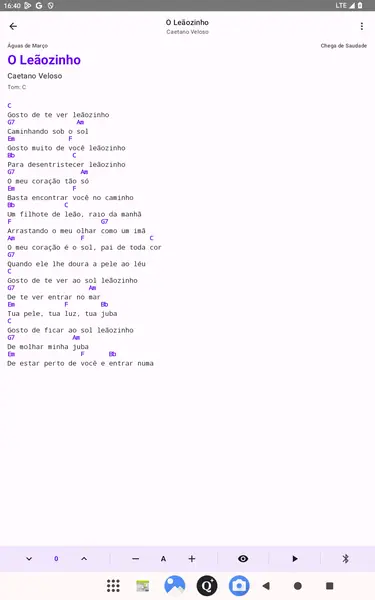
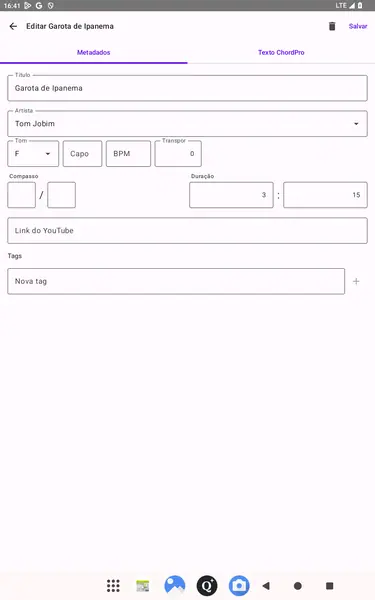
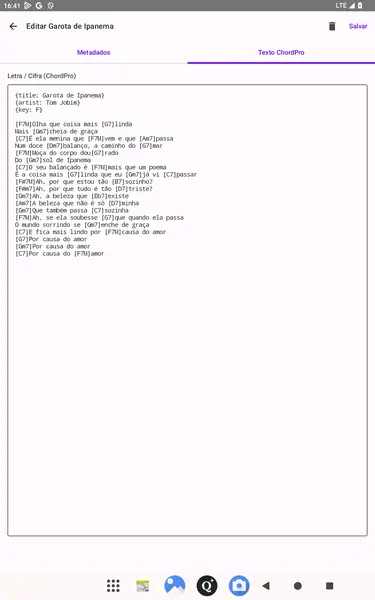
- Full ChordPro editor: lyrics, chords, key, BPM, capo, time signature, duration and a YouTube link.
- One-tap key transposition: raise or lower the whole chart without rewriting it.
- Auto-scroll with speed control to practice at your own pace.
- Hide chords to sing along, resize the lyrics and search within the text.
- Bluetooth pedal support (next/previous/play-pause) so you can keep your instrument in hand.
Setlists for gigs
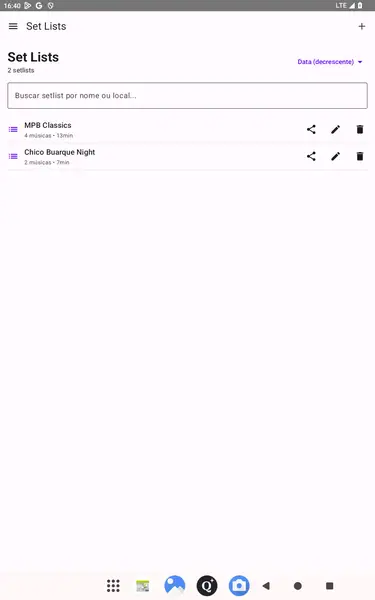
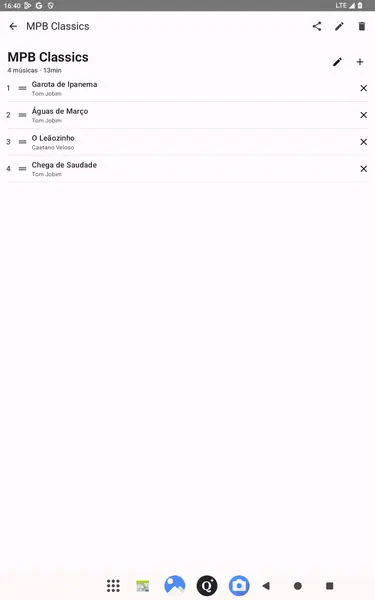
- Drag to reorder songs and swipe between them in the viewer.
- Set date, venue and time for each gig; the app computes the total set duration.
- Share/export a setlist in OpenSetList (.osl) or JustChords (.chopro) format and import other musicians' setlists.
Organization & backup
- Artists and tags to keep your repertoire organized.
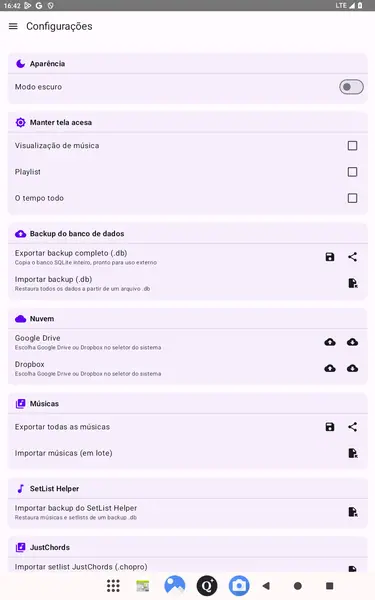
- Full database backup (.db), batch song export/import (JSON) and cloud through the system picker (Google Drive/Dropbox).
- Import from SetList Helper (.db) and JustChords (.chopro).
- Opens .osl/.chopro files received on Android.
Multiplatform & open
- Android, iOS and desktop (Windows/macOS/Linux), open source under the MIT license.
- No accounts, no ads, no data collection. Your data stays on your device.
Neu in Version 1.2.0
- JustChords compatibility: .jcarchive exports are now fully compatible and can be reopened in the JustChords app.
- Compressed .osl files: OpenSetList exports are now ZIP archives (smaller and more reliable to share); older plain-text .osl files are still imported normally.
- Resume where you left off: returning from a chart or setlist restores scroll position, search term and sort order.
Informationen zur APK-Datei
| Paketname | com.opensetlist.app |
|---|---|
| Version | 1.2.0 (Code 5) |
| Mindestens | Android 7.0 · ausgelegt für Android 16 |
| Architekturen | Alle (universell) |
| SHA-256 | 322273da99befeee6df1c8c0e08ea8647858f7b9557a82b28a5512ced8debea9 |
| Signatur | e7dbb3740f412252758ac7368028959d4744738de4f6b193613b27a9404047c5 |
| Lizenz | MIT — freie, freizügige Lizenz: Der Quellcode ist öffentlich und wiederverwendbar |
| Quellcode | github.com/OpenSetList/opensetlist-app |
Berechtigungen
- Internetzugriff
- Bluetooth
- Genauer Standort (GPS) sensibel
- Bluetooth-Geräte suchen
- Per Bluetooth verbinden
1 weitere technische Berechtigung(en)
BLUETOOTH_ADMIN
So installieren Sie OpenSetList APK
- Tippen Sie oben auf APK herunterladen und öffnen Sie die Datei nach dem Download.
- Wenn Android fragt, erlauben Sie Ihrem Browser, unbekannte Apps zu installieren.
- Tippen Sie auf Installieren. OpenSetList erscheint dann bei Ihren anderen Apps.
→ APK-Datei auf Android installieren (Schritt für Schritt)
→ „App nicht installiert“: Ursachen und Lösungen
Häufige Fragen
Ist OpenSetList kostenlos?
Ja. OpenSetList steht unter der Lizenz MIT: kostenlos, ohne Abo, und der Quellcode ist öffentlich.
Ist diese APK-Datei sicher?
Die Datei wurde vom F-Droid-Repository aus dem öffentlichen Quellcode erstellt und veröffentlicht. Ihr SHA-256-Fingerabdruck steht oben, Sie können ihn nach dem Download vergleichen. Ist eine APK gefährlich? So prüfen Sie eine Datei vor der Installation
Läuft OpenSetList auf meinem Handy?
Sie benötigen mindestens Android 7.0. Die App funktioniert auch ohne Google-Dienste, also auch auf aktuellen Huawei-Handys.