
OpenSetList APK
Setlists, ChordPro chords and key transposition for musicians, offline.
Download APK v1.2.0 · 2.6 MB- Version1.2.0
- Size2.6 MB
- RequiresAndroid 7.0
- Updated11/20/2026
- LicenceMIT
- PriceFree
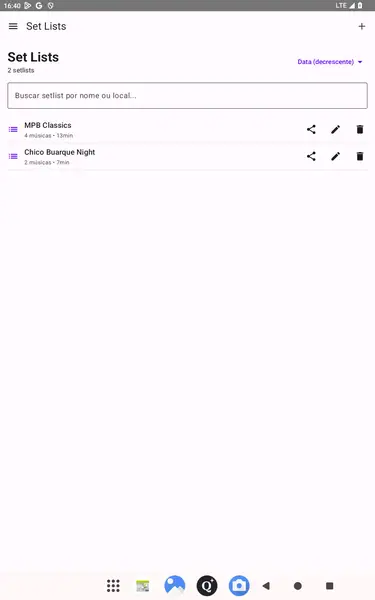
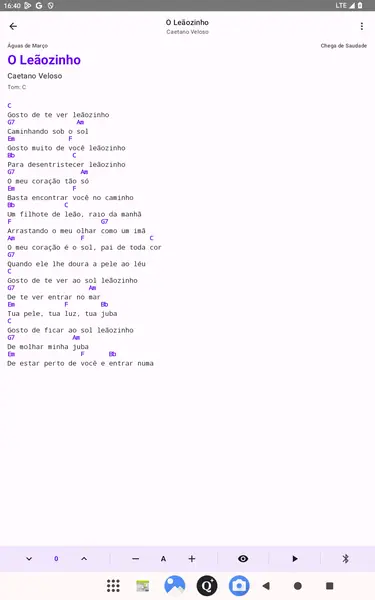
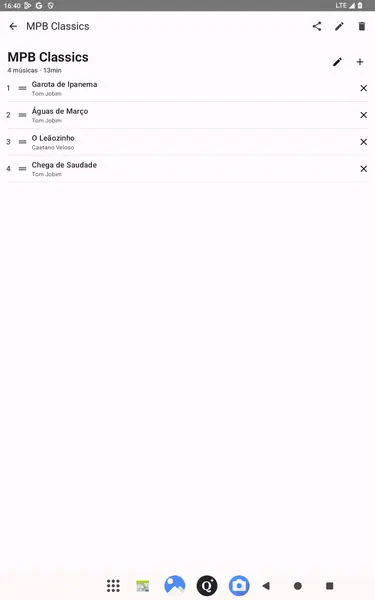
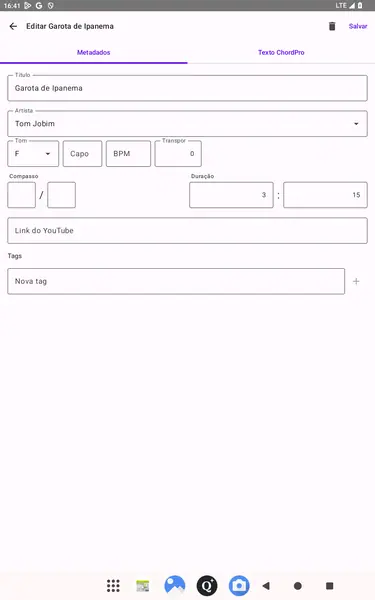
About OpenSetList
Organize your repertoire, build gig setlists and practice with OpenSetList — the setlists and chords app for musicians, 100% offline.
Songs & chords
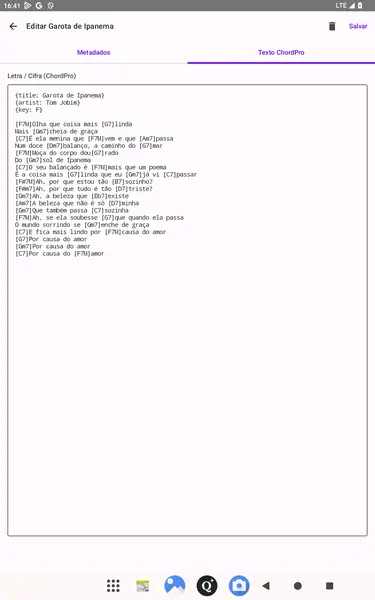
- Full ChordPro editor: lyrics, chords, key, BPM, capo, time signature, duration and a YouTube link.
- One-tap key transposition: raise or lower the whole chart without rewriting it.
- Auto-scroll with speed control to practice at your own pace.
- Hide chords to sing along, resize the lyrics and search within the text.
- Bluetooth pedal support (next/previous/play-pause) so you can keep your instrument in hand.
Setlists for gigs
- Drag to reorder songs and swipe between them in the viewer.
- Set date, venue and time for each gig; the app computes the total set duration.
- Share/export a setlist in OpenSetList (.osl) or JustChords (.chopro) format and import other musicians' setlists.
Organization & backup
- Artists and tags to keep your repertoire organized.
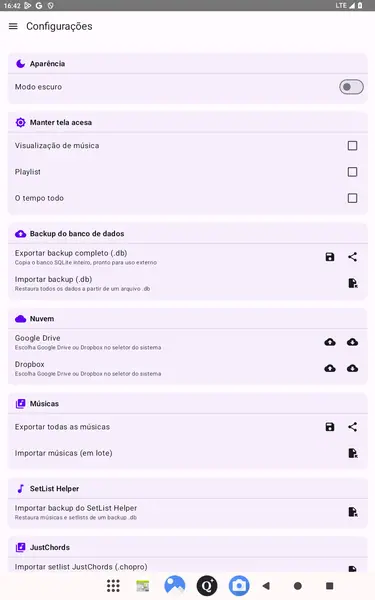
- Full database backup (.db), batch song export/import (JSON) and cloud through the system picker (Google Drive/Dropbox).
- Import from SetList Helper (.db) and JustChords (.chopro).
- Opens .osl/.chopro files received on Android.
Multiplatform & open
- Android, iOS and desktop (Windows/macOS/Linux), open source under the MIT license.
- No accounts, no ads, no data collection. Your data stays on your device.
What's new in version 1.2.0
- JustChords compatibility: .jcarchive exports are now fully compatible and can be reopened in the JustChords app.
- Compressed .osl files: OpenSetList exports are now ZIP archives (smaller and more reliable to share); older plain-text .osl files are still imported normally.
- Resume where you left off: returning from a chart or setlist restores scroll position, search term and sort order.
APK file information
| Package name | com.opensetlist.app |
|---|---|
| Version | 1.2.0 (code 5) |
| Minimum Android | Android 7.0 · targets Android 16 |
| Architectures | All (universal) |
| SHA-256 | 322273da99befeee6df1c8c0e08ea8647858f7b9557a82b28a5512ced8debea9 |
| Signature | e7dbb3740f412252758ac7368028959d4744738de4f6b193613b27a9404047c5 |
| Licence | MIT — permissive free licence: the source code is public and reusable |
| Source code | github.com/OpenSetList/opensetlist-app |
Permissions
- Internet access
- Bluetooth
- Precise location (GPS) sensitive
- Scan for Bluetooth devices
- Connect via Bluetooth
1 other technical permission(s)
BLUETOOTH_ADMIN
How to install OpenSetList APK
- Tap Download APK above, then open the file once the download has finished.
- If Android asks, allow your browser to install unknown apps.
- Tap Install. OpenSetList then appears with your other apps.
Having trouble? Read our guides how to install an APK on Android and "App not installed": how to fix it.
Frequently asked questions
Is OpenSetList free?
Yes. OpenSetList is distributed under the MIT licence: free, no subscription, and its source code is public.
Is this APK file safe?
The file is the one built and published by the F-Droid repository from the public source code. Its SHA-256 fingerprint is shown above, so you can compare it after downloading. How to check an APK.
Will OpenSetList work on my phone?
You need at least Android 7.0. The app also works without Google services, so it runs on recent Huawei phones too.