
OpenSetList APK
Setlists, ChordPro chords and key transposition for musicians, offline.
Scarica l'APK v1.2.0 · 2,6 MB- Versione1.2.0
- Dimensione2,6 MB
- RichiedeAndroid 7.0
- Aggiornata20/11/2026
- LicenzaMIT
- PrezzoGratis
Informazioni su OpenSetList
Descrizione fornita dallo sviluppatore (in inglese).
Organize your repertoire, build gig setlists and practice with OpenSetList — the setlists and chords app for musicians, 100% offline.
Songs & chords
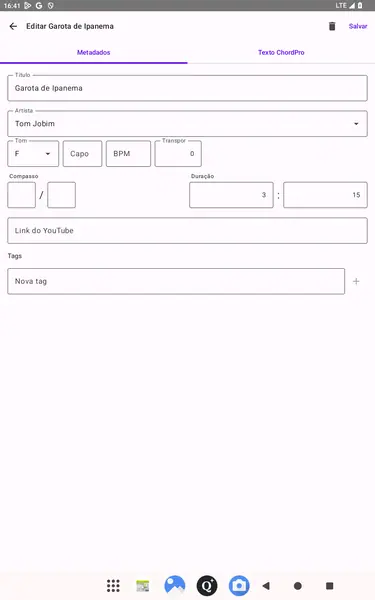
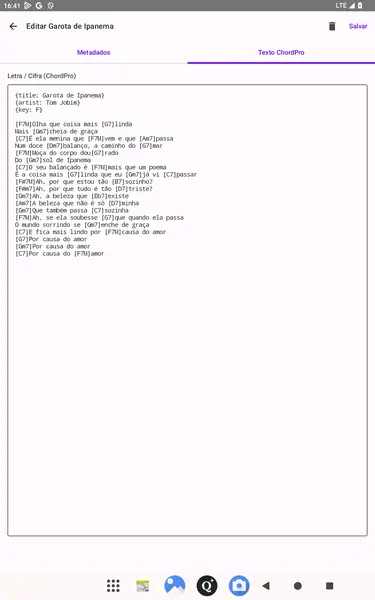
- Full ChordPro editor: lyrics, chords, key, BPM, capo, time signature, duration and a YouTube link.
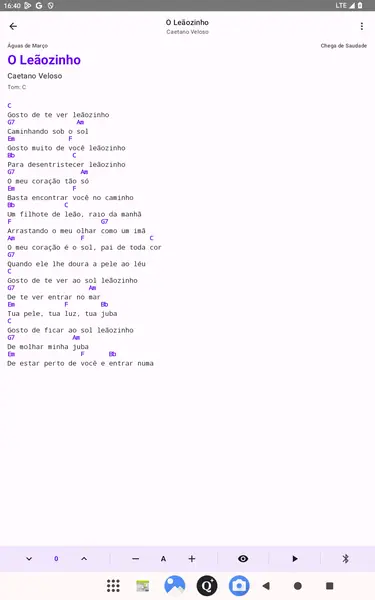
- One-tap key transposition: raise or lower the whole chart without rewriting it.
- Auto-scroll with speed control to practice at your own pace.
- Hide chords to sing along, resize the lyrics and search within the text.
- Bluetooth pedal support (next/previous/play-pause) so you can keep your instrument in hand.
Setlists for gigs
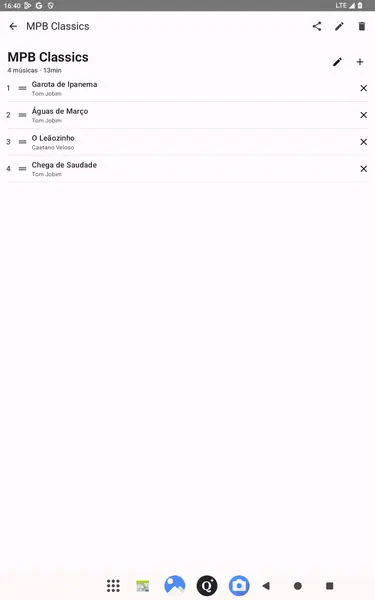
- Drag to reorder songs and swipe between them in the viewer.
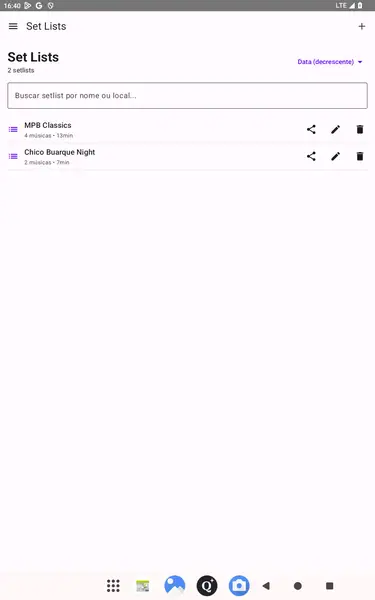
- Set date, venue and time for each gig; the app computes the total set duration.
- Share/export a setlist in OpenSetList (.osl) or JustChords (.chopro) format and import other musicians' setlists.
Organization & backup
- Artists and tags to keep your repertoire organized.
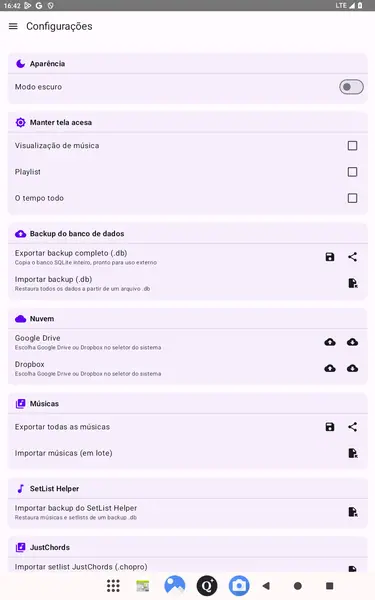
- Full database backup (.db), batch song export/import (JSON) and cloud through the system picker (Google Drive/Dropbox).
- Import from SetList Helper (.db) and JustChords (.chopro).
- Opens .osl/.chopro files received on Android.
Multiplatform & open
- Android, iOS and desktop (Windows/macOS/Linux), open source under the MIT license.
- No accounts, no ads, no data collection. Your data stays on your device.
Novità della versione 1.2.0
- JustChords compatibility: .jcarchive exports are now fully compatible and can be reopened in the JustChords app.
- Compressed .osl files: OpenSetList exports are now ZIP archives (smaller and more reliable to share); older plain-text .osl files are still imported normally.
- Resume where you left off: returning from a chart or setlist restores scroll position, search term and sort order.
Informazioni sul file APK
| Nome del pacchetto | com.opensetlist.app |
|---|---|
| Versione | 1.2.0 (codice 5) |
| Android minimo | Android 7.0 · pensata per Android 16 |
| Architetture | Tutte (universale) |
| SHA-256 | 322273da99befeee6df1c8c0e08ea8647858f7b9557a82b28a5512ced8debea9 |
| Firma | e7dbb3740f412252758ac7368028959d4744738de4f6b193613b27a9404047c5 |
| Licenza | MIT — licenza libera permissiva: il codice sorgente è pubblico e riutilizzabile |
| Codice sorgente | github.com/OpenSetList/opensetlist-app |
Autorizzazioni richieste
- Accesso a Internet
- Bluetooth
- Posizione precisa (GPS) sensibile
- Cercare dispositivi Bluetooth
- Connettersi via Bluetooth
Altre 1 autorizzazioni tecniche
BLUETOOTH_ADMIN
Come installare OpenSetList APK
- Tocca Scarica l'APK qui sopra, poi apri il file al termine del download.
- Se Android lo chiede, consenti al browser di installare app sconosciute.
- Tocca Installa. OpenSetList comparirà insieme alle altre app.
→ Come installare un file APK su Android (passo passo)
→ «App non installata»: cause e soluzioni
Domande frequenti
OpenSetList è gratis?
Sì. OpenSetList è distribuita con licenza MIT: gratuita, senza abbonamento e con codice sorgente pubblico.
Questo file APK è sicuro?
Il file è quello compilato e pubblicato dal repository F-Droid a partire dal codice sorgente pubblico. L'impronta SHA-256 è indicata qui sopra: puoi confrontarla dopo il download. Un APK è pericoloso? Come verificare un file prima di installarlo
OpenSetList funziona sul mio telefono?
Serve almeno Android 7.0. L'app funziona anche senza i servizi Google, quindi anche sui telefoni Huawei recenti.