
Simple Text Crypt APK
Verschlüsselt einfachen Text mittels AES256
APK herunterladen v6.0 · 2,1 MB- Version6.0
- Größe2,1 MB
- BenötigtAndroid 8.0
- Aktualisiert21.3.2026
- LizenzGPL-3.0-or-later
- PreisKostenlos
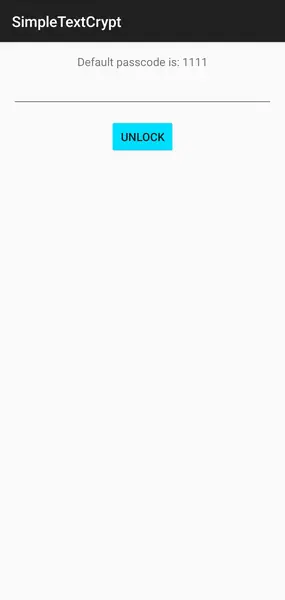
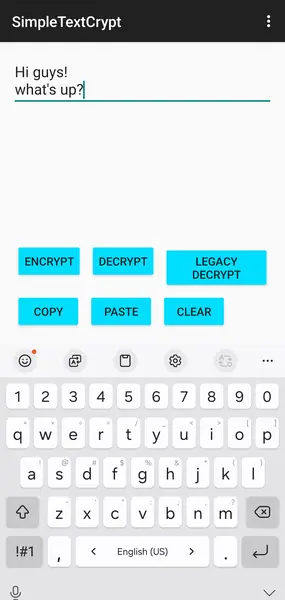
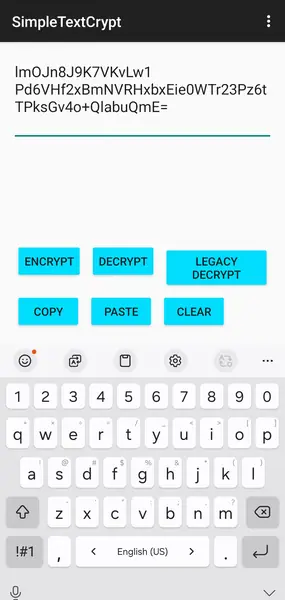
Über Simple Text Crypt
Beschreibung des Entwicklers (auf Englisch).
This app does not claim any permissions, so you can trust that it cannot send any of your private data to anyone.
Messages produced by this app are secure and, for example, can be confidently sent over a network. It uses AES in GCM mode with no padding for encryption. It uses Argon2 and a random Salt to derive a secure key from the entered passphrase. This is a very powerful encryption. It also encrypts its settings before storing them on the device.
However, the app might be vulnerable to some attacks. Although it is secure enough to stand attacks from non-expert crackers, e.g. normal users, should not be used for serious data encryption.
Upgrading from 4.x to 5.x
The encryption of the settings is changed. The app should be able to detect the old settings and upgrade them with the new encryption algorithm. However, it's a good idea to back-up your passphrase. (Well, it's generally a good idea to back-up encryption keys and passwords in a secure place).
If the app didn't work after upgrade, uninstall and install it again.
Neu in Version 6.0
- UI re-written using Jetpack Compose and MVVM approach (modern Android technologies)
- Dependencies are upgraded
- Functionality of the app didn't change
Informationen zur APK-Datei
| Paketname | com.aidinhut.simpletextcrypt |
|---|---|
| Version | 6.0 (Code 17) |
| Mindestens | Android 8.0 · ausgelegt für Android 16 |
| Architekturen | arm64-v8a, armeabi-v7a, x86, x86_64 |
| SHA-256 | 3e05867bbaaa08a8e000d2cafdf2a0c6ee0236c01a32bd5eaf908c094ada0166 |
| Signatur | d53d1f83485fabe042a6a0997bcb130c7e496bb26466cde56107eb688a016d56 |
| Lizenz | GPL-3.0-or-later — freie Copyleft-Lizenz: Der Code ist öffentlich und veränderte Versionen müssen frei bleiben |
| Quellcode | github.com/aidin36/simpletextcrypt |
Berechtigungen
Keine besonderen Berechtigungen.
Ältere Versionen
- Simple Text Crypt 6.021. März 2026 · 2,1 MB
- Simple Text Crypt 5.16. September 2025 · 1,7 MB
- Simple Text Crypt 4.617. Dezember 2024 · 4,7 MB
So installieren Sie Simple Text Crypt APK
- Tippen Sie oben auf APK herunterladen und öffnen Sie die Datei nach dem Download.
- Wenn Android fragt, erlauben Sie Ihrem Browser, unbekannte Apps zu installieren.
- Tippen Sie auf Installieren. Simple Text Crypt erscheint dann bei Ihren anderen Apps.
→ APK-Datei auf Android installieren (Schritt für Schritt)
→ „App nicht installiert“: Ursachen und Lösungen
Häufige Fragen
Ist Simple Text Crypt kostenlos?
Ja. Simple Text Crypt steht unter der Lizenz GPL-3.0-or-later: kostenlos, ohne Abo, und der Quellcode ist öffentlich.
Ist diese APK-Datei sicher?
Die Datei wurde vom F-Droid-Repository aus dem öffentlichen Quellcode erstellt und veröffentlicht. Ihr SHA-256-Fingerabdruck steht oben, Sie können ihn nach dem Download vergleichen. Ist eine APK gefährlich? So prüfen Sie eine Datei vor der Installation
Läuft Simple Text Crypt auf meinem Handy?
Sie benötigen mindestens Android 8.0. Die App funktioniert auch ohne Google-Dienste, also auch auf aktuellen Huawei-Handys.