
Simple Text Crypt APK
AES256を使ってプレーンテキストを暗号化
APK をダウンロード v6.0 · 2.1 MB- バージョン6.0
- サイズ2.1 MB
- 必要環境Android 8.0
- 更新日2026/3/21
- ライセンスGPL-3.0-or-later
- 価格無料
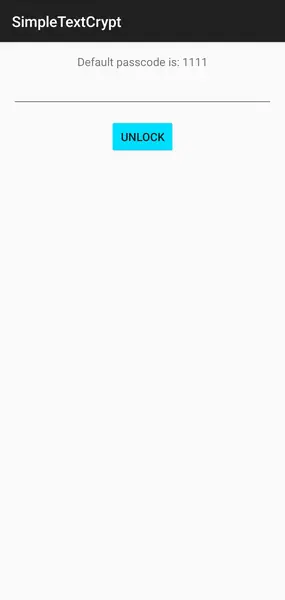
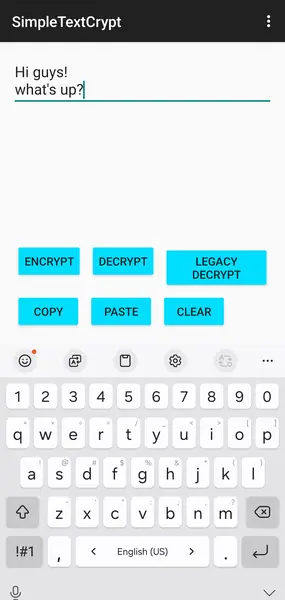
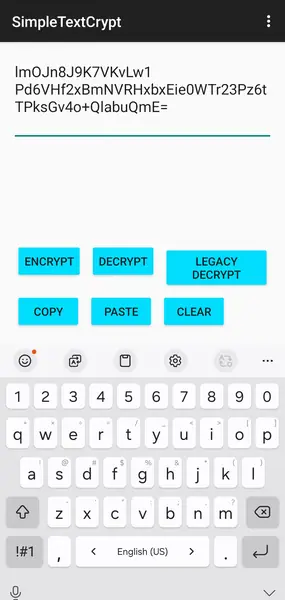
Simple Text Crypt について
開発者による説明(英語)。
This app does not claim any permissions, so you can trust that it cannot send any of your private data to anyone.
Messages produced by this app are secure and, for example, can be confidently sent over a network. It uses AES in GCM mode with no padding for encryption. It uses Argon2 and a random Salt to derive a secure key from the entered passphrase. This is a very powerful encryption. It also encrypts its settings before storing them on the device.
However, the app might be vulnerable to some attacks. Although it is secure enough to stand attacks from non-expert crackers, e.g. normal users, should not be used for serious data encryption.
Upgrading from 4.x to 5.x
The encryption of the settings is changed. The app should be able to detect the old settings and upgrade them with the new encryption algorithm. However, it's a good idea to back-up your passphrase. (Well, it's generally a good idea to back-up encryption keys and passwords in a secure place).
If the app didn't work after upgrade, uninstall and install it again.
バージョン 6.0 の新機能
- UI re-written using Jetpack Compose and MVVM approach (modern Android technologies)
- Dependencies are upgraded
- Functionality of the app didn't change
APK ファイルの情報
| パッケージ名 | com.aidinhut.simpletextcrypt |
|---|---|
| バージョン | 6.0 (コード 17) |
| 最低 Android バージョン | Android 8.0 · 対象 Android 16 |
| アーキテクチャ | arm64-v8a, armeabi-v7a, x86, x86_64 |
| SHA-256 | 3e05867bbaaa08a8e000d2cafdf2a0c6ee0236c01a32bd5eaf908c094ada0166 |
| 署名 | d53d1f83485fabe042a6a0997bcb130c7e496bb26466cde56107eb688a016d56 |
| ライセンス | GPL-3.0-or-later — コピーレフト型の自由ライセンス:コードは公開され、改変版も自由である必要があります |
| ソースコード | github.com/aidin36/simpletextcrypt |
権限
特別な権限はありません。
以前のバージョン
- Simple Text Crypt 6.02026年3月21日 · 2.1 MB
- Simple Text Crypt 5.12025年9月6日 · 1.7 MB
- Simple Text Crypt 4.62024年12月17日 · 4.7 MB
Simple Text Crypt APK のインストール方法
- 上のAPK をダウンロードをタップし、ダウンロード後にファイルを開きます。
- Android に確認されたら、ブラウザに不明なアプリのインストールを許可します。
- インストールをタップします。Simple Text Crypt がほかのアプリと一緒に表示されます。
→ Android に APK ファイルをインストールする方法(手順付き)
→ 「アプリはインストールされていません」:原因と対処法
よくある質問
Simple Text Crypt は無料ですか?
はい。Simple Text Crypt は GPL-3.0-or-later ライセンスで配布されており、無料・サブスクリプション不要で、ソースコードも公開されています。
この APK ファイルは安全ですか?
このファイルは F-Droid リポジトリが公開ソースコードからビルドして公開したものです。SHA-256 フィンガープリントを上に記載しているので、ダウンロード後に照合できます。 APK は危険?インストール前にファイルを確認する方法
Simple Text Crypt は自分のスマホで動きますか?
Android 8.0 以上が必要です。Google サービスがなくても動作するため、最近の Huawei 端末でも使えます。