
Simple Text Crypt APK
Crittografa il testo in chiaro usando AES256
Scarica l'APK v6.0 · 2,1 MB- Versione6.0
- Dimensione2,1 MB
- RichiedeAndroid 8.0
- Aggiornata21/03/2026
- LicenzaGPL-3.0-or-later
- PrezzoGratis
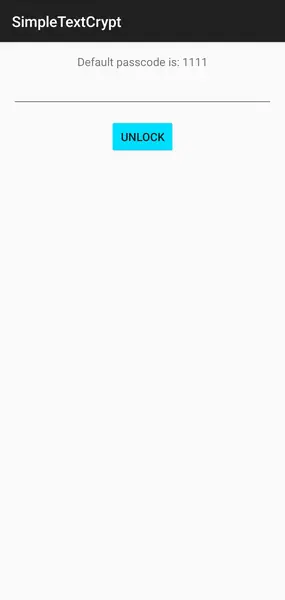
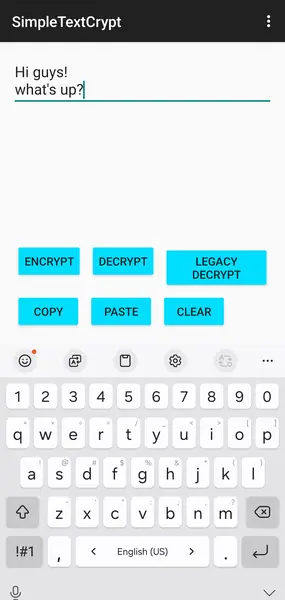
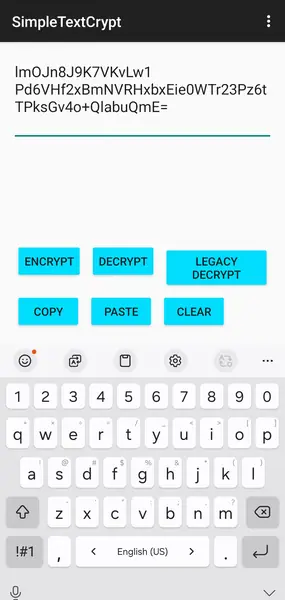
Informazioni su Simple Text Crypt
Descrizione fornita dallo sviluppatore (in inglese).
This app does not claim any permissions, so you can trust that it cannot send any of your private data to anyone.
Messages produced by this app are secure and, for example, can be confidently sent over a network. It uses AES in GCM mode with no padding for encryption. It uses Argon2 and a random Salt to derive a secure key from the entered passphrase. This is a very powerful encryption. It also encrypts its settings before storing them on the device.
However, the app might be vulnerable to some attacks. Although it is secure enough to stand attacks from non-expert crackers, e.g. normal users, should not be used for serious data encryption.
Upgrading from 4.x to 5.x
The encryption of the settings is changed. The app should be able to detect the old settings and upgrade them with the new encryption algorithm. However, it's a good idea to back-up your passphrase. (Well, it's generally a good idea to back-up encryption keys and passwords in a secure place).
If the app didn't work after upgrade, uninstall and install it again.
Novità della versione 6.0
- UI re-written using Jetpack Compose and MVVM approach (modern Android technologies)
- Dependencies are upgraded
- Functionality of the app didn't change
Informazioni sul file APK
| Nome del pacchetto | com.aidinhut.simpletextcrypt |
|---|---|
| Versione | 6.0 (codice 17) |
| Android minimo | Android 8.0 · pensata per Android 16 |
| Architetture | arm64-v8a, armeabi-v7a, x86, x86_64 |
| SHA-256 | 3e05867bbaaa08a8e000d2cafdf2a0c6ee0236c01a32bd5eaf908c094ada0166 |
| Firma | d53d1f83485fabe042a6a0997bcb130c7e496bb26466cde56107eb688a016d56 |
| Licenza | GPL-3.0-or-later — licenza libera copyleft: il codice è pubblico e le versioni modificate devono restare libere |
| Codice sorgente | github.com/aidin36/simpletextcrypt |
Autorizzazioni richieste
Nessuna autorizzazione particolare.
Versioni precedenti
- Simple Text Crypt 6.021 marzo 2026 · 2,1 MB
- Simple Text Crypt 5.16 settembre 2025 · 1,7 MB
- Simple Text Crypt 4.617 dicembre 2024 · 4,7 MB
Come installare Simple Text Crypt APK
- Tocca Scarica l'APK qui sopra, poi apri il file al termine del download.
- Se Android lo chiede, consenti al browser di installare app sconosciute.
- Tocca Installa. Simple Text Crypt comparirà insieme alle altre app.
→ Come installare un file APK su Android (passo passo)
→ «App non installata»: cause e soluzioni
Domande frequenti
Simple Text Crypt è gratis?
Sì. Simple Text Crypt è distribuita con licenza GPL-3.0-or-later: gratuita, senza abbonamento e con codice sorgente pubblico.
Questo file APK è sicuro?
Il file è quello compilato e pubblicato dal repository F-Droid a partire dal codice sorgente pubblico. L'impronta SHA-256 è indicata qui sopra: puoi confrontarla dopo il download. Un APK è pericoloso? Come verificare un file prima di installarlo
Simple Text Crypt funziona sul mio telefono?
Serve almeno Android 8.0. L'app funziona anche senza i servizi Google, quindi anche sui telefoni Huawei recenti.