
HTTP Request Shortcuts APK
Submit HTTP Requests from Shortcuts on your Home Screen
Download APK v4.10.0 · 22.3 MB- Version4.10.0
- Size22.3 MB
- RequiresAndroid 8.0
- Updated11/17/2026
- LicenceMIT
- PriceFree
About HTTP Request Shortcuts
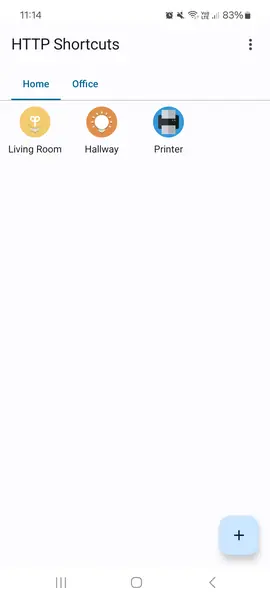
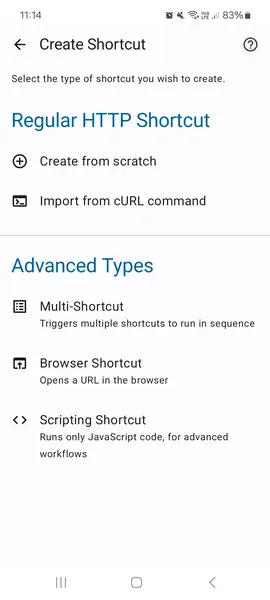
Place shortcuts or widgets on your home screen to submit HTTP requests to all your favorite RESTful APIs, webservices and other URL resources. Great for home automation projects!
- HTTP and HTTPS
- GET, POST, PUT, DELETE, PATCH, HEAD, OPTIONS and TRACE
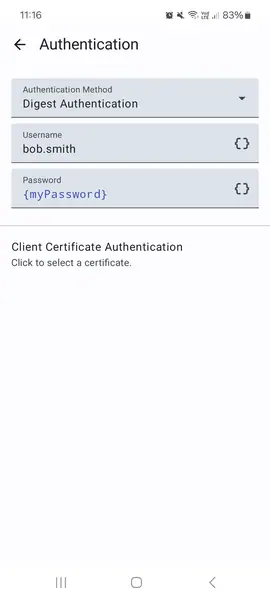
- Basic Authentication, Digest Authentication, Bearer Authentication & Client Certificate Authentication
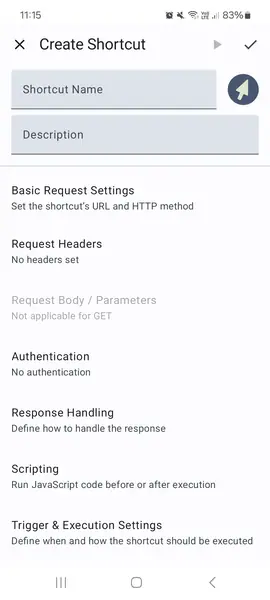
- Custom request headers
- Custom request body (text only)
- Upload files as form-data or request body
- Support for HTTP proxies
- Support for self-signed certificates
- Built-in icons, support for custom icons or using a site's favicon
- Display response as a toast, window or dialog, or run silently
- Grouping into categories through tabs
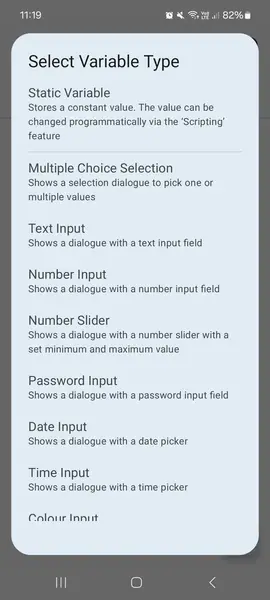
- Value injection through variables (e.g., text, numbers, passwords, selections, colors, dates, …)
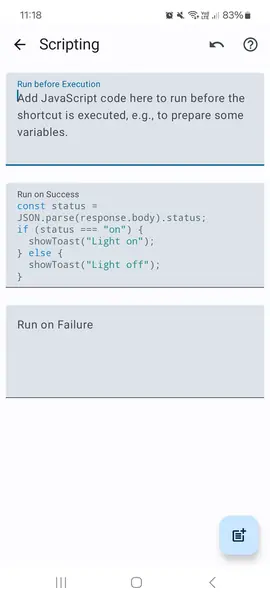
- Run arbitrary JavaScript before & after execution, including special actions, such as (but not limited to):
- show dialogs
- show toasts
- prompt for user input (e.g. asking for dates, passwords, text, ...)
- parse JSON or XML responses
- compute HMAC
- store values into global variables for later use
- vibrate
- play notification sounds
- send TCP or UDP packets
- send MQTT messages to a broker
- wake-on-lan
- send Android intents
- trigger Tasker tasks
- read QR code (via 3rd party app)
- read current physical location
- Import & Export in JSON or cURL format
- 3rd party integration (e.g. Tasker)
- Dark Mode support
Some ideas what to use HTTP shortcuts for:
- Execute a script on your web server
- Control your home automation system and IoT devices
- Interact with your RaspberryPi and Arduino tinkering projects
- Automate workflows
- Download files
Find it on GitHub: https://github.com/Waboodoo/HTTP-Shortcuts. Or visit the official website for documentation: https://http-shortcuts.rmy.ch
APK file information
| Package name | ch.rmy.android.http_shortcuts |
|---|---|
| Version | 4.10.0 (code 1104100001) |
| Minimum Android | Android 8.0 · targets API 37 |
| Architectures | arm64-v8a, armeabi-v7a, x86, x86_64 |
| SHA-256 | c83c7b2cb416ebe2f1dafab4c18531d9ea42b98eaa204d10ed21cef90ba975a4 |
| Signature | b6de3c054f09813fd6c033bccfd64aabfbc63680a7ebbcac64e9ae14e5547a5f |
| Licence | MIT — permissive free licence: the source code is public and reusable |
| Source code | github.com/Waboodoo/HTTP-Shortcuts |
| Official website | http-shortcuts.rmy.ch |
Permissions
- Internet access
- View Wi-Fi status
- View network status
- Change Wi-Fi
- Vibrate
- Draw over other apps sensitive
- Run in the background
- Show notifications
- Approximate location sensitive
- Precise location (GPS) sensitive
- Keep the device awake
- Start at boot
- Fingerprint / biometrics
- Fingerprint
3 other technical permission(s)
ACCESS_LOCAL_NETWORK CHANGE_NETWORK_STATE REQUEST_IGNORE_BATTERY_OPTIMIZATIONS
Older versions
- HTTP Request Shortcuts 4.10.0November 17, 2026 · 22.3 MB
- HTTP Request Shortcuts 4.9.0October 22, 2026 · 22.1 MB
- HTTP Request Shortcuts 4.8.2October 12, 2026 · 22.0 MB
How to install HTTP Request Shortcuts APK
- Tap Download APK above, then open the file once the download has finished.
- If Android asks, allow your browser to install unknown apps.
- Tap Install. HTTP Request Shortcuts then appears with your other apps.
Having trouble? Read our guides how to install an APK on Android and "App not installed": how to fix it.
Frequently asked questions
Is HTTP Request Shortcuts free?
Yes. HTTP Request Shortcuts is distributed under the MIT licence: free, no subscription, and its source code is public.
Is this APK file safe?
The file is the one built and published by the F-Droid repository from the public source code. Its SHA-256 fingerprint is shown above, so you can compare it after downloading. How to check an APK.
Will HTTP Request Shortcuts work on my phone?
You need at least Android 8.0. The app also works without Google services, so it runs on recent Huawei phones too.





