
Key Mapper APK
Make shortcuts for ANYTHING! Remap volume, power, keyboard, or floating buttons!
Download APK v4.7.1-foss · 14.5 MB- Version4.7.1-foss
- Size14.5 MB
- RequiresAndroid 8.0
- Updated11/23/2026
- LicenceGPL-3.0-only
- PriceFree
About Key Mapper
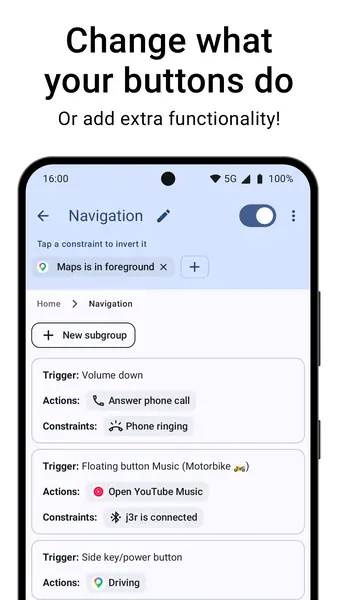
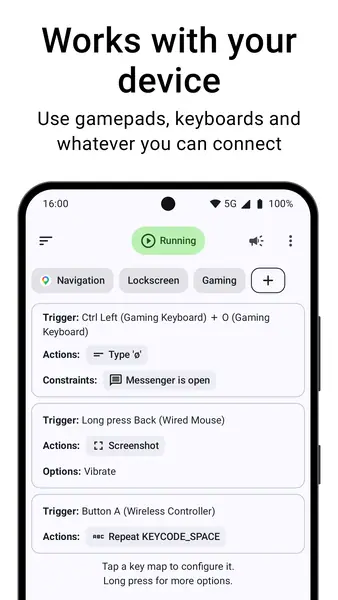
Make custom macros on your keyboard or gamepad, make on-screen buttons in any app, and unlock new functionality from your volume buttons!
Key Mapper supports a huge variety of buttons and keys*:
- ALL your phone buttons (volume AND side key)
- Game controllers (D-pad, ABXY, and most others)
- Keyboards
- Headsets and headphones
- Fingerprint sensor
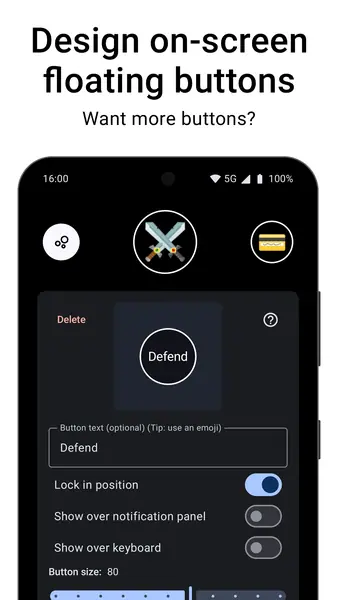
Not enough keys? Design your own on-screen button layouts and remap those just like real keys!
What shortcuts can I make? --------------------------
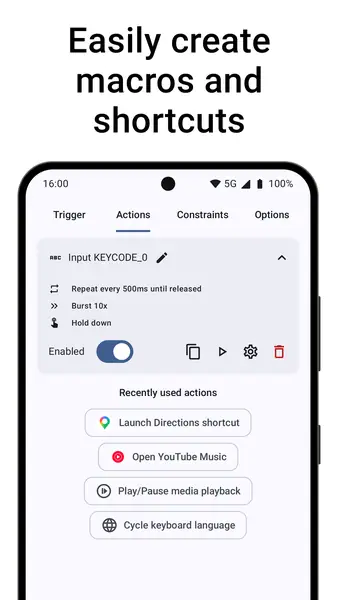
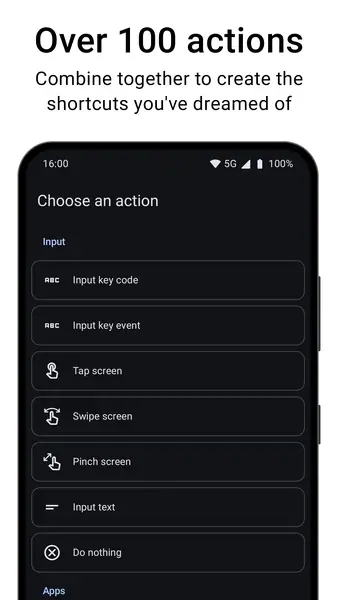
With over 100 individual actions, the sky is the limit. Build complex macros with screen taps and gestures, keyboard inputs, open apps, control media, and even send intents directly to other apps.
How much control do I have? ---------------------------
TRIGGERS: You decide how to trigger a key map. Long press, double press, press as many times as you like! Combine keys on different devices, and even include your on-screen buttons.
ACTIONS: Design specific macros for what you want to do. Combine over 100 actions, and choose the delay between each one. Set repeating actions to automate and speed up slow tasks.
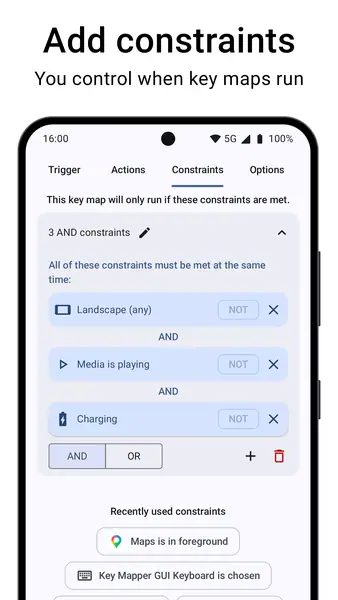
CONSTRAINTS: You choose when key maps should run and when they shouldn't. Only need it in one specific app? Or when media is playing? On your lockscreen? Constrain your key maps for maximum control.
- Most devices are already supported, with new devices being added over time. Let us know if it's not working for you and we can prioritize your device.
Not currently supported:
- Mouse buttons
- Joysticks and triggers (LT,RT) on gamepads
Security and accessibility services ---------------------------
This app includes our Key Mapper Accessibility service that uses the Android Accessibility API to detect the app in focus and adapt key presses to user-defined key maps. It is also used to draw assistive Floating Button overlays on top of other apps.
By accepting to run the accessibility service, the app will monitor key strokes while you're using your device. It will also emulate swipes and pinches if you are using those actions in the app.
It will NOT collect any user data or connect to the internet to send any data anywhere.
Our accessibility service is only triggered by the user when pressing a physical key on their device. It can be turned off any time by the user in the system accessibility settings.
Come say hi in our Discord community! keymapper.app/discord
See the code for yourself! (Open source) github.com/keymapperorg/KeyMapper
Read the documentation: keymapper.app
APK file information
| Package name | io.github.sds100.keymapper |
|---|---|
| Version | 4.7.1-foss (code 295) |
| Minimum Android | Android 8.0 · targets API 37 |
| Architectures | arm64-v8a, armeabi-v7a, x86, x86_64 |
| SHA-256 | a3b99633082a1efe789cbecbc8797c47df8ff0856972769bb0eea5bce67c5115 |
| Signature | f4d753302710c9a7a40885c891aebdb1a0f275122fdcdb7c2f45a202b213f373 |
| Licence | GPL-3.0-only — copyleft free licence: the code is public and modified versions must stay free |
| Source code | github.com/keymapperorg/KeyMapper |
| Official website | keymapper.app |
Permissions
- Access all files sensitive
- Fingerprint
- Show notifications
- Start at boot
- See installed apps sensitive
- Precise location (GPS) sensitive
- Bluetooth
- Connect via Bluetooth
- View Wi-Fi status
- Change Wi-Fi
- View network status
- Internet access
- Camera sensitive
- Vibrate
- Phone status sensitive
- Read storage
- Make calls sensitive
- Send SMS sensitive
- Write to storage
11 other technical permission(s)
READ_LOGS WRITE_SECURE_SETTINGS ANSWER_PHONE_CALLS BLUETOOTH_ADMIN ACCESS_LOCAL_NETWORK EXPAND_STATUS_BAR ACCESS_NOTIFICATION_POLICY REQUEST_IGNORE_BATTERY_OPTIMIZATIONS REORDER_TASKS WRITE_SETTINGS MODIFY_AUDIO_SETTINGS
Older versions
- Key Mapper 4.7.1-fossNovember 23, 2026 · 14.5 MB
- Key Mapper 4.7.0-fossNovember 13, 2026 · 14.4 MB
- Key Mapper 4.6.2-fossOctober 27, 2026 · 14.4 MB
How to install Key Mapper APK
- Tap Download APK above, then open the file once the download has finished.
- If Android asks, allow your browser to install unknown apps.
- Tap Install. Key Mapper then appears with your other apps.
Having trouble? Read our guides how to install an APK on Android and "App not installed": how to fix it.
Frequently asked questions
Is Key Mapper free?
Yes. Key Mapper is distributed under the GPL-3.0-only licence: free, no subscription, and its source code is public.
Is this APK file safe?
The file is the one built and published by the F-Droid repository from the public source code. Its SHA-256 fingerprint is shown above, so you can compare it after downloading. How to check an APK.
Will Key Mapper work on my phone?
You need at least Android 8.0. The app also works without Google services, so it runs on recent Huawei phones too.