
KOReader APK
Ebook reader
Download APK vv2026.07.1 · 29.3 MB- Versionv2026.07.1
- Size29.3 MB
- RequiresAndroid 4.3
- Updated8/3/2026
- LicenceAGPL-3.0-only
- PriceFree
About KOReader
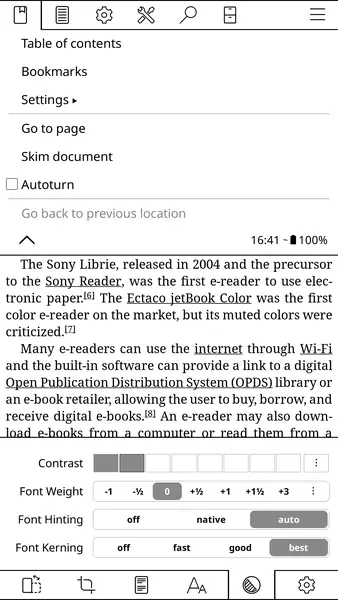
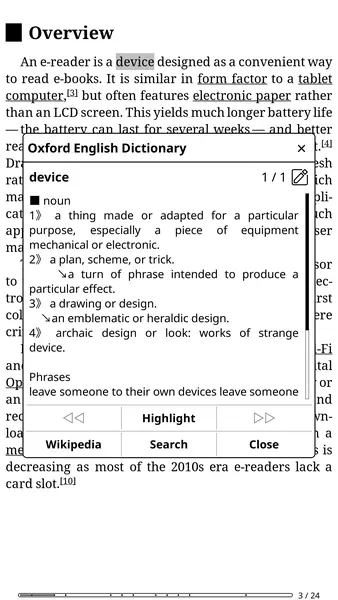
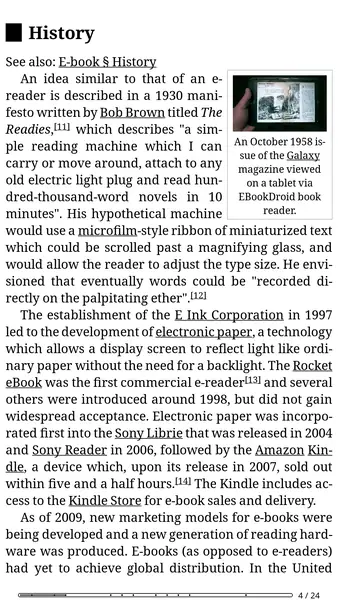
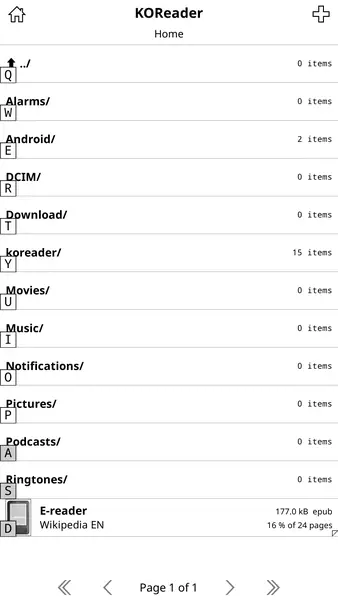
KOReader is an ebook reader optimized for e-ink screens. It can open many formats and provides advanced text adjustments.
See below for a selection of its many features:
- Supports both fixed page formats (PDF, DjVu, CBT, CBZ) and reflowable e-book formats (EPUB, FB2, Mobi, DOC, CHM, TXT, HTML). Scanned PDF/DjVu documents can be reflowed. Special flow directions for reading double column PDFs and manga.
- Multi-lingual user interface optimized for e-ink screens. Highly customizable reader view with complete typesetting options. Multi-lingual hyphenation dictionaries are bundled in.
- Non-Latin script support for books, including the Hebrew, Arabic, Persian, Russian, Chinese, Japanese and Korean languages.
- Unique Book Map and Page Browser features to navigate your book.
- Special multi-page highlight mode with many local and online export options.
- Can synchronize your reading progress across all your KOReader running devices.
- Integrated with Calibre, Wallabag, Wikipedia, Google Translate and other content providers.
APK file information
| Package name | org.koreader.launcher.fdroid |
|---|---|
| Version | v2026.07.1 (code 119463) |
| Minimum Android | Android 4.3 · targets Android 11 |
| Architectures | x86 |
| SHA-256 | 5f68ac48d6eb3e146ebff66dffbe21e25e9b0ddc856ebe3072f09ae5c607957e |
| Signature | 8c86266c9e9191b7d02329606a5ecea7460958515462642ffec8664bb919da4d |
| Licence | AGPL-3.0-only — copyleft free licence: the code is public and modified versions must stay free |
| Source code | github.com/koreader/koreader |
| Official website | koreader.rocks/ |
Permissions
- Internet access
- View network status
- Read storage
- Write to storage
- Access all files sensitive
- See installed apps sensitive
1 other technical permission(s)
WRITE_SETTINGS
Older versions
- KOReader v2026.07.1August 3, 2026 · 29.3 MB
- KOReader v2026.07.1August 3, 2026 · 28.7 MB
- KOReader v2026.07.1August 3, 2026 · 27.8 MB
- KOReader v2026.07July 29, 2026 · 29.3 MB
- KOReader v2026.07July 29, 2026 · 28.7 MB
- KOReader v2026.07July 29, 2026 · 27.7 MB
- KOReader v2026.03March 18, 2026 · 29.3 MB
- KOReader v2026.03March 18, 2026 · 28.8 MB
- KOReader v2026.03March 18, 2026 · 27.8 MB
How to install KOReader APK
- Tap Download APK above, then open the file once the download has finished.
- If Android asks, allow your browser to install unknown apps.
- Tap Install. KOReader then appears with your other apps.
Having trouble? Read our guides how to install an APK on Android and "App not installed": how to fix it.
Frequently asked questions
Is KOReader free?
Yes. KOReader is distributed under the AGPL-3.0-only licence: free, no subscription, and its source code is public.
Is this APK file safe?
The file is the one built and published by the F-Droid repository from the public source code. Its SHA-256 fingerprint is shown above, so you can compare it after downloading. How to check an APK.
Will KOReader work on my phone?
You need at least Android 4.3. The app also works without Google services, so it runs on recent Huawei phones too.




