
Librera Reader APK
Book and PDF reader
Download APK v10.0.35-fdroid · 124.2 MB- Version10.0.35-fdroid
- Size124.2 MB
- RequiresAndroid 7.0
- Updated11/17/2026
- LicenceGPL-3.0-or-later
- PriceFree
About Librera Reader
Librera Reader is a highly customizable and feature-rich application for reading e-books in PDF, EPUB, MOBI, DjVu, FB2, TXT, RTF, AZW, AZW3, HTML, CBZ, CBR, DOC, DOCX, formats.
With its intuitive, yet powerful, interface, Librera makes ebook reading a veritable pleasure. It even features a unique auto-scrolling, hands-free Musician's mode, with controllable speed.
F-Droid version is based on the latest MuPDF and support Android 4.1+.
The only difference between Librera FD (F-Droid) and Librera PRO is the absence of Google Play services and Google Drive book synchronization in Librera FD.
Just a few Librera main features:
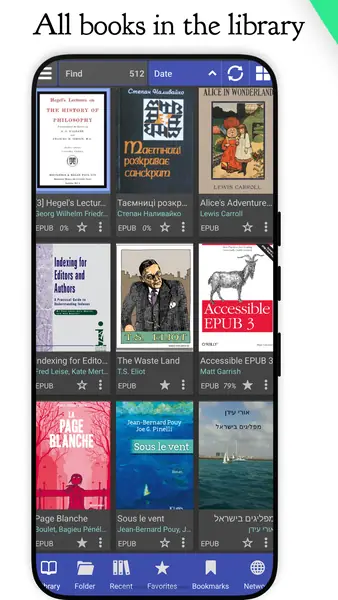
- Easy document discovery by configurable criteria:
- Auto-Scan (user-specified folders)
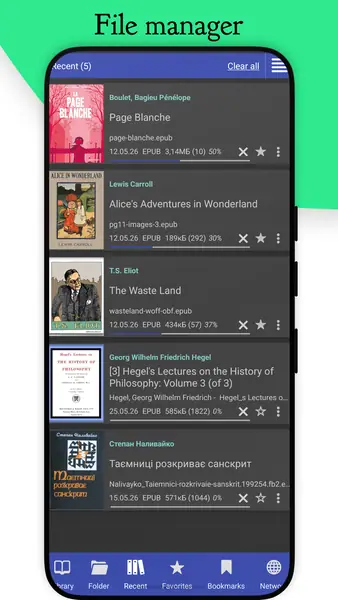
- Browse folders (using an in-app file explorer)
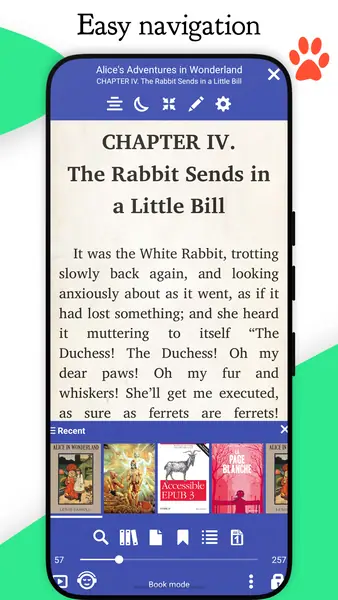
- Recent (featuring a reading-progress indicator)
- Support for bookmarks, annotations, and EPUB3 tables of contents
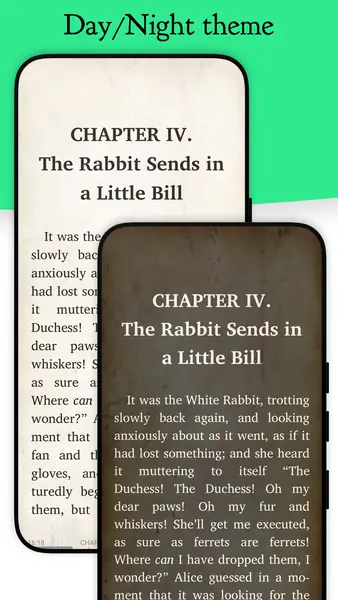
- Configurable Day and Night modes
- Configurable link color (hence, footnotes and endnotes color)
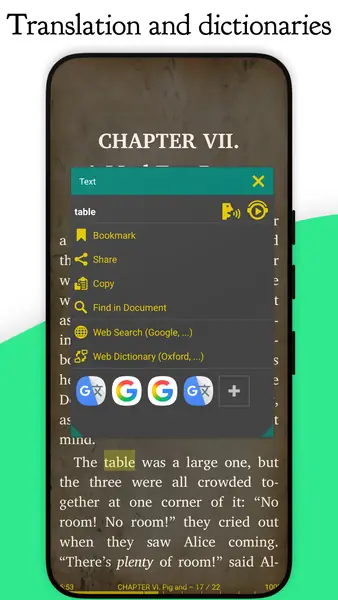
- Support for many popular offline dictionaries
- Vertical-scroll lock
- Auto- and manual centering of documents
- Custom ad-hoc CSS coding
- Single-page view of two-page documents
- Musician's mode with configurable scroll speed
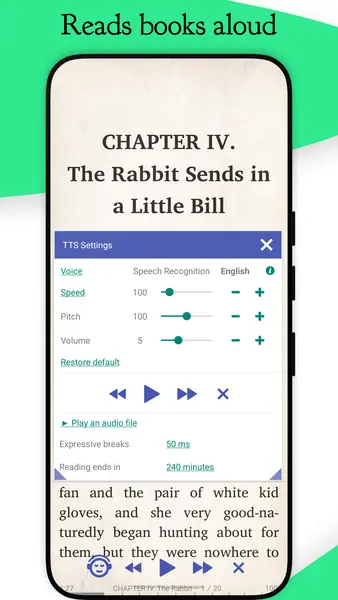
- Customizable TTS reading and built-in media player
- Page-wise TTS recording to MP3 or WAV
- Multi-word text search
- Support for archived (.zip) documents
- Support for RTL languages (Thai, Hebrew, Arabic, etc.)
- Import and export of settings, auto-backup of current session
- Leading initials in FB2 documents
- RSVP reading (à la Spritz)
- Movable bookmarks, w/ a floating indicator
- And a whole bunch of other features for you to check out.
You can read books in your web browser with the Librera Book Reader https://librera.mobi/online-book-reader/
The best way to fully appreciate Librera Reader, however, is to use our restriction-free Librera PRO version from Google Play.
If you enjoy Librera, please consider making a donation: https://www.patreon.com/librera
APK file information
| Package name | com.foobnix.pro.pdf.reader |
|---|---|
| Version | 10.0.35-fdroid (code 7587) |
| Minimum Android | Android 7.0 · targets Android 16 |
| Architectures | arm64-v8a, armeabi-v7a, x86, x86_64 |
| SHA-256 | 441c9b4d55ce70b02e4d140606b985abd4bd1bbb4e23311bbe8edef2126dccaf |
| Signature | ea0d90df4dde7b9a9e8eaebe2e8aa47ed13f4df9d77aa64bc99c7ed309d2a84d |
| Licence | GPL-3.0-or-later — copyleft free licence: the code is public and modified versions must stay free |
| Source code | github.com/foobnix/LibreraReader |
| Official website | librera.mobi/ |
Permissions
- Write to storage
- Access all files sensitive
- Run in the background
- Vibrate
- Keep the device awake
- View network status
- Internet access
- Show notifications
- Start at boot
- Read storage
Older versions
- Librera Reader 10.0.35-fdroidNovember 17, 2026 · 124.2 MB
- Librera Reader 10.0.31-fdroidNovember 13, 2026 · 124.1 MB
- Librera Reader 10.0.26-fdroidNovember 9, 2026 · 119.6 MB
How to install Librera Reader APK
- Tap Download APK above, then open the file once the download has finished.
- If Android asks, allow your browser to install unknown apps.
- Tap Install. Librera Reader then appears with your other apps.
Having trouble? Read our guides how to install an APK on Android and "App not installed": how to fix it.
Frequently asked questions
Is Librera Reader free?
Yes. Librera Reader is distributed under the GPL-3.0-or-later licence: free, no subscription, and its source code is public.
Is this APK file safe?
The file is the one built and published by the F-Droid repository from the public source code. Its SHA-256 fingerprint is shown above, so you can compare it after downloading. How to check an APK.
Will Librera Reader work on my phone?
You need at least Android 7.0. The app also works without Google services, so it runs on recent Huawei phones too.




