
Osmium APK
Privacy-first offline TOTP/HOTP authenticator
Download APK v2.6.5.2 · 6.0 MB- Version2.6.5.2
- Size6.0 MB
- RequiresAndroid 8.0
- Updated11/17/2026
- LicenceGPL-3.0-or-later
- PriceFree
About Osmium
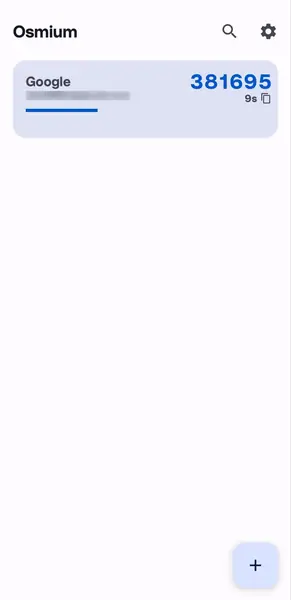
Osmium is a privacy-first, fully offline authenticator for two-factor codes (TOTP/HOTP): codes are generated on-device and work without any network connection.
- Codes are computed entirely on-device — no account, no sign-up, and no telemetry.
- No connections at start-up. Osmium goes online only when you ask it to: the automatic update check is off by default, and the Terms of Use / Privacy Policy are downloaded from osmium.im only when you open them.
- Secrets are encrypted with a non-exportable key in the Android Keystore before they are written to disk.
- TOTP and HOTP: 6/7/8 digits, SHA-1/SHA-256/SHA-512; Steam Guard codes supported.
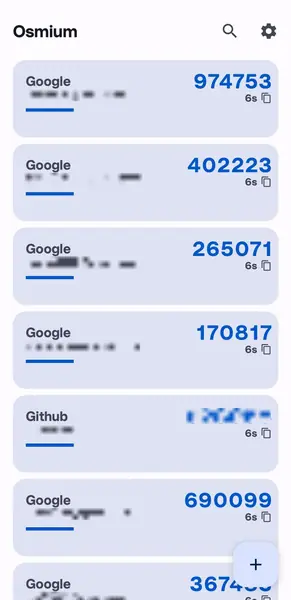
- Organize accounts with tags and search.
- Import from other apps: Google Authenticator (QR migration), Aegis, 2FAS and other common backup formats.
- Encrypted export & restore to a local file or your own WebDAV server; encrypted quick transfer between two devices on the same Wi-Fi.
- Modern Material 3 design with light/dark themes and Material You colours.
- Fully open source (GPL-3.0-or-later); release builds are reproducible — anyone can verify that the published APK matches the source code.
No ads, no trackers, no analytics.
Website: https://osmium.im Source code: https://github.com/lihongxi-g/osmium-authenticator
APK file information
| Package name | com.safekey.authenticator |
|---|---|
| Version | 2.6.5.2 (code 942) |
| Minimum Android | Android 8.0 · targets API 37 |
| Architectures | arm64-v8a |
| SHA-256 | c89108fbea39492243002272560895e67fa75ae98ca7b4c8bfff19efb14bb01c |
| Signature | b65bb0131caa22c45d99ea4e2c3e99b3980eae0dc5647190f41a2878e6d88412 |
| Licence | GPL-3.0-or-later — copyleft free licence: the code is public and modified versions must stay free |
| Source code | github.com/lihongxi-g/osmium-authenticator |
| Official website | osmium.im/ |
Permissions
- Camera sensitive
- Fingerprint / biometrics
- Vibrate
- Internet access
- View network status
- View Wi-Fi status
- Write to storage
- Show notifications
- Start at boot
- Fingerprint
- Keep the device awake
- Run in the background
- Read storage
3 other technical permission(s)
CHANGE_WIFI_MULTICAST_STATE REQUEST_IGNORE_BATTERY_OPTIMIZATIONS ACCESS_LOCAL_NETWORK
Older versions
- Osmium 2.6.5.2November 17, 2026 · 6.0 MB
- Osmium 2.6.5.2November 17, 2026 · 6.0 MB
- Osmium 2.6.4.1November 11, 2026 · 7.0 MB
- Osmium 2.6.4.1November 11, 2026 · 7.0 MB
- Osmium 2.6.4.1November 11, 2026 · 7.0 MB
- Osmium 2.6.2November 6, 2026 · 7.0 MB
How to install Osmium APK
- Tap Download APK above, then open the file once the download has finished.
- If Android asks, allow your browser to install unknown apps.
- Tap Install. Osmium then appears with your other apps.
Having trouble? Read our guides how to install an APK on Android and "App not installed": how to fix it.
Frequently asked questions
Is Osmium free?
Yes. Osmium is distributed under the GPL-3.0-or-later licence: free, no subscription, and its source code is public.
Is this APK file safe?
The file is the one built and published by the F-Droid repository from the public source code. Its SHA-256 fingerprint is shown above, so you can compare it after downloading. How to check an APK.
Will Osmium work on my phone?
You need at least Android 8.0. The app also works without Google services, so it runs on recent Huawei phones too.