tagdrop APK
Decodifique URIs de dados nos códigos QR
Baixar APK v2.6.2 · 10,1 MB- Versão2.6.2
- Tamanho10,1 MB
- RequerAndroid 6.0
- Atualizado10/08/2026
- LicençaGPL-3.0-only
- PreçoGrátis
Sobre o tagdrop
Descrição fornecida pelo desenvolvedor (em inglês).
TagDrop turns small files — text, HTML pages, images, audio, SVGs — into self-contained QR codes that work completely offline. Print one on a sticker or sheet of paper and leave it somewhere; anyone with the TagDrop app (or any QR scanner that follows tagdrop: links) can scan it and view the content immediately, with no internet connection, server, or account required.
Think of it as a digital geocache: instead of a logbook in a box, the "cache" is the QR code itself.
What you can do with it
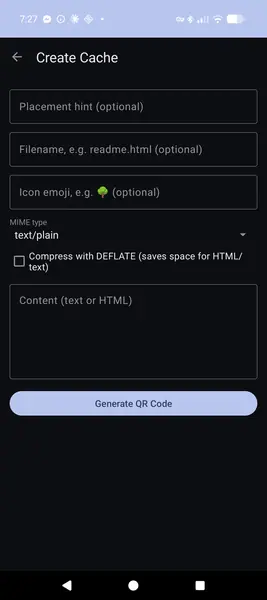
- Drop a single page — encode text, an HTML page, an SVG image, or JSON into one QR code, either in-app (Create Cache) or with the web generator.
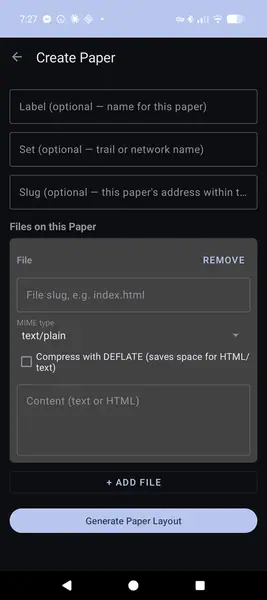
- Drop a whole "paper" — a printable sheet with a directory QR code (a paper manifest) plus one QR per file, built in-app (Create Paper) or with the web generator. Pages can link to each other with ordinary relative links, so a small static site survives being printed and scanned back in.
- Spread large content across multiple codes — split a payload too big for one QR into multiple sector codes placed along a trail. The app collects sectors in any order, reassembles and verifies them, and can recover a single missing sector from an optional parity code.
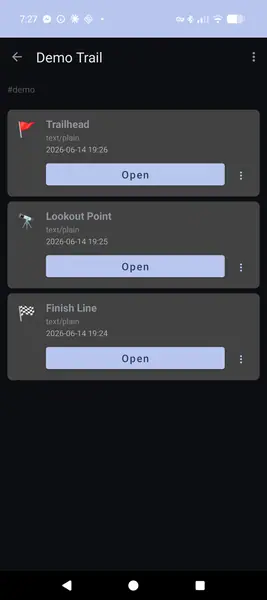
- Build trails, collections, and replies — link papers together with location hints, tag a loose set of stickers with a shared collection so they group into one card on the home screen and map, or mark a code as a reply to another to thread a conversation across drops.
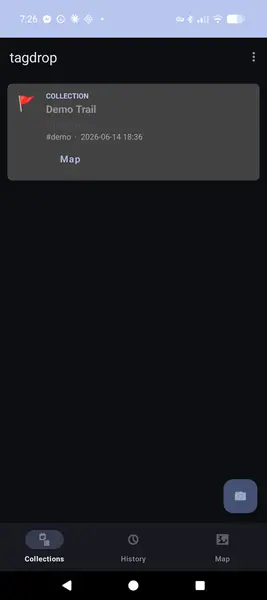
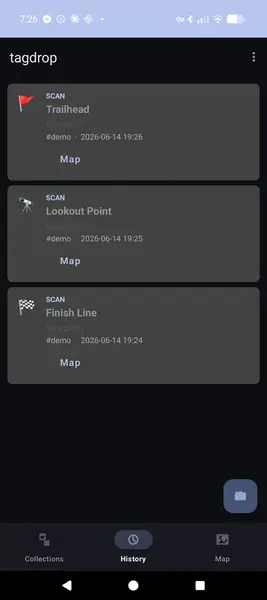
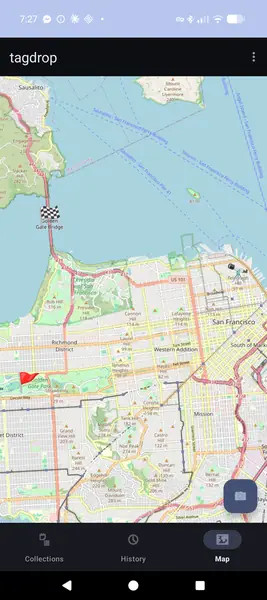
- Browse offline — scanned pages render in an in-app viewer, with search and #hashtag filtering, and a hex/CBOR inspector for the curious. The Collections, History, and Map tabs let you revisit, locate, and manage everything you've found, and a single file can back up or restore it all.
- Tap instead of scan — write any TagDrop code to a blank or rewritable NFC tag, then read it back with a tap instead of the camera.
- Sign your drops — post-quantum (ML-DSA-44) Verified Authorship signing lets anyone who scans your codes recognise them as genuinely yours after the first scan (trust-on-first-use), with a ✅/⚠️/🔏 badge shown on every signed item. Back up your signing identity to a passphrase-protected file to keep the same recognisable signer across devices.
How it works
Every code carries a tagdrop: URI — a QDEF container of CBOR Records, Base41-encoded so it packs efficiently into a QR code's alphanumeric mode. Content can optionally be DEFLATE-compressed and split across multiple codes with parity recovery. IDs are content-addressed (SHA-256 based), so identical content always gets the same ID regardless of who created it. The full wire-format spec is browsable in-app, no internet connection required.
Status
V2.5 — QDEF-based wire container encoding with content split into codes plus optional parity recovery, post-quantum (ML-DSA-44) content signing with trust-on-first-use verification, paper manifests with multi-file directories and relative-link navigation, geographic trails via "related" hints, ad-hoc collections, reply threading, an in-app scanner with a live scan board, NFC tag read/write, search and #hashtag filtering, full backup/restore, a Map tab for located finds, and remote drop-source feeds that pre-populate the map with community drops before you scan them.
Novidades da versão 2.6.2
- Wire format: QDEF redefined Split's group_id as an opaque grouping token rather than a verified hash. This app adds its own payload_hash field to keep the same reassembly-integrity check (SPEC.md version 18). Multi-code QR/NFC drops (content or paper spanning more than one code) made before this update won't reassemble correctly, and vice versa — regenerate and reprint/rewrite any of those after updating. Single-code drops are unaffected.
- Security: a scanned file's declared name is now rejec
Informações do arquivo APK
| Nome do pacote | com.github.mofosyne.tagdrop |
|---|---|
| Versão | 2.6.2 (código 14) |
| Android mínimo | Android 6.0 · feito para Android 15 |
| Arquiteturas | Todas (universal) |
| SHA-256 | 014590dd5e148d511dba592cd4ba47b536adbd0356ba42cdbb67fb8981474b9d |
| Assinatura | f92099033c52b7b8266928947fc0da8d0a88fd59f68e72f07f9107df316f4456 |
| Licença | GPL-3.0-only — licença livre copyleft: o código é público e versões modificadas devem continuar livres |
| Código-fonte | github.com/mofosyne/tagdrop |
Permissões solicitadas
- Acesso à internet
- Câmera sensível
- Localização aproximada sensível
- Localização precisa (GPS) sensível
- NFC
Versões anteriores
- tagdrop 2.6.210 de agosto de 2026 · 10,1 MB
- tagdrop 2.6.02 de agosto de 2026 · 10,1 MB
- tagdrop 2.5.129 de julho de 2026 · 10,1 MB
Como instalar o tagdrop APK
- Toque em Baixar APK acima e abra o arquivo quando o download terminar.
- Se o Android pedir, permita que o navegador instale apps desconhecidos.
- Toque em Instalar. O tagdrop aparecerá junto aos seus outros apps.
→ Como instalar um arquivo APK no Android (passo a passo)
→ "App não instalado": causas e soluções
Perguntas frequentes
O tagdrop é grátis?
Sim. O tagdrop é distribuído sob a licença GPL-3.0-only: grátis, sem assinatura e com código-fonte público.
Este arquivo APK é seguro?
O arquivo é o compilado e publicado pelo repositório F-Droid a partir do código-fonte público. A impressão digital SHA-256 aparece acima para você comparar depois do download. APK é perigoso? Como verificar um arquivo antes de instalar
O tagdrop funciona no meu celular?
É preciso ter pelo menos Android 6.0. O app também funciona sem os serviços do Google, inclusive em celulares Huawei recentes.