tagdrop APK
Decode data URIs in QR codes
Download APK v2.6.2 · 10.1 MB- Version2.6.2
- Size10.1 MB
- RequiresAndroid 6.0
- Updated8/10/2026
- LicenceGPL-3.0-only
- PriceFree
About tagdrop
TagDrop turns small files — text, HTML pages, images, audio, SVGs — into self-contained QR codes that work completely offline. Print one on a sticker or sheet of paper and leave it somewhere; anyone with the TagDrop app (or any QR scanner that follows tagdrop: links) can scan it and view the content immediately, with no internet connection, server, or account required.
Think of it as a digital geocache: instead of a logbook in a box, the "cache" is the QR code itself.
What you can do with it
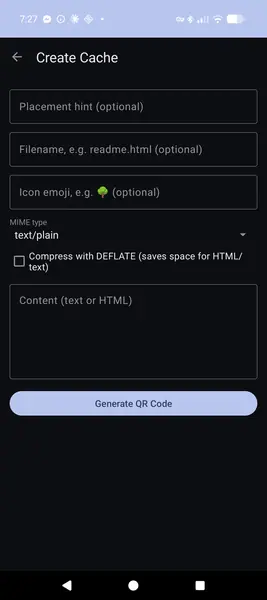
- Drop a single page — encode text, an HTML page, an SVG image, or JSON into one QR code, either in-app (Create Cache) or with the web generator.
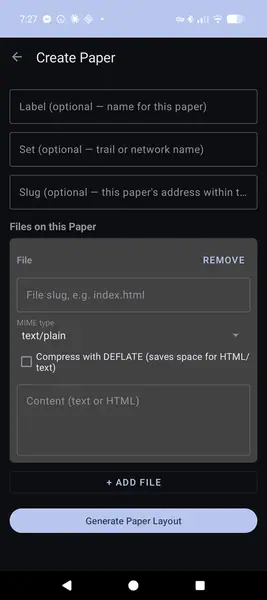
- Drop a whole "paper" — a printable sheet with a directory QR code (a paper manifest) plus one QR per file, built in-app (Create Paper) or with the web generator. Pages can link to each other with ordinary relative links, so a small static site survives being printed and scanned back in.
- Spread large content across multiple codes — split a payload too big for one QR into multiple sector codes placed along a trail. The app collects sectors in any order, reassembles and verifies them, and can recover a single missing sector from an optional parity code.
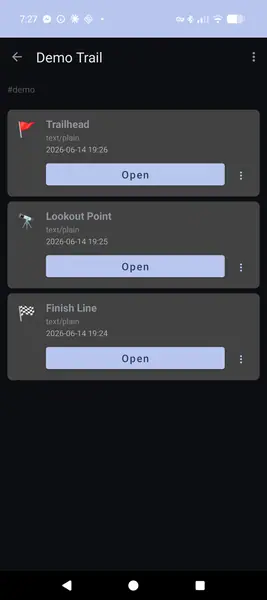
- Build trails, collections, and replies — link papers together with location hints, tag a loose set of stickers with a shared collection so they group into one card on the home screen and map, or mark a code as a reply to another to thread a conversation across drops.
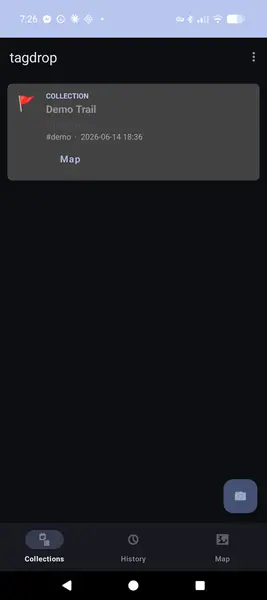
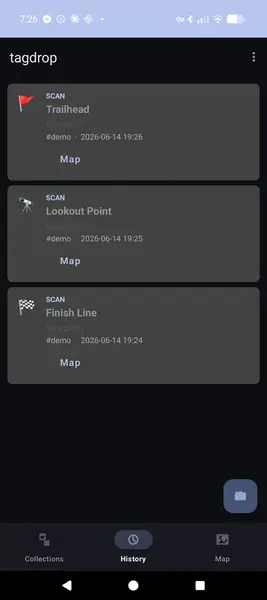
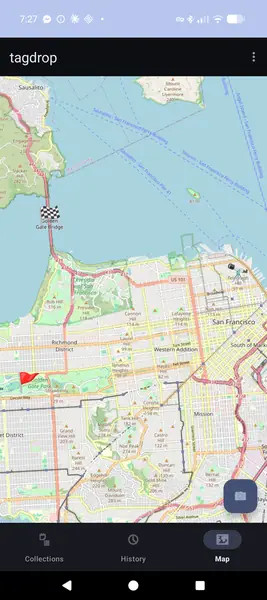
- Browse offline — scanned pages render in an in-app viewer, with search and #hashtag filtering, and a hex/CBOR inspector for the curious. The Collections, History, and Map tabs let you revisit, locate, and manage everything you've found, and a single file can back up or restore it all.
- Tap instead of scan — write any TagDrop code to a blank or rewritable NFC tag, then read it back with a tap instead of the camera.
- Sign your drops — post-quantum (ML-DSA-44) Verified Authorship signing lets anyone who scans your codes recognise them as genuinely yours after the first scan (trust-on-first-use), with a ✅/⚠️/🔏 badge shown on every signed item. Back up your signing identity to a passphrase-protected file to keep the same recognisable signer across devices.
How it works
Every code carries a tagdrop: URI — a QDEF container of CBOR Records, Base41-encoded so it packs efficiently into a QR code's alphanumeric mode. Content can optionally be DEFLATE-compressed and split across multiple codes with parity recovery. IDs are content-addressed (SHA-256 based), so identical content always gets the same ID regardless of who created it. The full wire-format spec is browsable in-app, no internet connection required.
Status
V2.5 — QDEF-based wire container encoding with content split into codes plus optional parity recovery, post-quantum (ML-DSA-44) content signing with trust-on-first-use verification, paper manifests with multi-file directories and relative-link navigation, geographic trails via "related" hints, ad-hoc collections, reply threading, an in-app scanner with a live scan board, NFC tag read/write, search and #hashtag filtering, full backup/restore, a Map tab for located finds, and remote drop-source feeds that pre-populate the map with community drops before you scan them.
What's new in version 2.6.2
- Wire format: QDEF redefined Split's group_id as an opaque grouping token rather than a verified hash. This app adds its own payload_hash field to keep the same reassembly-integrity check (SPEC.md version 18). Multi-code QR/NFC drops (content or paper spanning more than one code) made before this update won't reassemble correctly, and vice versa — regenerate and reprint/rewrite any of those after updating. Single-code drops are unaffected.
- Security: a scanned file's declared name is now rejec
APK file information
| Package name | com.github.mofosyne.tagdrop |
|---|---|
| Version | 2.6.2 (code 14) |
| Minimum Android | Android 6.0 · targets Android 15 |
| Architectures | All (universal) |
| SHA-256 | 014590dd5e148d511dba592cd4ba47b536adbd0356ba42cdbb67fb8981474b9d |
| Signature | f92099033c52b7b8266928947fc0da8d0a88fd59f68e72f07f9107df316f4456 |
| Licence | GPL-3.0-only — copyleft free licence: the code is public and modified versions must stay free |
| Source code | github.com/mofosyne/tagdrop |
Permissions
- Internet access
- Camera sensitive
- Approximate location sensitive
- Precise location (GPS) sensitive
- NFC
Older versions
- tagdrop 2.6.2August 10, 2026 · 10.1 MB
- tagdrop 2.6.0August 2, 2026 · 10.1 MB
- tagdrop 2.5.1July 29, 2026 · 10.1 MB
How to install tagdrop APK
- Tap Download APK above, then open the file once the download has finished.
- If Android asks, allow your browser to install unknown apps.
- Tap Install. tagdrop then appears with your other apps.
Having trouble? Read our guides how to install an APK on Android and "App not installed": how to fix it.
Frequently asked questions
Is tagdrop free?
Yes. tagdrop is distributed under the GPL-3.0-only licence: free, no subscription, and its source code is public.
Is this APK file safe?
The file is the one built and published by the F-Droid repository from the public source code. Its SHA-256 fingerprint is shown above, so you can compare it after downloading. How to check an APK.
Will tagdrop work on my phone?
You need at least Android 6.0. The app also works without Google services, so it runs on recent Huawei phones too.





