
EasySync APK
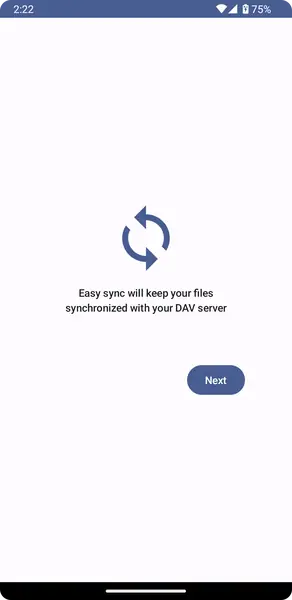
Easy sync 会保持你的文件和 DAV 服务器间的同步状态
下载 APK v1.27 · 3.0 MB- 版本1.27
- 大小3.0 MB
- 需要Android 10
- 更新日期2026/10/14
- 许可证MIT
- 价格免费
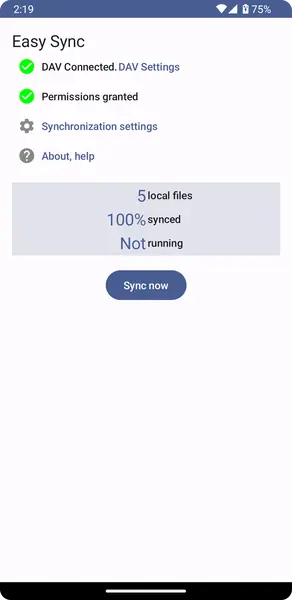
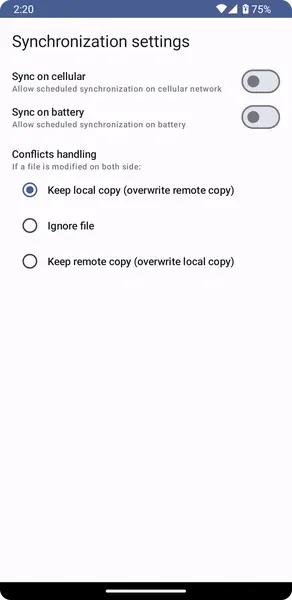
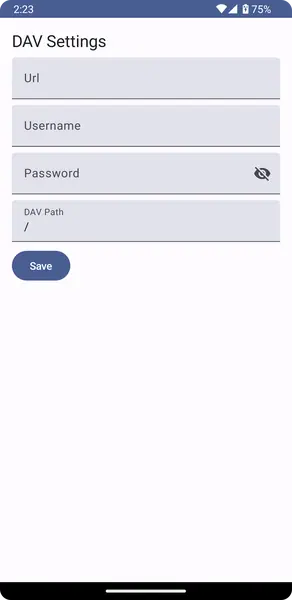
关于 EasySync
Synchronize images, videos, audio and downloads with your WebDAV server. Synchronize in both directions. Secure and open source.
What is synchronized:
- Images, video, screenshots that are displayed in your gallery will be synchronized. This includes images and videos in
DCIM/,Pictures/,Movies/andDownload/ - If they are only available in a specific app but not in gallery, they won't be synchronized
- Please note that messaging apps (messages, whatsapp, signal, etc.) generally offer you the choice between saving files in your gallery (in such case they will be synchronized) or not
- All audio and music files that are visible in
Alarms/,Audiobooks/,Music/,Notifications/,Podcasts/,Ringtones/andRecordings/will be synchronized - Beware that google's own voice recorder stores its files privately and offer its own cloud synchronization. They won't be synchronized by EasySync
- All downloaded files in
Download/will be synchronized, whether they are pdf, epubs, documents, images, etc.
What is not synchronized: Everything not explicitly stated above is not synchronized. More specifically:
- Applications
- Applications data/state
- Messages
- Contacts
- Games progress
- Wifi or network parameters
- Android settings and phone customization
Files on SD Card are NOT synced
1.27 版本新功能
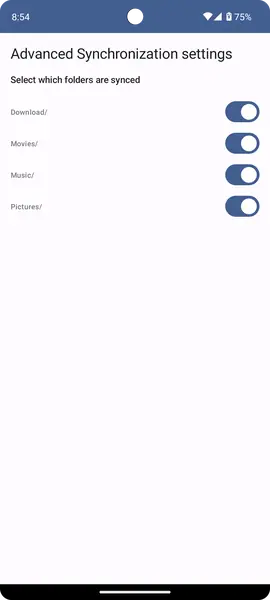
添加文件夹选择器以简化配置。
APK 文件信息
| 包名 | com.phpbg.easysync |
|---|---|
| 版本 | 1.27 (版本号 27) |
| 最低安卓版本 | Android 10 · 目标版本 Android 16 |
| 架构 | arm64-v8a, armeabi-v7a, x86, x86_64 |
| SHA-256 | 837ca927b6055704897e13208d8f8f7a3e88ca776a995776a99c143eed53c407 |
| 签名 | 8673b90bf84e3b123019985b1405bb489209b38053f668eb0a584c2142fb1e16 |
| 许可证 | MIT — 宽松自由许可证:源代码公开且可重复使用 |
| 源代码 | github.com/phpbg/easysync |
权限
- 读取存储
- 写入存储
- 访问所有文件 敏感
- 访问互联网
- 查看网络状态
- 显示通知
- 防止休眠
- 开机自启
- 后台运行
其他技术权限 1 项
REQUEST_IGNORE_BATTERY_OPTIMIZATIONS
历史版本
- EasySync 1.272026年10月14日 · 3.0 MB
- EasySync 1.262026年8月17日 · 3.0 MB
- EasySync 1.252026年4月25日 · 3.2 MB
如何安装 EasySync APK
- 点按上方的下载 APK,下载完成后打开文件。
- 如果安卓系统提示,请允许浏览器安装未知应用。
- 点按安装。EasySync 随后会出现在其他应用中。
常见问题
EasySync 免费吗?
是的。EasySync 以 MIT 许可证发布:免费、无需订阅,源代码公开。
这个 APK 文件安全吗?
该文件由 F-Droid 仓库根据公开源代码构建并发布。上方列出了它的 SHA-256 指纹,下载后可以核对。 APK 危险吗?安装前如何检查文件
EasySync 能在我的手机上运行吗?
至少需要 Android 10。该应用无需 Google 服务也能运行,因此在较新的华为手机上同样可用。