
EasySync APK
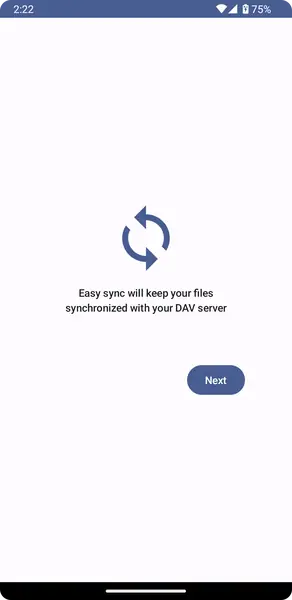
Synchronize your phone with your WebDAV server, the easy way.
Scarica l'APK v1.27 · 3,0 MB- Versione1.27
- Dimensione3,0 MB
- RichiedeAndroid 10
- Aggiornata14/10/2026
- LicenzaMIT
- PrezzoGratis
Informazioni su EasySync
Descrizione fornita dallo sviluppatore (in inglese).
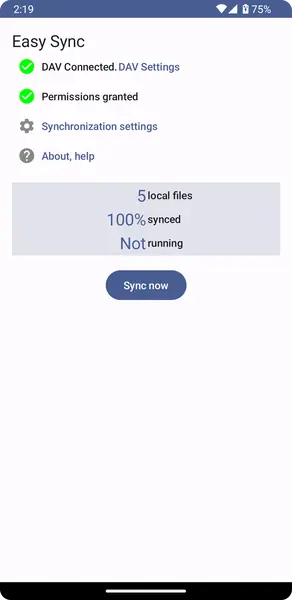
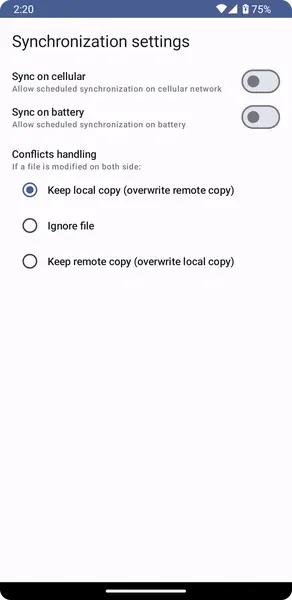
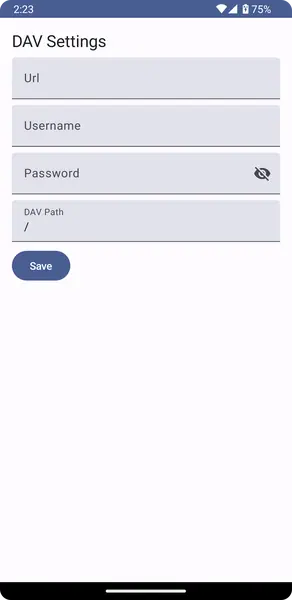
Synchronize images, videos, audio and downloads with your WebDAV server. Synchronize in both directions. Secure and open source.
What is synchronized:
- Images, video, screenshots that are displayed in your gallery will be synchronized. This includes images and videos in
DCIM/,Pictures/,Movies/andDownload/ - If they are only available in a specific app but not in gallery, they won't be synchronized
- Please note that messaging apps (messages, whatsapp, signal, etc.) generally offer you the choice between saving files in your gallery (in such case they will be synchronized) or not
- All audio and music files that are visible in
Alarms/,Audiobooks/,Music/,Notifications/,Podcasts/,Ringtones/andRecordings/will be synchronized - Beware that google's own voice recorder stores its files privately and offer its own cloud synchronization. They won't be synchronized by EasySync
- All downloaded files in
Download/will be synchronized, whether they are pdf, epubs, documents, images, etc.
What is not synchronized: Everything not explicitly stated above is not synchronized. More specifically:
- Applications
- Applications data/state
- Messages
- Contacts
- Games progress
- Wifi or network parameters
- Android settings and phone customization
Files on SD Card are NOT synced
Novità della versione 1.27
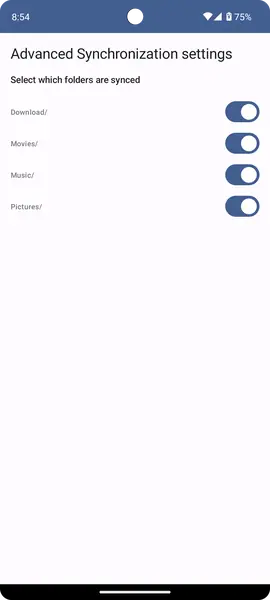
Add a folder picker to ease configuration.
Informazioni sul file APK
| Nome del pacchetto | com.phpbg.easysync |
|---|---|
| Versione | 1.27 (codice 27) |
| Android minimo | Android 10 · pensata per Android 16 |
| Architetture | arm64-v8a, armeabi-v7a, x86, x86_64 |
| SHA-256 | 837ca927b6055704897e13208d8f8f7a3e88ca776a995776a99c143eed53c407 |
| Firma | 8673b90bf84e3b123019985b1405bb489209b38053f668eb0a584c2142fb1e16 |
| Licenza | MIT — licenza libera permissiva: il codice sorgente è pubblico e riutilizzabile |
| Codice sorgente | github.com/phpbg/easysync |
Autorizzazioni richieste
- Leggere l'archivio
- Scrivere nell'archivio
- Accesso a tutti i file sensibile
- Accesso a Internet
- Vedere lo stato della rete
- Mostrare notifiche
- Impedire lo standby
- Avviarsi all'accensione
- Funzionare in background
Altre 1 autorizzazioni tecniche
REQUEST_IGNORE_BATTERY_OPTIMIZATIONS
Versioni precedenti
- EasySync 1.2714 ottobre 2026 · 3,0 MB
- EasySync 1.2617 agosto 2026 · 3,0 MB
- EasySync 1.2525 aprile 2026 · 3,2 MB
Come installare EasySync APK
- Tocca Scarica l'APK qui sopra, poi apri il file al termine del download.
- Se Android lo chiede, consenti al browser di installare app sconosciute.
- Tocca Installa. EasySync comparirà insieme alle altre app.
→ Come installare un file APK su Android (passo passo)
→ «App non installata»: cause e soluzioni
Domande frequenti
EasySync è gratis?
Sì. EasySync è distribuita con licenza MIT: gratuita, senza abbonamento e con codice sorgente pubblico.
Questo file APK è sicuro?
Il file è quello compilato e pubblicato dal repository F-Droid a partire dal codice sorgente pubblico. L'impronta SHA-256 è indicata qui sopra: puoi confrontarla dopo il download. Un APK è pericoloso? Come verificare un file prima di installarlo
EasySync funziona sul mio telefono?
Serve almeno Android 10. L'app funziona anche senza i servizi Google, quindi anche sui telefoni Huawei recenti.





