Gitling APK
Git client built with Jetpack Compose and Material 3 Expressive
APK herunterladen v1.0.66 · 35,7 MB- Version1.0.66
- Größe35,7 MB
- BenötigtAndroid 6.0
- Aktualisiert20.11.2026
- LizenzGPL-3.0-or-later
- PreisKostenlos
Über Gitling
Beschreibung des Entwicklers (auf Englisch).
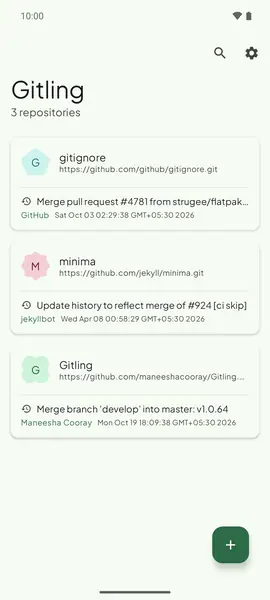
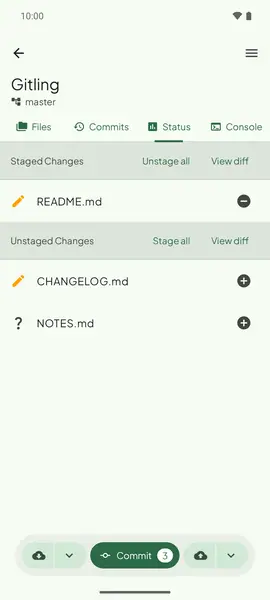
Gitling is a Git client for Android, built with Jetpack Compose and Material 3 Expressive.
It's a fork of MGit (itself a continuation of SGit), modernized with a current Android toolchain, a from-scratch Compose UI, one-tap GitHub sign-in, and a new identity.
Features:
- Clone, create, and delete local repositories
- One-tap Connect with GitHub (OAuth Device Flow) -- no manual token/password handling for GitHub remotes
- HTTP/HTTPS/SSH, including SSH with private-key passphrase
- Username/password and personal access token authentication for any Git host
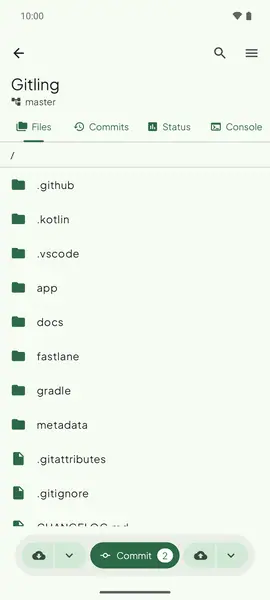
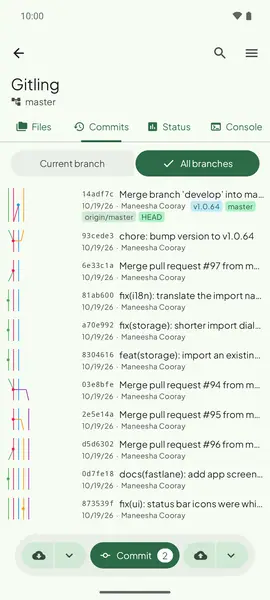
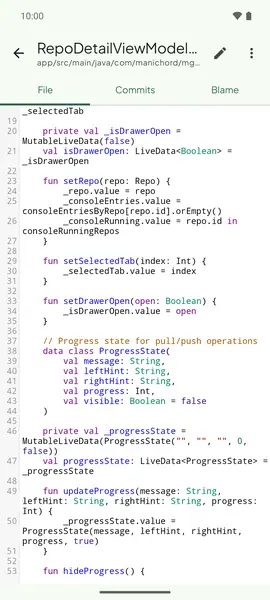
- Browse files and commit history, git diff between commits
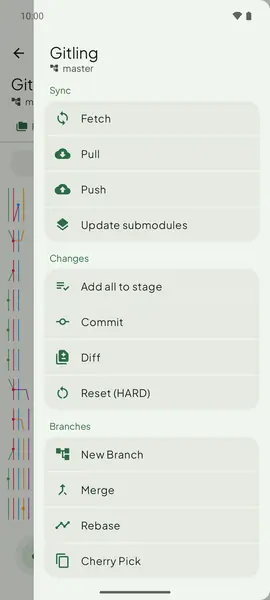
- Checkout, create, and merge local/remote branches and tags
- git status, staging, git rebase, git cherry-pick, git checkout
- Private key generation and management
- Import an existing repository from device storage
- Light/dark mode that follows the system, with a choice between a fixed brand color or wallpaper-based Material You dynamic color
Gitling doesn't include an internal text editor -- to edit files, you'll need an editor app installed that supports opening files via Android's File Provider mechanism (most code/text editor apps do).
Neu in Version 1.0.66
Choose the app's language in Settings, separately from your device language. Right-to-left layout support: the app now mirrors fully in Arabic and Hebrew, and both are back in the language list. Clone large repositories faster with a shallow clone option, with progress shown from the moment a clone starts. Import SSH keys using your device's file picker, and sign in to SSH servers that prompt for your password interactively. Fixed a crash on very large repositories when counting what's waiting t
Informationen zur APK-Datei
| Paketname | com.maneeshacooray.gitling |
|---|---|
| Version | 1.0.66 (Code 69) |
| Mindestens | Android 6.0 · ausgelegt für API 37 |
| Architekturen | arm64-v8a, armeabi-v7a, x86, x86_64 |
| SHA-256 | 3d02110dac2323aaaebea7016618decc6986e1418f9abda3719aa5b240662abf |
| Signatur | b1868505e313bc8b534d0bd09ae11b72f4c81a28a4a0b8972566b360fd39b4e1 |
| Lizenz | GPL-3.0-or-later — freie Copyleft-Lizenz: Der Code ist öffentlich und veränderte Versionen müssen frei bleiben |
| Quellcode | github.com/maneeshacooray/Gitling |
Berechtigungen
- Internetzugriff
- Netzwerkstatus sehen
- Speicher lesen
- Ruhezustand verhindern
- Beim Start ausführen
- Im Hintergrund laufen
Ältere Versionen
- Gitling 1.0.6620. November 2026 · 35,7 MB
- Gitling 1.0.6525. Oktober 2026 · 35,7 MB
- Gitling 1.0.622. Oktober 2026 · 35,5 MB
So installieren Sie Gitling APK
- Tippen Sie oben auf APK herunterladen und öffnen Sie die Datei nach dem Download.
- Wenn Android fragt, erlauben Sie Ihrem Browser, unbekannte Apps zu installieren.
- Tippen Sie auf Installieren. Gitling erscheint dann bei Ihren anderen Apps.
→ APK-Datei auf Android installieren (Schritt für Schritt)
→ „App nicht installiert“: Ursachen und Lösungen
Häufige Fragen
Ist Gitling kostenlos?
Ja. Gitling steht unter der Lizenz GPL-3.0-or-later: kostenlos, ohne Abo, und der Quellcode ist öffentlich.
Ist diese APK-Datei sicher?
Die Datei wurde vom F-Droid-Repository aus dem öffentlichen Quellcode erstellt und veröffentlicht. Ihr SHA-256-Fingerabdruck steht oben, Sie können ihn nach dem Download vergleichen. Ist eine APK gefährlich? So prüfen Sie eine Datei vor der Installation
Läuft Gitling auf meinem Handy?
Sie benötigen mindestens Android 6.0. Die App funktioniert auch ohne Google-Dienste, also auch auf aktuellen Huawei-Handys.