Gitling APK
Git client built with Jetpack Compose and Material 3 Expressive
Descargar APK v1.0.66 · 35,7 MB- Versión1.0.66
- Tamaño35,7 MB
- RequiereAndroid 6.0
- Actualizada20/11/2026
- LicenciaGPL-3.0-or-later
- PrecioGratis
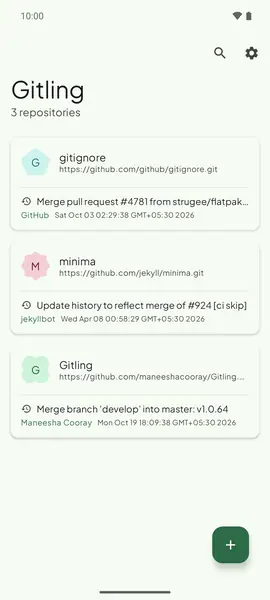
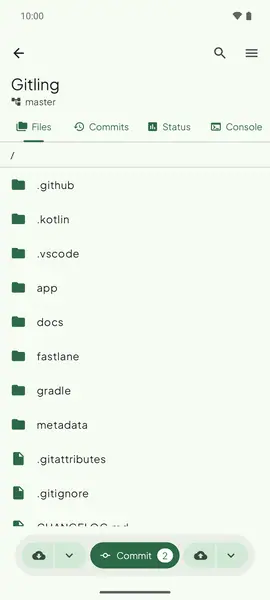
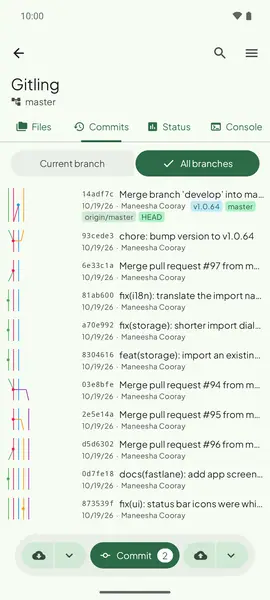
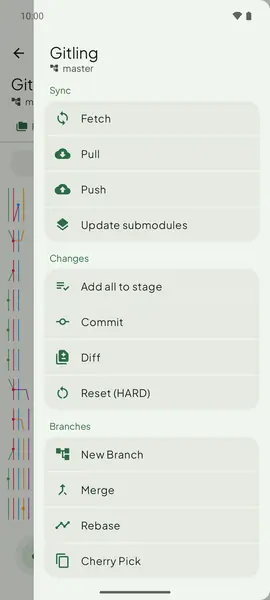
Acerca de Gitling
Descripción del desarrollador (en inglés).
Gitling is a Git client for Android, built with Jetpack Compose and Material 3 Expressive.
It's a fork of MGit (itself a continuation of SGit), modernized with a current Android toolchain, a from-scratch Compose UI, one-tap GitHub sign-in, and a new identity.
Features:
- Clone, create, and delete local repositories
- One-tap Connect with GitHub (OAuth Device Flow) -- no manual token/password handling for GitHub remotes
- HTTP/HTTPS/SSH, including SSH with private-key passphrase
- Username/password and personal access token authentication for any Git host
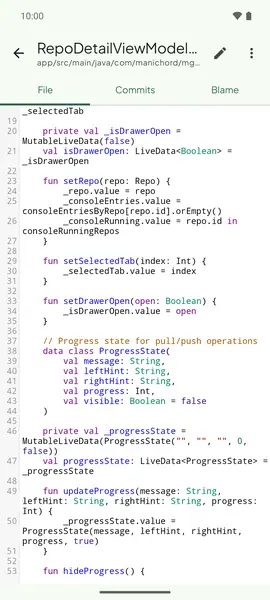
- Browse files and commit history, git diff between commits
- Checkout, create, and merge local/remote branches and tags
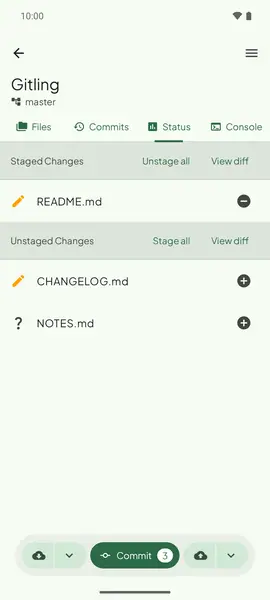
- git status, staging, git rebase, git cherry-pick, git checkout
- Private key generation and management
- Import an existing repository from device storage
- Light/dark mode that follows the system, with a choice between a fixed brand color or wallpaper-based Material You dynamic color
Gitling doesn't include an internal text editor -- to edit files, you'll need an editor app installed that supports opening files via Android's File Provider mechanism (most code/text editor apps do).
Novedades de la versión 1.0.66
Choose the app's language in Settings, separately from your device language. Right-to-left layout support: the app now mirrors fully in Arabic and Hebrew, and both are back in the language list. Clone large repositories faster with a shallow clone option, with progress shown from the moment a clone starts. Import SSH keys using your device's file picker, and sign in to SSH servers that prompt for your password interactively. Fixed a crash on very large repositories when counting what's waiting t
Información del archivo APK
| Nombre del paquete | com.maneeshacooray.gitling |
|---|---|
| Versión | 1.0.66 (código 69) |
| Android mínimo | Android 6.0 · diseñada para API 37 |
| Arquitecturas | arm64-v8a, armeabi-v7a, x86, x86_64 |
| SHA-256 | 3d02110dac2323aaaebea7016618decc6986e1418f9abda3719aa5b240662abf |
| Firma | b1868505e313bc8b534d0bd09ae11b72f4c81a28a4a0b8972566b360fd39b4e1 |
| Licencia | GPL-3.0-or-later — licencia libre copyleft: el código es público y las versiones modificadas deben seguir siendo libres |
| Código fuente | github.com/maneeshacooray/Gitling |
Permisos solicitados
- Acceso a Internet
- Ver el estado de la red
- Leer el almacenamiento
- Impedir la suspensión
- Iniciarse al arrancar
- Funcionar en segundo plano
Versiones anteriores
- Gitling 1.0.6620 de noviembre de 2026 · 35,7 MB
- Gitling 1.0.6525 de octubre de 2026 · 35,7 MB
- Gitling 1.0.622 de octubre de 2026 · 35,5 MB
Cómo instalar Gitling APK
- Pulsa Descargar APK arriba y abre el archivo cuando termine la descarga.
- Si Android lo pide, permite que tu navegador instale apps desconocidas.
- Pulsa Instalar. Gitling aparecerá junto a tus otras apps.
→ Cómo instalar un archivo APK en Android (paso a paso)
→ «La aplicación no está instalada»: causas y soluciones
Preguntas frecuentes
¿Gitling es gratis?
Sí. Gitling se distribuye con licencia GPL-3.0-or-later: gratis, sin suscripción y con el código fuente público.
¿Es seguro este archivo APK?
El archivo es el que compila y publica el repositorio F-Droid a partir del código fuente público. Su huella SHA-256 aparece arriba para que puedas compararla tras la descarga. ¿Un APK es peligroso? Cómo verificar un archivo antes de instalarlo
¿Funciona Gitling en mi teléfono?
Necesitas como mínimo Android 6.0. La app también funciona sin los servicios de Google, así que funciona en los teléfonos Huawei recientes.