Gitling APK
Git client built with Jetpack Compose and Material 3 Expressive
Scarica l'APK v1.0.66 · 35,7 MB- Versione1.0.66
- Dimensione35,7 MB
- RichiedeAndroid 6.0
- Aggiornata20/11/2026
- LicenzaGPL-3.0-or-later
- PrezzoGratis
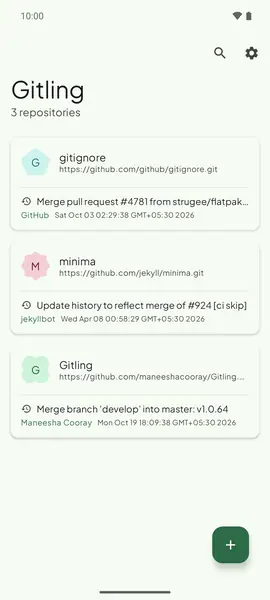
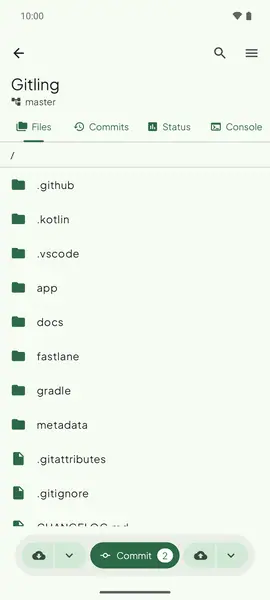
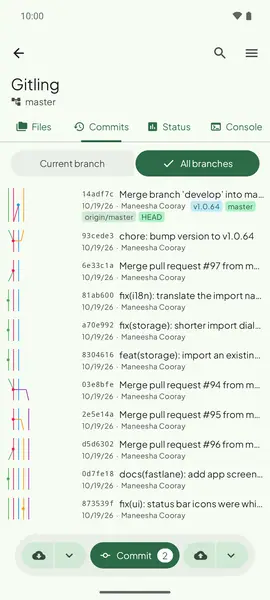
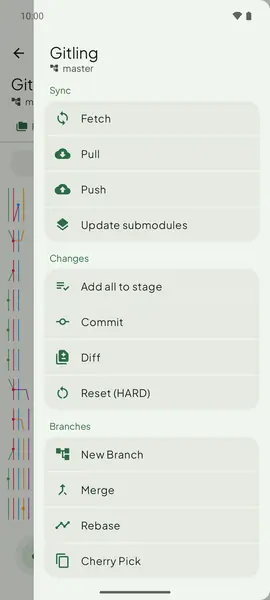
Informazioni su Gitling
Descrizione fornita dallo sviluppatore (in inglese).
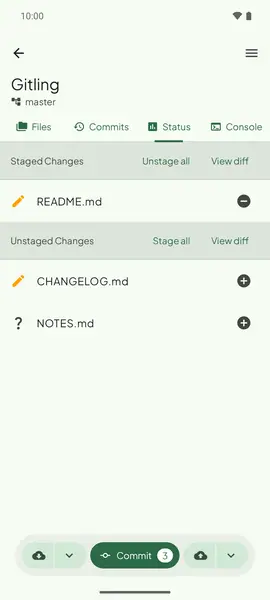
Gitling is a Git client for Android, built with Jetpack Compose and Material 3 Expressive.
It's a fork of MGit (itself a continuation of SGit), modernized with a current Android toolchain, a from-scratch Compose UI, one-tap GitHub sign-in, and a new identity.
Features:
- Clone, create, and delete local repositories
- One-tap Connect with GitHub (OAuth Device Flow) -- no manual token/password handling for GitHub remotes
- HTTP/HTTPS/SSH, including SSH with private-key passphrase
- Username/password and personal access token authentication for any Git host
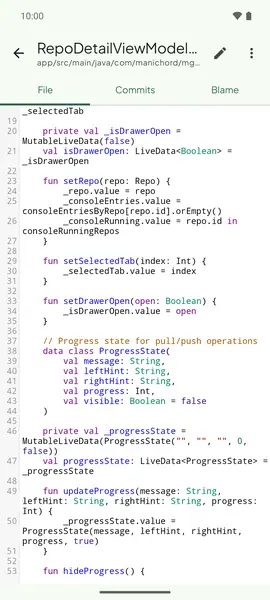
- Browse files and commit history, git diff between commits
- Checkout, create, and merge local/remote branches and tags
- git status, staging, git rebase, git cherry-pick, git checkout
- Private key generation and management
- Import an existing repository from device storage
- Light/dark mode that follows the system, with a choice between a fixed brand color or wallpaper-based Material You dynamic color
Gitling doesn't include an internal text editor -- to edit files, you'll need an editor app installed that supports opening files via Android's File Provider mechanism (most code/text editor apps do).
Novità della versione 1.0.66
Choose the app's language in Settings, separately from your device language. Right-to-left layout support: the app now mirrors fully in Arabic and Hebrew, and both are back in the language list. Clone large repositories faster with a shallow clone option, with progress shown from the moment a clone starts. Import SSH keys using your device's file picker, and sign in to SSH servers that prompt for your password interactively. Fixed a crash on very large repositories when counting what's waiting t
Informazioni sul file APK
| Nome del pacchetto | com.maneeshacooray.gitling |
|---|---|
| Versione | 1.0.66 (codice 69) |
| Android minimo | Android 6.0 · pensata per API 37 |
| Architetture | arm64-v8a, armeabi-v7a, x86, x86_64 |
| SHA-256 | 3d02110dac2323aaaebea7016618decc6986e1418f9abda3719aa5b240662abf |
| Firma | b1868505e313bc8b534d0bd09ae11b72f4c81a28a4a0b8972566b360fd39b4e1 |
| Licenza | GPL-3.0-or-later — licenza libera copyleft: il codice è pubblico e le versioni modificate devono restare libere |
| Codice sorgente | github.com/maneeshacooray/Gitling |
Autorizzazioni richieste
- Accesso a Internet
- Vedere lo stato della rete
- Leggere l'archivio
- Impedire lo standby
- Avviarsi all'accensione
- Funzionare in background
Versioni precedenti
- Gitling 1.0.6620 novembre 2026 · 35,7 MB
- Gitling 1.0.6525 ottobre 2026 · 35,7 MB
- Gitling 1.0.622 ottobre 2026 · 35,5 MB
Come installare Gitling APK
- Tocca Scarica l'APK qui sopra, poi apri il file al termine del download.
- Se Android lo chiede, consenti al browser di installare app sconosciute.
- Tocca Installa. Gitling comparirà insieme alle altre app.
→ Come installare un file APK su Android (passo passo)
→ «App non installata»: cause e soluzioni
Domande frequenti
Gitling è gratis?
Sì. Gitling è distribuita con licenza GPL-3.0-or-later: gratuita, senza abbonamento e con codice sorgente pubblico.
Questo file APK è sicuro?
Il file è quello compilato e pubblicato dal repository F-Droid a partire dal codice sorgente pubblico. L'impronta SHA-256 è indicata qui sopra: puoi confrontarla dopo il download. Un APK è pericoloso? Come verificare un file prima di installarlo
Gitling funziona sul mio telefono?
Serve almeno Android 6.0. L'app funziona anche senza i servizi Google, quindi anche sui telefoni Huawei recenti.