Gitling APK
Git client built with Jetpack Compose and Material 3 Expressive
Baixar APK v1.0.66 · 35,7 MB- Versão1.0.66
- Tamanho35,7 MB
- RequerAndroid 6.0
- Atualizado20/11/2026
- LicençaGPL-3.0-or-later
- PreçoGrátis
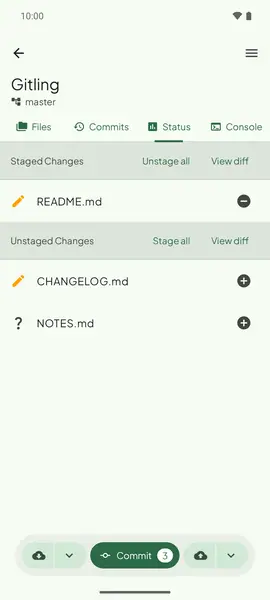
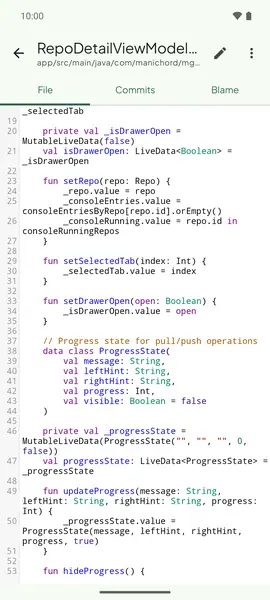
Sobre o Gitling
Descrição fornecida pelo desenvolvedor (em inglês).
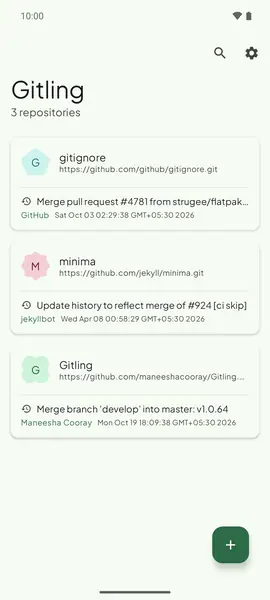
Gitling is a Git client for Android, built with Jetpack Compose and Material 3 Expressive.
It's a fork of MGit (itself a continuation of SGit), modernized with a current Android toolchain, a from-scratch Compose UI, one-tap GitHub sign-in, and a new identity.
Features:
- Clone, create, and delete local repositories
- One-tap Connect with GitHub (OAuth Device Flow) -- no manual token/password handling for GitHub remotes
- HTTP/HTTPS/SSH, including SSH with private-key passphrase
- Username/password and personal access token authentication for any Git host
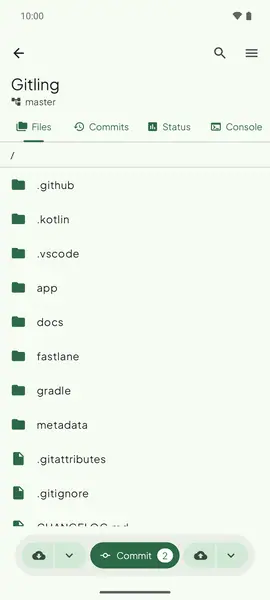
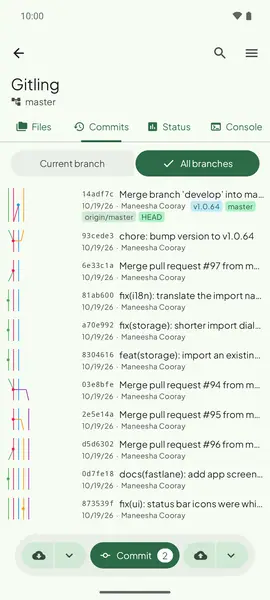
- Browse files and commit history, git diff between commits
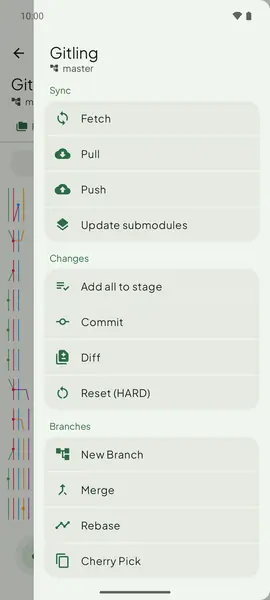
- Checkout, create, and merge local/remote branches and tags
- git status, staging, git rebase, git cherry-pick, git checkout
- Private key generation and management
- Import an existing repository from device storage
- Light/dark mode that follows the system, with a choice between a fixed brand color or wallpaper-based Material You dynamic color
Gitling doesn't include an internal text editor -- to edit files, you'll need an editor app installed that supports opening files via Android's File Provider mechanism (most code/text editor apps do).
Novidades da versão 1.0.66
Choose the app's language in Settings, separately from your device language. Right-to-left layout support: the app now mirrors fully in Arabic and Hebrew, and both are back in the language list. Clone large repositories faster with a shallow clone option, with progress shown from the moment a clone starts. Import SSH keys using your device's file picker, and sign in to SSH servers that prompt for your password interactively. Fixed a crash on very large repositories when counting what's waiting t
Informações do arquivo APK
| Nome do pacote | com.maneeshacooray.gitling |
|---|---|
| Versão | 1.0.66 (código 69) |
| Android mínimo | Android 6.0 · feito para API 37 |
| Arquiteturas | arm64-v8a, armeabi-v7a, x86, x86_64 |
| SHA-256 | 3d02110dac2323aaaebea7016618decc6986e1418f9abda3719aa5b240662abf |
| Assinatura | b1868505e313bc8b534d0bd09ae11b72f4c81a28a4a0b8972566b360fd39b4e1 |
| Licença | GPL-3.0-or-later — licença livre copyleft: o código é público e versões modificadas devem continuar livres |
| Código-fonte | github.com/maneeshacooray/Gitling |
Permissões solicitadas
- Acesso à internet
- Ver o estado da rede
- Ler o armazenamento
- Impedir o modo de espera
- Iniciar com o sistema
- Funcionar em segundo plano
Versões anteriores
- Gitling 1.0.6620 de novembro de 2026 · 35,7 MB
- Gitling 1.0.6525 de outubro de 2026 · 35,7 MB
- Gitling 1.0.622 de outubro de 2026 · 35,5 MB
Como instalar o Gitling APK
- Toque em Baixar APK acima e abra o arquivo quando o download terminar.
- Se o Android pedir, permita que o navegador instale apps desconhecidos.
- Toque em Instalar. O Gitling aparecerá junto aos seus outros apps.
→ Como instalar um arquivo APK no Android (passo a passo)
→ "App não instalado": causas e soluções
Perguntas frequentes
O Gitling é grátis?
Sim. O Gitling é distribuído sob a licença GPL-3.0-or-later: grátis, sem assinatura e com código-fonte público.
Este arquivo APK é seguro?
O arquivo é o compilado e publicado pelo repositório F-Droid a partir do código-fonte público. A impressão digital SHA-256 aparece acima para você comparar depois do download. APK é perigoso? Como verificar um arquivo antes de instalar
O Gitling funciona no meu celular?
É preciso ter pelo menos Android 6.0. O app também funciona sem os serviços do Google, inclusive em celulares Huawei recentes.