Gitling APK
Git client built with Jetpack Compose and Material 3 Expressive
Download APK v1.0.66 · 35.7 MB- Version1.0.66
- Size35.7 MB
- RequiresAndroid 6.0
- Updated11/20/2026
- LicenceGPL-3.0-or-later
- PriceFree
About Gitling
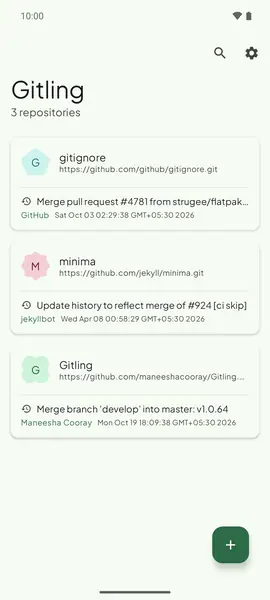
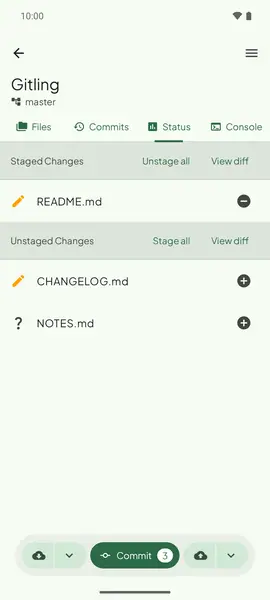
Gitling is a Git client for Android, built with Jetpack Compose and Material 3 Expressive.
It's a fork of MGit (itself a continuation of SGit), modernized with a current Android toolchain, a from-scratch Compose UI, one-tap GitHub sign-in, and a new identity.
Features:
- Clone, create, and delete local repositories
- One-tap Connect with GitHub (OAuth Device Flow) -- no manual token/password handling for GitHub remotes
- HTTP/HTTPS/SSH, including SSH with private-key passphrase
- Username/password and personal access token authentication for any Git host
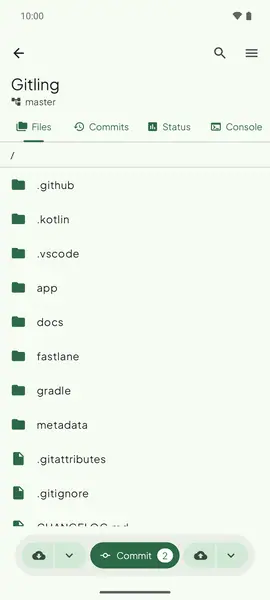
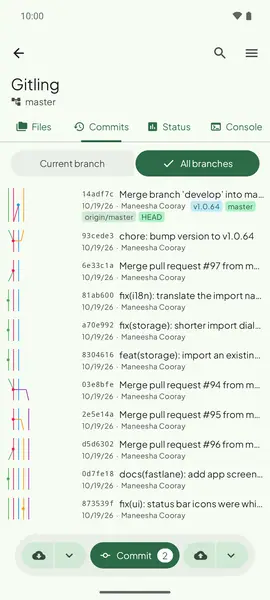
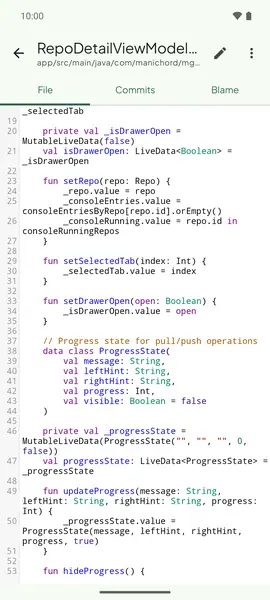
- Browse files and commit history, git diff between commits
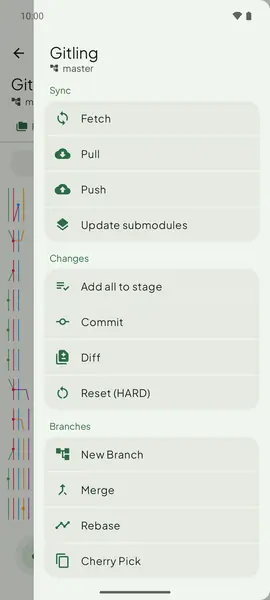
- Checkout, create, and merge local/remote branches and tags
- git status, staging, git rebase, git cherry-pick, git checkout
- Private key generation and management
- Import an existing repository from device storage
- Light/dark mode that follows the system, with a choice between a fixed brand color or wallpaper-based Material You dynamic color
Gitling doesn't include an internal text editor -- to edit files, you'll need an editor app installed that supports opening files via Android's File Provider mechanism (most code/text editor apps do).
What's new in version 1.0.66
Choose the app's language in Settings, separately from your device language. Right-to-left layout support: the app now mirrors fully in Arabic and Hebrew, and both are back in the language list. Clone large repositories faster with a shallow clone option, with progress shown from the moment a clone starts. Import SSH keys using your device's file picker, and sign in to SSH servers that prompt for your password interactively. Fixed a crash on very large repositories when counting what's waiting t
APK file information
| Package name | com.maneeshacooray.gitling |
|---|---|
| Version | 1.0.66 (code 69) |
| Minimum Android | Android 6.0 · targets API 37 |
| Architectures | arm64-v8a, armeabi-v7a, x86, x86_64 |
| SHA-256 | 3d02110dac2323aaaebea7016618decc6986e1418f9abda3719aa5b240662abf |
| Signature | b1868505e313bc8b534d0bd09ae11b72f4c81a28a4a0b8972566b360fd39b4e1 |
| Licence | GPL-3.0-or-later — copyleft free licence: the code is public and modified versions must stay free |
| Source code | github.com/maneeshacooray/Gitling |
Permissions
- Internet access
- View network status
- Read storage
- Keep the device awake
- Start at boot
- Run in the background
Older versions
- Gitling 1.0.66November 20, 2026 · 35.7 MB
- Gitling 1.0.65October 25, 2026 · 35.7 MB
- Gitling 1.0.62October 2, 2026 · 35.5 MB
How to install Gitling APK
- Tap Download APK above, then open the file once the download has finished.
- If Android asks, allow your browser to install unknown apps.
- Tap Install. Gitling then appears with your other apps.
Having trouble? Read our guides how to install an APK on Android and "App not installed": how to fix it.
Frequently asked questions
Is Gitling free?
Yes. Gitling is distributed under the GPL-3.0-or-later licence: free, no subscription, and its source code is public.
Is this APK file safe?
The file is the one built and published by the F-Droid repository from the public source code. Its SHA-256 fingerprint is shown above, so you can compare it after downloading. How to check an APK.
Will Gitling work on my phone?
You need at least Android 6.0. The app also works without Google services, so it runs on recent Huawei phones too.