Epoch APK
Time display for nerds: Unix, sidereal, binary clocks & more.
Download APK v1.7.0 · 22.3 MB- Version1.7.0
- Size22.3 MB
- RequiresAndroid 7.0
- Updated11/23/2026
- LicenceGPL-3.0-or-later
- PriceFree


About Epoch
Epoch shows the current moment across a wide range of time systems — updating every second, all in one place. 31 values, from Unix time and sidereal time to Swatch Internet Time and the Doomsday Clock.
What Epoch gives you
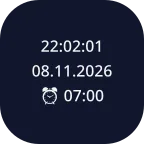
- Civil: date, time, day second, day minute, day percent, seven-segment clock, analog clock with 12 or 24-hour face — for any time zone
- Technical: Unix time, International Atomic Time (TAI), GPS time
- Astronomical: Greenwich and Local Mean Sidereal Time (GMST, LMST), Julian Date and six variants
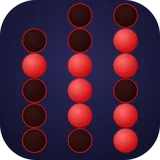
- Curiosities: decimal time, Swatch Internet Time, New Earth Time, Doomsday Clock, Roman numerals time, 3 binary clocks, octal and hexadecimal time
Copy any value to clipboard with one tap or long press.
Time zones, done thoroughly
- Every IANA time zone, found by city, country, capital, name, abbreviation or UTC offset — in English and German.
- Epoch brings its own up-to-date time zone data, so even phones that no longer get system updates show the right time and the right clock changes.
- 7-day advance notice of clock changes, with upcoming transitions in the value's info dialog.
- Optionally pin time zones to always show standard or summer time.
Time Shift Show any moment between 1970 and 2038 in all time systems, running or frozen, without touching your system clock. Check past clock change rules, leap seconds or Doomsday Clock settings, or simply pause time.
Configurable
- Build your own Watchlist tabs — combine any value from any category, in any order.
- All built-in tabs (Civil, Technical, Astronomical, Curiosities) are fully customizable too, and can be hidden and restored anytime.
- Set custom labels, section headers, and dividers.
- Reorder by drag-and-drop, swipe to remove.
- Customize date and time formats, configure time zone information.
- Export, import, and reset all preferences.
Focus mode
- Double-tap any value for a full-screen, always-on display — ideal as a bedside clock.
- Adjustable brightness (Android) and text color.
- Toggle details with a long press.
- Burn-in protection through gentle, periodic pixel shifting (especially useful on OLED screens).
- Optionally start the app directly in Focus mode.
Designed for night use Night mode displays red text on black — preserving your eyes' dark adaptation for stargazing.
Example configurations and documentation Ready-to-import example configurations (spaceflight, world time zone explorer, ...), a config manual and the time zone search guide are available on GitHub.
Privacy first No ads, notifications, tracking, analytics, or network requests. All settings stored locally on your device. No permissions required. For Local Mean Sidereal Time: optionally grant location access once (coarse, no GPS) or enter longitude manually. Free software (GPL-3.0-or-later), reproducible builds.
Available in English and German.
What's new in version 1.7.0
Better Time Shift, Focus mode and night use, new graphical clocks
- Two analog clocks (12/24-hour) and day minute
- Time Shift: enter moments in any time zone (e.g. Lord Howe), optionally use it as "local", optional start value
- Night mode time window in Settings
- Seconds, decimals and details line can be hidden per value or globally
- App follows the system language by default
- Seconds now change exactly with the system clock
- many other improvements
APK file information
| Package name | io.github.RealEarthling.epoch |
|---|---|
| Version | 1.7.0 (code 113) |
| Minimum Android | Android 7.0 · targets Android 16 |
| Architectures | x86_64 |
| SHA-256 | c10172411e7070bf193a6dd5cff522098022e1cf2c13fee42917c8b40ef35b3d |
| Signature | 7263c0bfce95b625839598b01fdcc695c04cdbe6dd4fa34a02a2d3ad2522c246 |
| Licence | GPL-3.0-or-later — copyleft free licence: the code is public and modified versions must stay free |
| Source code | github.com/RealNoitasinagro/epoch |
| Official website | realnoitasinagro.github.io/epoch/ |
Permissions
- Approximate location sensitive
Older versions
- Epoch 1.7.0November 23, 2026 · 22.3 MB
- Epoch 1.7.0November 23, 2026 · 20.8 MB
- Epoch 1.7.0November 23, 2026 · 18.6 MB
- Epoch 1.6.0October 31, 2026 · 22.3 MB
- Epoch 1.6.0October 31, 2026 · 20.8 MB
- Epoch 1.6.0October 31, 2026 · 18.6 MB
- Epoch 1.5.2October 15, 2026 · 21.2 MB
- Epoch 1.5.2October 15, 2026 · 19.8 MB
- Epoch 1.5.2October 15, 2026 · 17.6 MB
How to install Epoch APK
- Tap Download APK above, then open the file once the download has finished.
- If Android asks, allow your browser to install unknown apps.
- Tap Install. Epoch then appears with your other apps.
Having trouble? Read our guides how to install an APK on Android and "App not installed": how to fix it.
Frequently asked questions
Is Epoch free?
Yes. Epoch is distributed under the GPL-3.0-or-later licence: free, no subscription, and its source code is public.
Is this APK file safe?
The file is the one built and published by the F-Droid repository from the public source code. Its SHA-256 fingerprint is shown above, so you can compare it after downloading. How to check an APK.
Will Epoch work on my phone?
You need at least Android 7.0. The app also works without Google services, so it runs on recent Huawei phones too.